You’ve saved up a budget, but you’re worried that a sub-$300 phone might not capture those precious moments. Maybe you’re tired of blurry shots, grainy low-light photos, or missing the perfect angle. The good news: you don’t need a flagship price tag to get a capable camera phone. This guide is for anyone who wants a reliable shooter for everyday life, from family gatherings to weekend adventures, without stretching their wallet.
We’ve evaluated the top contenders in this price range, focusing on camera quality, battery life, and overall value. You’ll learn what to look for in a budget camera phone, and we’ve picked some standout models that deliver impressive results. Plus, we’ve included essential accessories to help you get the most out of your new device.
If you’re also curious about other budget-friendly options, check out our guide to the best budget camera phones for more ideas.



Buying Guide: What to Look for in a Camera Phone Under $300
Choosing the right camera phone under $300 can be tricky, but focusing on a few key specs makes the decision easier. Here’s what matters most.
Camera Resolution and Sensor Quality
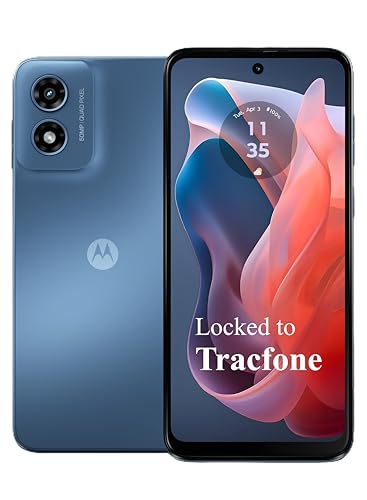
The megapixel count isn’t everything, but it’s a good starting point. A 50MP sensor, like the one on the Motorola Moto G Play, can capture sharp, detailed photos, especially in good lighting. Look for features like pixel-binning, which combines pixels to improve low-light performance.
Also, consider the aperture size. A wider aperture (like f/1.8) lets in more light, which helps in dim conditions. Don’t get caught up in the numbers alone; real-world photo quality matters more than a spec sheet.
Battery Life and Charging
There’s nothing worse than your phone dying right when you want to snap a photo. A long-lasting battery is crucial for a camera phone. Look for a battery capacity of at least 4000mAh, which should easily get you through a day of mixed use. Some models offer fast charging, which is a lifesaver when you’re in a hurry.
Also, check if the phone supports wireless charging, though this is less common in the budget segment. But don’t let a smaller battery scare you off; many budget phones are quite efficient.
Performance and Storage
A smooth camera app experience depends on the processor and RAM. A mid-range chipset like the Snapdragon 680, paired with 4GB of RAM, is enough for everyday photography and casual use. Make sure the phone has enough internal storage for your photos and videos, and consider expandable storage via microSD for extra flexibility.
Don’t forget to check for a headphone jack and Bluetooth version, which can affect how you connect accessories like external microphones or wireless remotes. For more tips on getting the most from your phone’s camera, see our guide to manual camera controls.
Final Thoughts
In the end, the best camera phone under $300 is the one that fits your lifestyle and shooting style. For a well-rounded pick that excels in everyday photography, the Motorola Moto G Play LTE | Unlocked is a solid choice with its 50MP camera and long battery life. If you’re into close-up shots and want to expand your creative toolkit, consider the Xenvo Pro Lens Kit for iPhone and Android to add macro and wide-angle capabilities to any phone. Whichever you choose, you’ll be capturing memories without breaking the bank.
Frequently Asked Questions
Can I get a good camera phone for under $300?
Absolutely. Many budget phones now come with capable cameras that produce sharp, vibrant photos in good lighting. Look for models with at least a 48MP or 50MP sensor and a wide aperture lens for better low-light performance.
What should I prioritize: megapixels or aperture?
For most users, a wider aperture (like f/1.8) is more important than a high megapixel count because it lets in more light, resulting in better low-light shots. However, higher megapixels can be useful for cropping and printing large photos. Ideally, you want a balance of both.
Do budget camera phones have good video recording capabilities?
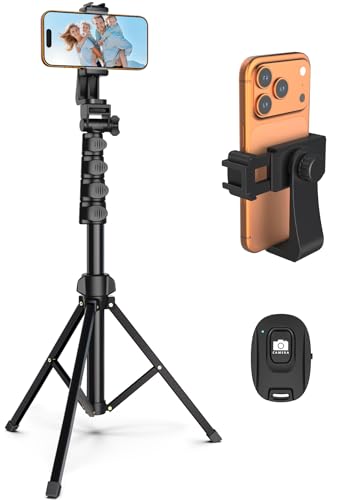
Yes, most budget phones can shoot 1080p or even 4K video at 30fps. While you won’t get advanced features like optical image stabilization (OIS) or 4K60, you can still record smooth, watchable footage for social media and personal use. For better stability, consider using a tripod.
Can I use accessories like clip-on lenses with a budget phone?
Definitely. Many budget phones have a single rear camera, so clip-on lenses like the Xenvo Pro Lens Kit can expand your creative options without breaking the bank. Just make sure the phone case is compatible with the clip.