Every League of Legends player knows that a split-second delay can mean the difference between a pentakill and a gray screen. Your mouse is your direct connection to the Rift, and choosing the right one can sharpen your reaction time and improve your mechanical skill. This guide covers the best gaming mouse for League of Legends in 2026, whether you prefer a lightweight wireless model for fast flicks or a programmable wired option for ability combos. We have evaluated top brands like Logitech G and Redragon to bring you picks that suit every role and budget. If you are also exploring mice for other titles, our experts have assessed options for Call of Duty and other competitive shooters.


Buying Guide for League of Legends Gaming Mice
Sensor Performance and DPI Range
In League of Legends, precise cursor movement is essential for landing skill shots and kiting. Look for a mouse with a high-quality optical sensor that delivers consistent tracking without acceleration or smoothing. A DPI range of at least 12,000 ensures you can adjust sensitivity to your liking, whether you prefer a low DPI for wide camera sweeps or a higher setting for micro movements. Models like the Logitech G Pro Wireless feature the HERO 25K sensor, a proven performer in competitive play.
Weight and Comfort for Long Sessions
League matches can stretch past 30 minutes, so comfort is critical. A lightweight mouse (under 90 grams) reduces fatigue and allows quicker movements during team fights. Ergonomics also matter: an ambidextrous shape fits most grip styles, while a contoured design supports palm and claw grips alike. The Logitech G305 Lightspeed, for example, weighs only 99 grams with a battery and offers a classic shape that suits extended play. For a deeper dive into ergonomic choices, see our guide to the best gaming mouse for apex legends, which covers similar comfort factors.
Programmable Buttons for Ability Combos
League requires quick access to four abilities, summoner spells, and item actives. A mouse with additional programmable buttons lets you bind these actions for faster execution. Some players prefer extra side buttons for attack-move or quick cast. The Redragon M908 offers 18 programmable buttons, perfect for mapping everything from Flash to Zhonya’s Hourglass. Even a simpler design with two side buttons can improve your efficiency if you remap them wisely.
Wireless vs. Wired: Latency and Convenience
Modern wireless mice have closed the latency gap, offering 1 ms response times that rival wired connections. The Logitech G Pro Wireless and G305 both use LIGHTSPEED technology for a lag-free experience. Wireless frees you from cable drag, which can hinder smooth flicks. However, wired mice like the Logitech G502 Hero provide consistent power and often come at a lower price. If you want a portable setup for LAN parties or multiple PCs, wireless is a smart investment. Check our best gaming mouse for Warzone recommendations for more on wireless advantage.
Final Thoughts
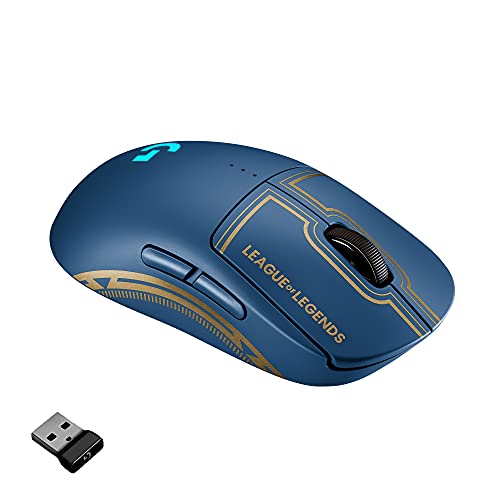
After reviewing the top contenders, the Logitech G Pro Wireless Gaming Mouse stands out as the ultimate choice for League of Legends players who demand tournament-level precision and a lightweight, ambidextrous design. For those on a tighter budget or who prefer a wired option with ample customization, the Redragon M612 Wired RGB Optical Gaming Mouse 8000 delivers surprising performance at a fraction of the cost. Whichever you choose, investing in a mouse that suits your grip and playstyle will elevate your performance on the Rift.
Frequently Asked Questions
What DPI is best for League of Legends?
Most players use a DPI between 800 and 1600 with an in-game sensitivity that gives them comfortable cursor control for both laning and team fights. A higher DPI can work for some, but steady tracking is more important than raw speed. Experiment in the Practice Tool to find what feels natural.
Do I need a wireless mouse for LoL?
Not necessarily. Wired mice still perform excellently and often cost less. However, wireless models like the Logitech G305 offer zero cable drag and freedom of movement, which many players find beneficial. Modern wireless technology is reliable enough for competitive play, as proven in professional tournaments. For more on wireless performance, read our best gaming mouse for Fortnite guide where low latency is equally critical.
How many buttons do I need on a League mouse?
At minimum, two side buttons let you bind attack-move or an item active. But players who use many keybinds may benefit from four or more programmable buttons. The Redragon M908 with its 18 buttons is overkill for most, but it can be useful if you want every spell and summoner on the mouse.
Can I use a mouse with a high DPI for League?
Yes, but high DPI is not necessary. Most sensors perform best in their native range, often around 1600 DPI. Higher DPI can introduce issues with jitter if the sensor is not top-tier. Stick with a proven sensor like the HERO or PixArt for consistent performance. For a broader look at gaming mice, visit the Gaming category page.