

You have just locked in your champion, loaded into Summoner’s Rift, and the minions are about to spawn. But if your laptop stutters during a crucial team fight, that pentakill slips away. League of Legends may not demand the raw power of a AAA shooter, but consistent high frame rates and a responsive display make a real difference in your climb. In this guide, we highlight the best gaming laptops for League of Legends in 2026 and the peripherals that can sharpen your edge. Whether you are a casual ARAM player or a ranked grinder, these picks will keep your gameplay smooth and your reactions instant. For more performance-focused recommendations, check out our roundup of best gaming laptops for apex legends.
Buying Guide: What to Look for in a League of Legends Laptop
Processor and Graphics: The Heart of Your Game
League of Legends is CPU-intensive, especially in crowded team fights. A modern processor with high single-core performance ensures your commands register without lag. Look for an AMD Ryzen 7 or 9, or an Intel Core i7 or i9 from the latest generations. Paired with a dedicated GPU like the NVIDIA GeForce RTX 5060, you can maintain 144+ FPS even at high settings. If you are on a tighter budget, integrated Radeon 680M graphics on Ryzen 7 chips can still handle LoL smoothly at medium settings. For comparisons, see our best video editing laptops under $1000, which share similar performance needs.
Display: Refresh Rate and Resolution
A high refresh rate display gives you a visible advantage. At 144Hz, every animation feels fluid, and your mouse movements translate instantly. Full HD (1920×1080) is the sweet spot for LoL, balancing clarity and performance. IPS panels offer better color and viewing angles, while anti-glare coatings reduce eye strain during long sessions. Avoid 4K screens for this game; they tax the GPU without meaningful benefits in a MOBA.
Portability and Build Quality
If you travel for tournaments or LAN parties, weight and battery life matter. Look for laptops under 5 pounds with a sturdy chassis. A 180-degree hinge is handy for sharing your screen during analysis. Also consider a backlit keyboard for playing in dim environments. The laptops category on our site has more portable options.
Peripherals: The Mouse Makes the Player
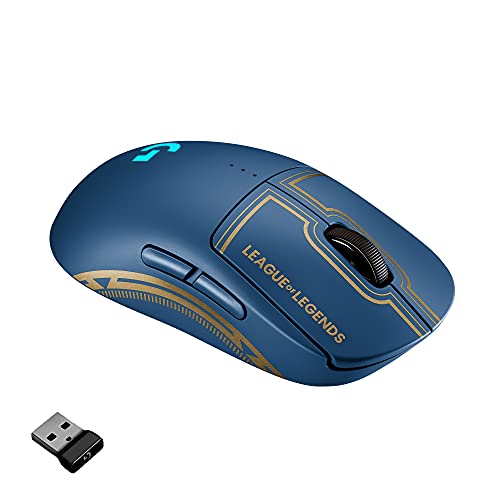
Even the best laptop is only as good as your mouse. For League of Legends, a lightweight, wireless mouse with a high-performance sensor and low latency can elevate your click accuracy. The Logitech G Pro Wireless, designed with esports pros, offers a 1ms report rate and an ambidextrous shape. If you want a more affordable route, the renewed version delivers the same performance. Pair your laptop with a top-tier mouse to maximize your reaction time.
Final Thoughts
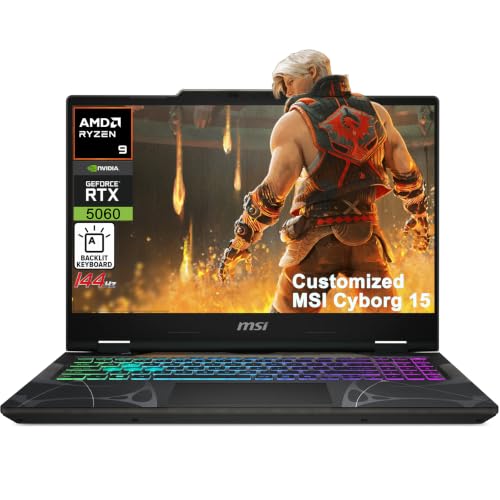
For the ultimate League of Legends experience, we recommend the iCarp MSI Cyborg 15 Gaming AI Laptop 15.6″ FHD for its blazing-fast AMD Ryzen 9 processor and RTX 5060 graphics, ensuring silky smooth gameplay at 144Hz. If you are looking to upgrade your aim without breaking the bank, the Logitech G Pro Wireless Gaming Mouse is a proven champion that complements any laptop setup. Together, they form a winning combination for climbing the ranked ladder in 2026.
Frequently Asked Questions
Do I need a dedicated graphics card for League of Legends in 2026?
While League of Legends can run on integrated graphics, a dedicated GPU like the NVIDIA GeForce RTX 5060 or AMD Radeon 680M ensures you maintain high frame rates during intense team fights. For competitive play, a dedicated card is highly recommended.
What refresh rate is best for League of Legends?
A 144Hz display is ideal for LoL. It provides smooth motion and reduces input lag, helping you react faster to enemy abilities. Higher refresh rates like 240Hz are overkill for this game, but still beneficial if you play other fast-paced titles.
Can I use a wireless mouse for League of Legends?
Yes, modern wireless mice like the Logitech G Pro Wireless have latency as low as wired mice. With LIGHTSPEED technology, you get a 1ms report rate, making them perfect for competitive LoL. Just ensure you keep the battery charged or use the renewed version for a budget-friendly option.
How much RAM do I need for League of Legends?
16GB of RAM is the sweet spot for smooth multitasking and preventing stutters. 8GB can work, but if you run Discord, a browser, or streaming software simultaneously, 16GB is recommended. For more details on memory requirements, see our guide on best video editing laptops under $500.






