

You press the record button, speak into your mic, and then hear it: a faint hum, an echo, or a distracting buzz. Your microphone itself might be capable, but the built-in audio port on your motherboard or laptop often introduces background noise and fails to deliver the clean signal you need. A dedicated sound card changes that. Whether you are a podcaster, a live streamer, or someone who spends hours on video calls, upgrading your audio hardware can transform your microphone quality. In this guide, we review the best sound cards for improving mic quality in 2026, covering options from internal PCIe cards to portable USB adapters. We have evaluated each product based on audio resolution, noise handling, connectivity, and ease of use.
Before diving into the reviews, understand that a sound card acts as a dedicated audio processor, bypassing the often noisy analog circuits found on motherboards. For clearer voice pickup, look for models with high signal-to-noise ratios (SNR) and built-in DAC chips. For more on how sound cards benefit headphones, read our guide on top sound cards for headphones.






Buying Guide: What to Look For in a Sound Card for Mic Quality
Audio Resolution and Sample Rate
Higher sample rates (like 96 kHz or 384 kHz) and greater bit depths (24-bit) capture more detail from your microphone. This translates to richer, more natural voice reproduction. For vocal work, a card that supports at least 24-bit/48 kHz is a solid baseline. The Creative Sound Blaster Audigy Fx Pro Hi-Res PCIe, for instance, delivers up to 32-bit/384 kHz playback, though microphone input benefits from the high-resolution processing.
Lower sample rates (16-bit/44.1 kHz) are common in budget adapters like the MOSWAG USB to 3.5mm adapter, but they can introduce subtle distortions. If you record vocals frequently, investing in a card with 24-bit support is worthwhile.
Noise Reduction and Signal-to-Noise Ratio (SNR)
A high SNR (measured in dB) means the audio signal is much stronger than the background noise. Look for cards with 100 dB or higher for clean mic input. The Cubilux 7.1 USB Surround Sound Card uses a full aluminum alloy case to shield against electromagnetic interference, resulting in a lower noise floor. Similarly, the UGREEN USB Sound Card Adapter includes a built-in DAC chip that minimizes static and hum.
For environments with lots of electronic clutter, an external USB sound card often outperforms internal motherboard audio because it sits away from the PC’s noisy components. This is especially important for streamers who use condenser mics.
Connectivity and Compatibility
Ensure the sound card matches your microphone’s connector type. Most use a 3.5 mm TRS or TRRS jack. Some cards offer separate mic and headphone jacks, which is ideal for headsets. The VENTION USB Sound Card provides independent mic and audio ports plus a volume control knob. For laptops with only USB-C ports, the SABRENT USB-C to 3.5mm Audio Adapter is a compact solution.
Check operating system support. Most USB sound cards are plug-and-play on Windows, macOS, and Linux. However, the Cubilux explicitly does not support Windows XP/7/8, so verify before purchase. For high-impedance headphones, you might need a more powerful card; see our best PC sound cards for high impedance headphones guide.
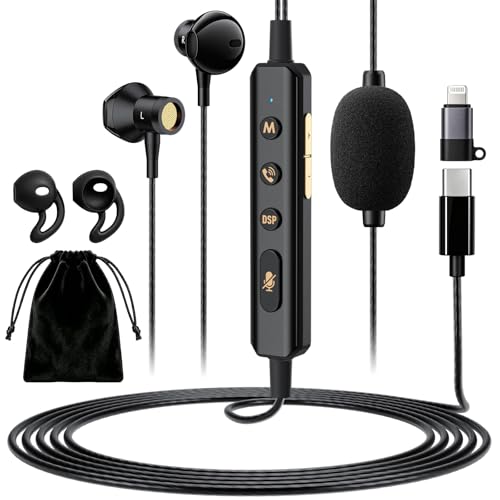
If you run multiple audio devices, consider a card with multiple ports. The Facmogu Sound Card Karaoke Headset with Mic is an all-in-one device that combines earbuds, mic, and sound card, simplifying setup for mobile streaming.
Final Thoughts
Choosing the right sound card depends on your setup: if you want the highest fidelity for studio-quality recording, the Creative Sound Blaster Audigy Fx Pro Hi-Res PCIe offers exceptional resolution and a dedicated microphone input with advanced processing. For a budget-friendly and portable solution that instantly cleans up your audio on any laptop, the VENTION USB Sound Card, External Stereo Sound Card delivers solid performance with easy volume control and wide compatibility. No matter which path you take, investing in a dedicated sound card is one of the most effective ways to elevate your microphone clarity and bring professional polish to your voice.
Frequently Asked Questions
Can a sound card improve microphone quality?
Yes. A dedicated sound card bypasses the noisy audio circuitry built into motherboards, reducing electrical interference and improving the signal-to-noise ratio. It also processes audio at higher resolutions, capturing more detail from your mic.
What is the best sound card for reducing background noise on a microphone?
Look for cards with high SNR (above 100 dB) and built-in noise reduction. The Creative Sound Blaster Audigy Fx Pro and Cubilux 7.1 USB Surround Sound Card both feature excellent shielding. External USB adapters with DAC chips, like the UGREEN model, also help isolate your mic signal from PC interference.
Do USB sound cards work with all microphones?
Most USB sound cards work with any 3.5 mm TRS or TRRS microphone. However, some professional XLR mics require an audio interface, not a standard sound card. Check your mic’s connector type before purchasing. For headsets with a single 3.5 mm plug, ensure the adapter supports TRRS (combined mic and audio).
Is an internal PCIe sound card better than an external USB one for mic quality?
Internal PCIe cards, like the Creative Sound Blaster Audigy Fx Pro, often provide higher audio resolution and lower latency because they connect directly to the motherboard’s high-speed bus. External USB cards are more portable and easier to install, making them ideal for laptops and quick setups. Both can dramatically improve mic clarity over default motherboard audio. For a deeper comparison, explore our sound card buying tips.
