

Picture this: your teenager is gaming upstairs, your partner is on a video call in the home office, and your smart TV is streaming 4K content in the living room. Meanwhile, a dozen smart home devices are quietly competing for bandwidth. If your current router buckles under that kind of pressure, it is time for an upgrade. This guide is built for households and small offices that need reliable, fast, and consistent connectivity across many devices at once.
Whether you are setting up a dense apartment or a sprawling two-story home, the right router makes all the difference. We have evaluated ten top-rated options so you can make a confident, informed choice. If you are also shopping for a dedicated streaming setup, check out our roundup of the best WiFi routers for streaming for more targeted advice.


Pros
- Affordable WiFi 6 router that delivers next-generation performance at budget-friendly pricing
- Excellent processor power handles multiple data streams simultaneously for lag-free gaming and 4K streaming
- OneMesh compatibility allows easy network expansion without complex setup or configuration
- Beamforming and MU-MIMO technology maximizes coverage and reduces interference throughout your home
- Universal ISP compatibility and Alexa integration make setup and control effortless
Cons
- 4 Gigabit LAN ports may be limiting for users with many wired devices requiring connectivity
- Entry-level WiFi 6 model lacks some advanced features found in premium routers
- Coverage area may be limited for larger homes or multi-story buildings without mesh extenders
The TP-Link Archer AX10 is an entry-level WiFi 6 dual-band router designed for home users and gamers who want next-generation wireless performance without premium pricing. It combines modern WiFi 6 technology with practical features like OneMesh compatibility, making it an excellent choice for anyone looking to upgrade from older WiFi 5 routers or build an expandable mesh network.
What sets this router apart is its intelligent use of WiFi 6 features like OFDMA and MU-MIMO, which allow it to communicate with multiple devices simultaneously while dramatically reducing network lag. The dual-band setup delivers 300 Mbps on the 2.4 GHz band for basic tasks and extended range, plus a substantial 1201 Mbps on the 5 GHz band for bandwidth-intensive activities like 4K streaming and competitive gaming. The 900 MHz dual-core processor handles these data streams reliably, ensuring smooth performance even during peak usage.
Build quality is solid and functional, with a compact black design that fits unobtrusively into most home setups. The beamforming technology intelligently focuses your WiFi signal toward connected devices rather than broadcasting in all directions, resulting in stronger coverage and fewer dead zones. Setup is straightforward, and the router works seamlessly with all major internet service providers including Verizon, AT&T, Xfinity, and others.
The main limitation is the modest four Gigabit LAN port count, which may constrain users with many wired devices. Additionally, while this router covers typical home sizes effectively, larger homes or buildings may require OneMesh extenders to achieve complete coverage. The feature set, while solid, remains simpler than premium models.
The Archer AX10 delivers impressive value for budget-conscious buyers seeking reliable WiFi 6 connectivity. Its combination of modern technology, mesh compatibility, and dependable performance makes it a smart investment for upgrading your home network without overspending.
Model: TP-Link Archer AX10
Frequency Bands: Dual-Band (2.4 GHz and 5 GHz)
Wireless Standards: 802.11ax, 802.11ac, 802.11n, 802.11g, 802.11b
Speed: 300 Mbps (2.4 GHz) + 1201 Mbps (5 GHz) = 1501 Mbps Total
Processor: Dual-Core 900 MHz
LAN Ports: 4 Gigabit Ethernet ports
Key Features: OFDMA, MU-MIMO, Beamforming, OneMesh Compatible, Parental Control, Guest Mode, WPS, QoS, Access Point Mode, Alexa Compatible
Compatible Devices: Gaming consoles, PCs, smartphones, smart TVs, printers, tablets, security cameras, smart thermostats
Included Components: Router, Power Supply, Quick Installation Guide
Who Should Buy This Router? The Archer AX10 is ideal for households seeking affordable WiFi 6 performance, gamers wanting reduced lag, and users planning to expand their network with OneMesh extenders. It works well for small to medium-sized homes and those with multiple smart devices.
When to Consider Alternatives: If you have a very large home, need extensive wired connections, or require advanced security features, you may benefit from a premium WiFi 6 or WiFi 6E router with more LAN ports and comprehensive management tools.
Setup and Installation: The router is compatible with all major ISPs. Most users complete setup in minutes using the mobile app or web interface. OneMesh extenders integrate seamlessly for expanding coverage to additional rooms or floors.
Performance Expectations: Expect reliable speeds for streaming 4K video, online gaming, and video conferencing. The 5 GHz band delivers maximum speed for devices close to the router, while the 2.4 GHz band provides extended range for devices farther away or in different rooms.
Pros
- Exceptional value at this price point with enterprise-grade performance features
- Handles multiple high-bandwidth activities simultaneously without performance degradation
- Extensive wired connectivity options make it ideal for media servers and gaming consoles
- Advanced QoS and MU-MIMO technology prioritize traffic intelligently for optimal user experience
- Large coverage area eliminates dead zones in spacious homes and multi-floor layouts
Cons
- AC2600 standard is older technology compared to newer WiFi 6 routers, though still performs well
- Setup and advanced configuration may challenge users unfamiliar with networking terminology
- Four antennas create a larger physical footprint that may not suit minimalist decor preferences
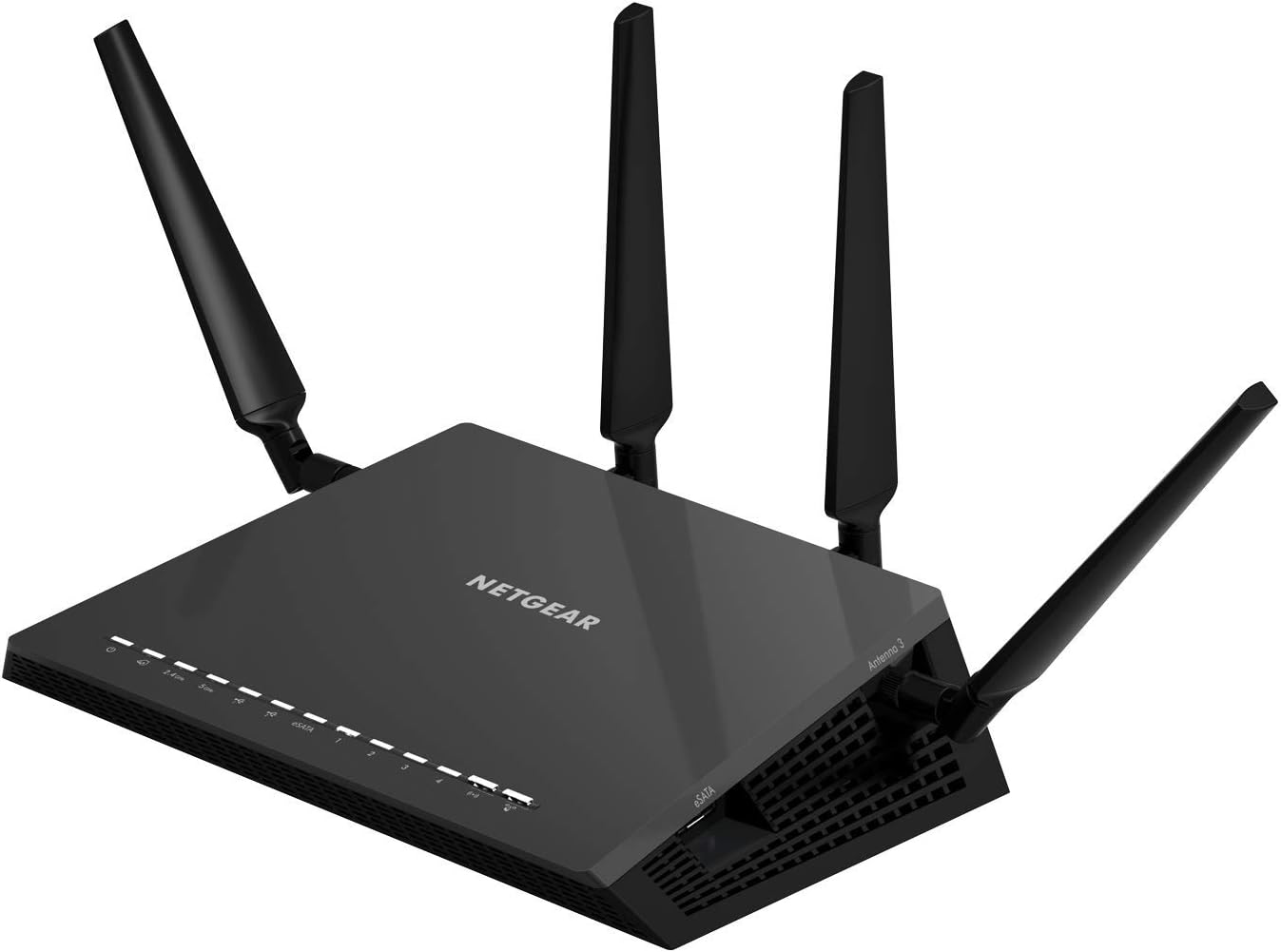
The NETGEAR Nighthawk X4S R7800 is a powerful AC2600 router designed for large homes and demanding users who need reliable coverage across 2500 square feet and support for numerous connected devices. This router excels for families with heavy streaming, online gaming, and smart home automation, delivering the performance needed for modern connectivity demands.
The standout feature is its dual-band MU-MIMO technology combined with 160MHz bandwidth support, which enables simultaneous streaming to multiple devices at full speed. The 1.7GHz dual-core processor handles demanding tasks efficiently, while Dynamic QoS automatically prioritizes gaming and streaming traffic to prevent lag and buffering. Real-world performance is solid, with users reporting consistent speeds across the coverage area and stable connections even with 30+ connected devices.
Build quality is sturdy with four amplified external antennas that provide excellent signal strength and beamforming capabilities. The router features four gigabit ethernet ports, dual USB 3.0 ports, and an eSATA connection, making it highly versatile for connecting wired devices, storage drives, and printers. The overall design is functional rather than sleek, with a larger footprint typical of high-performance routers.
The main limitation is that AC2600 is an older WiFi standard compared to newer WiFi 6 routers now available. Additionally, users new to networking may find the advanced settings intimidating, though the basic setup is straightforward. Despite these considerations, the router delivers exceptional performance and reliability for its price.
The NETGEAR Nighthawk X4S is an excellent choice for anyone seeking a powerful, feature-rich router that handles large homes and multiple devices without compromise. It offers outstanding value and proven reliability backed by strong user satisfaction ratings.
Performance: AC2600 WiFi (800 Mbps on 2.4GHz + 1733 Mbps on 5GHz), 1.7GHz dual-core processor, 160MHz bandwidth support
Coverage: Up to 2500 square feet, 4 amplified antennas with beamforming technology
Device Support: Recommended for up to 45 connected devices, simultaneous dual-band with MU-MIMO
Wired Connections: 4 x 1 gigabit ethernet ports, 2 x USB 3.0 ports, 1 x eSATA port
Advanced Features: Dynamic QoS, MU-MIMO, Quad Stream technology, Amazon Alexa voice control integration
Best For: Large homes (2000+ sq ft), families with multiple streaming and gaming devices, users needing extensive wired connections, those prioritizing value and reliability over cutting-edge WiFi 6 technology
Consider If: You need to cover a large area reliably, have 20+ connected devices, use gaming consoles and streaming players extensively, want wired storage and printer sharing capabilities
Skip If: You have a small apartment or single room, want the latest WiFi 6 technology, prefer a minimalist design, or have minimal device connectivity needs
Installation Tip: Place the router in a central, elevated location away from metal objects and thick walls for optimal coverage. Use the 5GHz band for high-bandwidth activities and 2.4GHz for extended range with smart home devices.

Pros
- Exceptional WiFi 7 performance with up to 5.0 Gbps wireless speeds
- Extensive coverage area suitable for large homes and multi-story layouts
- Robust security features with WPA2-PSK encryption and Armor protection
- Simple setup process praised by users across different technical skill levels
- Excellent value as a renewed product with full functionality and warranty
Cons
- Limited to 90-day warranty on renewed units, shorter than standard products
- No built-in reboot scheduling feature for automated router maintenance
- Security settings may require adjustment for compatibility with certain older smart home devices
The NETGEAR Nighthawk RS150 is a WiFi 7 dual-band router engineered for households that demand fast, reliable wireless connectivity. This renewed unit is perfect for families with multiple streaming devices, gamers, remote workers, and anyone with extensive smart home setups who wants next-generation performance at a discounted price.
Performance is the standout quality here. With WiFi 7 technology delivering up to 5.0 Gbps, this router is 20% faster than WiFi 6 alternatives and handles demanding tasks like 4K video streaming, video conferencing, and online gaming without lag. The 2.5 Gig LAN port ensures your high-speed internet connection isn't bottlenecked, while support for 80 simultaneous devices means every family member can stay connected simultaneously.
Coverage reaches an impressive 2,250 square feet with strong signal penetration through walls and floors. Real-world user feedback confirms that the WiFi signal reliably reaches upstairs bedrooms, outdoor patios, and distant rooms without dead zones. The compact design (9.8 x 5.9 x 4 inches) fits easily into home entertainment setups without taking up excessive space.
Security is built in through NETGEAR Armor, which automatically protects all connected devices from threats. The WPA2-PSK encryption protocol provides robust protection, though some users note that the security settings are quite strict and may require adjustment for older smart home devices. Setup is remarkably straightforward, with most users reporting successful configuration in minutes.
As a renewed product, this router represents exceptional value without sacrificing functionality or reliability. The 90-day limited warranty and included accessories provide peace of mind. This is an excellent choice for anyone seeking WiFi 7 performance and coverage at a fraction of the standard retail price.
Wireless Standards: WiFi 7 (802.11be), WiFi 6 (802.11ax) backward compatible
Speed: Up to 5.0 Gbps combined wireless speed, 2500 Mbps LAN port bandwidth
Coverage: 2,250 square feet, suitable for large homes and multiple floors
Device Capacity: Supports up to 80 connected devices
Connectivity: Dual-band, Ethernet and WiFi, 3 total ports including 2.5 Gig internet port
Security: WPA2-PSK encryption, NETGEAR Armor protection included
Power: 12V/2.5A power adapter included
Dimensions: 9.8 x 5.9 x 4 inches
Warranty: 90-day limited warranty on renewed units
Model: RS150-100NAS

Pros
- No subscription fees with massive local storage capacity offering 45+ days of continuous recording
- Works offline with local control and playback, plus remote access via mobile app when needed
- Extremely reliable wired power eliminates battery concerns and supports true 24/7 recording
- AI motion detection with human recognition reduces false alerts from pets and environmental movement
- Excellent value at this price point with expandable architecture for future growth
Cons
- Cameras require 12V powered outlets, not truly wireless, and included power supplies may be too short for larger installations
- Single USB port on NVR requires a hub for simultaneous mouse and external storage use
- Some users report difficulty pairing individual cameras and flood light features may not trigger reliably on motion events
The Hiseeu 16CH NVR security system is a comprehensive surveillance solution designed for homeowners and small business owners who want reliable, affordable monitoring without recurring subscription costs. This kit includes a 4K NVR base station, 4 outdoor-rated 3MP cameras, and 1TB of pre-installed storage, making it a complete plug-and-play system that works right out of the box.
What truly sets this system apart is its flexibility and reliability. The wired power design ensures cameras never lose battery, enabling genuine 24/7 recording with three selectable modes: continuous recording, motion-triggered capture, or custom schedules. The H.265+ codec delivers 50% bandwidth savings compared to older H.264 while maintaining sharp 4K and 3MP video quality, making it ideal for users with slower internet connections. AI-powered human detection significantly reduces false alerts by distinguishing real people from pets or moving shadows, so you only receive notifications when it matters.
Build quality is solid with IP66-rated waterproof cameras engineered for extreme outdoor conditions between -13°F and 122°F. The 65-foot night vision range captures clear details in complete darkness, while the 75-degree viewing angle provides good coverage. The system operates in dual modes: local control without any internet dependency, plus remote access via smartphone app with push notifications when connected to your WiFi network. The expandable 16-channel architecture means you can add up to 12 additional cameras as your security needs grow.
Potential drawbacks include that cameras aren't truly wireless since they require 12V power outlets, and the included power supplies may be insufficient for larger homes. The NVR has only one USB port, requiring a hub if you want to use both a mouse and external backup drive simultaneously. Some users reported initial pairing difficulties with individual cameras, and flood light triggering on motion events hasn't worked reliably for all customers.
Overall, this is a solid, feature-rich security system that delivers excellent value for the price. If you need reliable local storage, no monthly fees, and the flexibility to expand your camera network over time, the Hiseeu 16CH system is a smart investment. Just plan ahead for adequate power outlet placement and consider a USB hub for the NVR.
System Specifications: 16-channel NVR with 4K resolution support, 4x 3MP cameras included, 1TB HDD pre-installed, dual-band WiFi 2.4GHz/5GHz, 100ft wireless range. Storage capacity supports 45+ days of continuous 24-hour recording. H.265+ codec with 50% bandwidth reduction.
Camera Specifications: 3MP resolution, 65-foot night vision range, 75-degree viewing angle, 3.6mm fixed focal length, 15fps frame rate, IP66 waterproof rating, CMOS sensor. Operating temperature range: -13°F to 122°F. One-way audio capability included.
Connectivity and Control: Local view and control without WiFi required, remote access via Android/iPhone app, Windows and Mac OS system support. Multiple alert options including email alerts and push notifications. USB interface for external storage backup.
Power and Durability: Wired 12V powered cameras and NVR, corded electric connection. IP66 weatherproof design rated for heavy snow, high winds, and sub-zero temperatures. Expandable to 16 channels for future growth. 1-year manufacturer warranty included.
Who Should Buy This System: Homeowners seeking affordable, maintenance-free surveillance without monthly subscriptions, small business owners needing scalable security, properties with good outdoor power outlet access, and users who prefer local storage over cloud-based solutions.
Installation Considerations: Plan camera placement near 12V power outlets or budget for power supply extensions. Ensure WiFi signal reaches outdoor camera locations for remote access. Allow time for initial camera pairing, which may require smartphone assistance. A USB hub is recommended if you plan to use external backup storage alongside mouse control.
Optimal Use Cases: Front and back yard monitoring, driveway surveillance, small commercial property security, neighborhood watch coordination. The expandable 16-channel design makes it ideal if you anticipate adding more cameras later. AI motion detection works best in areas with regular foot traffic or vehicle movement.
Comparison Points: Unlike battery-powered systems, this wired solution guarantees 24/7 recording without maintenance. Unlike cloud-only systems, local storage means no monthly fees and faster playback. The expandable architecture offers better long-term value than fixed 4-camera systems. Consider this option if reliability and cost savings matter more than wireless installation simplicity.

Pros
- WiFi 6 technology delivers significantly faster speeds and improved network efficiency with OFDMA and 160MHz channel support
- Excellent coverage range with high-power amplifiers suitable for larger homes and apartments
- Robust security package with NETGEAR Armor subscription included for first year
- Compatible with all major internet service providers, cable modems, and connection types
- Four Gigabit Ethernet ports for wired connections to gaming consoles, streaming devices, and computers
Cons
- Maximum coverage of 2,500 sq.ft. may require mesh networking for very large homes or multi-story buildings
- Requires existing cable modem, adding to overall setup cost and complexity
- NETGEAR Armor subscription requires renewal after first year for continued protection
The NETGEAR Nighthawk RAX43 is a WiFi 6 router designed for households and small offices seeking faster connectivity and reliable coverage. This dual-band router is ideal for families with multiple streaming devices, online gamers, remote workers, and anyone frustrated with slow WiFi speeds or dead zones in their home.
The standout feature is its WiFi 6 technology, which delivers AX4200 speeds (up to 4.2 Gbps combined) with 3.5 times greater data capacity than previous WiFi standards. The 5-stream architecture, 1.5GHz triple-core processor, and 160MHz channel support work together to minimize congestion and maintain consistent performance even when 25+ devices are connected simultaneously. Real-world performance benefits include smooth 4K streaming, lag-free online gaming, and seamless video conferencing without buffering.
Design-wise, the Nighthawk maintains NETGEAR's characteristic angular aesthetic with a compact footprint suitable for most entertainment centers or office setups. The unit includes four Gigabit Ethernet ports for wired connections to devices requiring maximum speed and stability. The included Nighthawk app simplifies initial setup and ongoing network management, making it accessible to non-technical users.
Primary limitations include coverage capped at 2,500 sq.ft., which may necessitate mesh nodes for very large homes, and the requirement for an existing cable modem. Additionally, while NETGEAR Armor security is included for one year, subscription renewal is required thereafter for continued protection.
The NETGEAR Nighthawk RAX43 represents excellent value for upgrading to WiFi 6 performance. It delivers measurable speed improvements, reliable coverage for medium to large homes, and integrated security features that justify its price point for users seeking modern router capabilities.
WiFi Technology: WiFi 6 (802.11ax), 5-Stream Dual-Band
Speed: AX4200 with up to 4.2 Gbps combined wireless speed
Coverage: Up to 2,500 sq.ft., supports up to 25 connected devices
Processor: 1.5GHz triple-core with fully offloaded CPU
Connections: 4x 1 Gigabit Ethernet ports for wired devices
Channel Support: 160MHz channels with OFDMA technology
Security: NETGEAR Armor with 1-year subscription included
Compatibility: Works with cable, satellite, fiber, and DSL internet up to 1Gbps, compatible with all major ISPs
Setup: Managed via NETGEAR Nighthawk mobile app
Who Should Buy: The RAX43 is ideal for households with 3+ people sharing internet bandwidth, online gamers requiring low latency, remote workers needing reliable video conferencing, and anyone with a home larger than 1,500 sq.ft. experiencing WiFi dead zones.
Who Might Want to Consider Alternatives: Users with very large homes (over 3,000 sq.ft.) should consider mesh WiFi systems or higher-end routers. Those seeking WiFi 7 future-proofing may want to wait for next-generation models. Budget-conscious buyers on a strict limit might explore WiFi 5 routers at lower price points.
Key Considerations: Ensure you have a compatible cable modem before purchasing, as this is a router-only device. Verify your internet service provider's maximum supported speeds to fully utilize the router's capabilities. Consider placement in a central location for optimal coverage distribution throughout your home.
Pros
- Exceptional real-world WiFi speeds that exceed ISP promises, even on wireless devices far from router
- Rock-solid stability and reliability with minimal dropouts or connection issues across large homes
- Intuitive setup process takes under 10 minutes with automatic device connectivity and firmware management
- Comprehensive security features and parental controls built-in with optional NETGEAR Armor subscription
- Supports multiple high-speed 5GHz networks with intelligent band steering for optimal performance
Cons
- Mobile app has privacy concerns and may require account creation that some users find intrusive
- Advanced features like QoS have limitations when using certain configurations like WAN port bonding
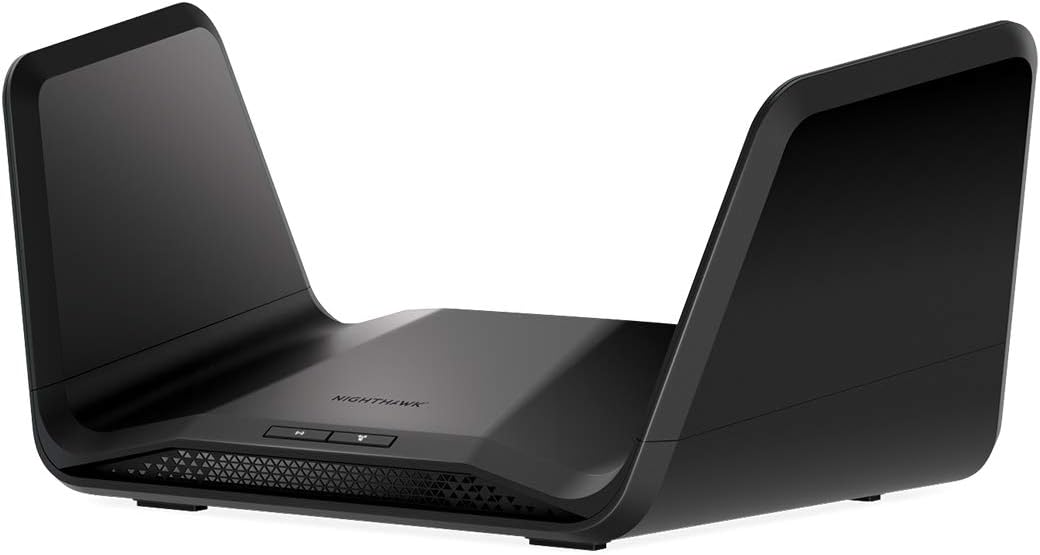
The NETGEAR Nighthawk RAX70 is a flagship WiFi 6 router engineered for demanding households and small offices that require maximum speed, reliability, and coverage. This tri-band powerhouse is ideal for families with multiple gamers, remote workers, 4K streamers, and anyone frustrated with older routers failing to deliver promised gigabit speeds from their internet service provider.
Performance is exceptional across the board. The AX6600 speeds with 8 WiFi streams and 160MHz channel support deliver real-world wireless performance that matches or exceeds wired speeds on compatible devices. Users consistently report receiving significantly faster speeds than their ISP plans promise, especially on 5GHz networks. The quad-core 1.5GHz processor handles 40+ devices simultaneously without noticeable slowdowns, making it perfect for smart homes and multi-device households.
Build quality and design reflect the premium positioning with a sleek black chassis, internal antenna array for clean aesthetics, and solid construction. The router includes 4 gigabit ethernet ports plus USB 3.0 for wired connections, and the Nighthawk app provides intuitive management with advanced features like dynamic DNS, guest networks, and automatic band switching that even technical users appreciate.
The main drawbacks are the premium price point and privacy concerns around the mobile app and account requirements. Some advanced users note limitations with certain configuration combinations, and the app has received criticism for mandatory account creation. Additionally, this router requires a separate modem, which represents additional investment.
Verdict: The RAX70 is an excellent investment for anyone serious about maximizing their internet investment and supporting a connected home. If you have gigabit or high-speed fiber internet and want a router that actually delivers those speeds wirelessly, this is the best choice in its category.
Network Performance: AX6600 WiFi 6 (802.11ax), Tri-band (2.4GHz + 5GHz + 5GHz), 8 WiFi streams, 160MHz channel support, up to 6.6 Gbps maximum data transfer rate
Coverage and Capacity: Up to 2,500 sq ft coverage area, supports 40+ connected devices, quad-core 1.5GHz processor
Connectivity: 4x 1 Gigabit Ethernet ports, 1x USB 3.0 port, compatible with all major ISPs (cable, fiber, DSL, satellite) up to 2Gbps
Security: WPA2-PSK security protocol, basic firewall, NETGEAR Armor suite with 30-day trial, parental controls, guest mode
Smart Features: Voice control compatible with Amazon Alexa and Google Assistant, Nighthawk mobile app management, QoS prioritization, access point mode, beamforming technology
Physical: Dimensions 13.6"L x 10"W x 5.8"H, weight 454g, 6 internal antennas, operates 100-240V, 1-year warranty
Best For: This router is ideal if you have gigabit or high-speed internet (300+ Mbps), a large home or multi-story house, multiple gamers or 4K streamers, work from home, or have 30+ connected smart devices. It's perfect for maximizing your internet investment.
Consider Alternatives If: You have basic broadband under 100 Mbps, live in a small apartment, or need a budget router. The RAX70's advanced features and performance may exceed your requirements and justify a lower-priced option.
Setup Requirements: You need a separate modem compatible with your ISP. The router itself takes under 10 minutes to set up with any internet-connected device, and the Nighthawk app simplifies ongoing management.
Long-term Value: WiFi 6 technology ensures this router remains relevant for 5+ years as devices adopt the standard. The built-in security features and regular firmware updates provide ongoing protection, though NETGEAR Armor subscription is optional after the trial period.

Pros
- Extremely easy installation and setup process, taking roughly 10 minutes even for non-technical users
- Excellent price point makes it a smart alternative to paying monthly router rental fees
- Reliable performance with good signal strength and minimal buffering or lag
- Modern WPA3 security keeps your network protected with latest encryption standards
- Four external antennas provide strong coverage across large apartments and homes
Cons
- Real-world wireless speeds don't quite match the advertised 300 Mbps on 2.4 GHz and 867 Mbps on 5 GHz specifications
- LAN ports limited to 10/100 Mbps, which is slower than modern gigabit standards
- Requires a separate modem for internet connectivity with most service providers
The TP-Link Archer A54 is an AC1200 dual-band router designed for homeowners and renters seeking affordable, reliable WiFi without the burden of monthly ISP rental fees. This router is perfect for small to medium-sized homes and apartments where budget and ease of use matter most.
The standout feature is its remarkably simple setup process. Users consistently report getting the router operational in under 10 minutes using the TP-Link Tether app, with no technical expertise required. The dual-band performance delivers 1200 Mbps combined bandwidth, with coverage extending up to 1000 square feet via four external antennas. WPA3 security provides modern encryption standards to protect your personal network from cyber threats.
Build quality is solid for the price point. The router features five Ethernet ports (one WAN, four LAN), though the LAN ports max out at 10/100 Mbps rather than gigabit speeds. The compact white design measures 11 by 10 by 3 inches and fits easily on shelves or desks. The included power adapter and Ethernet cable make it ready to use immediately out of the box.
One honest drawback is that real-world wireless speeds fall short of advertised maximums. Users report that actual throughput on the 2.4 GHz and 5 GHz bands doesn't reach the claimed 300 and 867 Mbps respectively, though performance remains adequate for typical streaming, browsing, and video conferencing. Additionally, the 10/100 Mbps LAN ports are outdated by modern standards.
The Archer A54 is an excellent value router for budget-conscious buyers who prioritize ease of setup and reliable everyday performance. If you're paying monthly router rental fees, this router pays for itself quickly and offers modern security features with minimal hassle. It's not ideal for power users or homes requiring gigabit wired connections, but for most households, it delivers solid WiFi performance at an unbeatable price.
Wireless Performance
WiFi Generation: WiFi 5 (802.11ac)
Dual-Band: 5 GHz (867 Mbps) and 2.4 GHz (300 Mbps)
Total Bandwidth: 1200 Mbps
Coverage Area: Up to 1000 square feet
Antennas: 4 external fixed antennas
Connectivity and Ports
Total Ports: 5 (1 WAN, 4 LAN)
Port Speed: 10/100 Mbps
Connectivity: WiFi, Ethernet
Compatibility: 802.11a, 802.11b, 802.11g, 802.11n, 802.11ac
Security and Control
Security Protocols: WPA3, WPA2-PSK, WPA2-Enterprise, WPA-PSK
Additional Features: WPS, Guest Mode, Parental Control, Beamforming
Control Method: TP-Link Tether mobile app or web interface
Firewall: Medium-level security
Physical and Power
Dimensions: 11 inches L x 10 inches W x 3 inches H
Weight: 1.5 pounds
Voltage: 100-240V universal input
Warranty: 2-year manufacturer warranty
Operating System: TP-Link proprietary
Is This Router Right for You?
The Archer A54 is ideal if you rent your router from your ISP and want to eliminate monthly fees, need basic to moderate WiFi coverage for a small home or apartment, value easy setup over advanced features, or seek a budget-friendly router from a trusted brand. It works with all major ISPs including Verizon, AT&T, Xfinity, Spectrum, and others.
Who Should Look Elsewhere?
If you require gigabit-speed wired connections, need WiFi 6 or WiFi 7 performance, have a very large home requiring extensive coverage, or demand maximum wireless speeds for gaming or 4K streaming, consider a higher-end model. The Archer A54 is best suited for everyday browsing, video streaming, and casual use rather than bandwidth-intensive applications.
Setup and Installation Tips
You'll need a modem from your ISP to use this router. Connect the modem to the WAN port, then plug in the power adapter. Download the TP-Link Tether app or access the web interface to configure your SSID and password. The app walks you through setup step-by-step. For optimal coverage, position the router centrally in your home and keep it away from metal objects and thick walls.
Money-Saving Consideration
If you're currently paying your ISP $10 or more monthly for router rental, this single purchase will pay for itself within a few months. Many customers report this was their primary motivation for buying the Archer A54, making it a smart financial decision for long-term savings.

Pros
- Exceptional value at under $50 with WiFi 6 performance that rivals much more expensive routers
- Intuitive mobile app setup and management makes configuration effortless for non-technical users
- Consistent coverage across 1,500 sq ft with minimal dead zones according to verified customer feedback
- Excellent device capacity of 20 simultaneous connections handles modern multi-device households
- Responsive customer support available to troubleshoot connection issues
Cons
- Limited coverage area of 1,500 sq ft means larger homes may require mesh WiFi systems like Orbi
- Some users report router failures after 6-12 months of use, raising durability questions
- Advanced security features require paid NETGEAR Armor subscription after 30-day trial period
The NETGEAR Nighthawk R6700AX is a WiFi 6 router designed specifically for apartment dwellers and small homeowners who need reliable connectivity without breaking the bank. This 4-stream AX1800 model combines modern WiFi 6 technology with practical features that address real-world connectivity challenges like buffering streams, dropped video calls, and gaming lag.
Performance is where this router shines for its price point. It delivers up to 1.8 Gbps across dual 2.4 GHz and 5 GHz bands, with coverage extending to 1,500 square feet. The standout feature is its ability to handle 20 connected devices simultaneously without performance degradation, a critical advantage in today's multi-device households. Users consistently report fast, stable connections throughout their homes, with the Nighthawk app providing intuitive network management and speed testing capabilities.
Setup and design are refreshingly straightforward. The included Nighthawk app walks users through configuration with guided steps, typically taking under 30 minutes from unboxing to full operation. The compact black design fits discretely on shelves or dressers, and four Gigabit Ethernet ports allow direct wired connections for devices requiring maximum stability like gaming consoles and streaming players. WPA3 encryption and automatic security updates provide protection without requiring additional subscriptions.
The main limitations are coverage area and reported durability concerns. The 1,500 sq ft range suits apartments and smaller homes but falls short for larger residences, which NETGEAR addresses by recommending their Orbi mesh systems. Additionally, some customer reports indicate router failures after extended use, though responsive support has successfully resolved most technical issues when contacted.
The Nighthawk R6700AX represents strong value for budget-conscious buyers upgrading from older routers. It delivers WiFi 6 performance, handles modern device density, and offers straightforward setup that appeals to non-technical users. While not premium-tier, it successfully solves connectivity problems in apartments and small homes at a price point that makes upgrading accessible to most households.
Wireless Performance: WiFi 6 (802.11ax), 4-stream AX1800, up to 1.8 Gbps total speed, dual-band (2.4 GHz and 5 GHz)
Coverage and Capacity: Up to 1,500 square feet coverage, supports 20 simultaneous connected devices
Connectivity: 4x Gigabit Ethernet ports (1000 Mbps), WiFi 6 wireless connectivity, compatible with cable, fiber, DSL, and satellite internet
Security: WPA3 encryption, WPA2 backward compatibility, automatic firmware updates, guest network isolation, optional NETGEAR Armor subscription
Setup and Control: Free Nighthawk mobile app (iOS/Android), web browser access, push-button controls, FCC certified for US use
Physical Specs: 2 internal antennas, 0.64 kg weight, black color, includes ethernet cable and power adapter
Warranty: 1-year limited warranty with free expert help included
Who Should Buy: This router is ideal for apartment renters, small home owners, and anyone upgrading from WiFi 5 or earlier. It suits households with 10-20 connected devices including smartphones, laptops, smart speakers, security cameras, and streaming devices. Budget-conscious buyers seeking WiFi 6 performance without premium pricing will find excellent value.
Who Should Look Elsewhere: Larger homes exceeding 1,500 sq ft should consider NETGEAR Orbi mesh systems for better coverage. Users with 30+ connected devices or demanding professional needs may benefit from higher-tier routers. Those requiring maximum durability guarantees should research reliability ratings before purchasing.
Key Considerations: Verify your internet provider compatibility before purchase, most major ISPs work seamlessly. Ensure your modem is active before router setup. Consider placement in a central location for optimal coverage. Plan ahead if migrating from an existing router by noting your network settings beforehand. Budget for optional NETGEAR Armor subscription if advanced security features are desired beyond the 30-day trial.
Setup Tips: Download the Nighthawk app before setup begins, have your internet provider information handy, use the QR code on the instruction sheet for quick app access, and allow 20-30 minutes for complete configuration. Verify all devices reconnect properly after initial setup to ensure optimal performance.

Pros
- WiFi 6E delivers future-proof performance with access to the uncongested 6 GHz spectrum for faster, more stable connections
- Exceptional value at this price point for a tri-band router with PCMag Editors' Choice recognition
- Superior device capacity with 4x increase in simultaneous connections through OFDMA technology
- Robust security features including VPN server and client support plus HomeShield protection at no extra cost
- Excellent customer support with 24/7 availability and extended 3-year warranty coverage
Cons
- Requires a separate modem for most internet service providers, adding to overall setup costs
- 6 GHz band adoption still limited as many devices lack WiFi 6E compatibility, though backward compatibility ensures broad device support
- Advanced features like VPN and HomeShield premium features may require technical knowledge for optimal configuration
The TP-Link Archer AXE75 represents a significant leap forward in home networking, bringing WiFi 6E technology to users who demand next-generation performance. This tri-band router is engineered for households with multiple devices, gamers seeking competitive advantages, and streaming enthusiasts who refuse to compromise on speed or reliability.
What sets the AXE75 apart is its access to the new 6 GHz band, which provides a dedicated, interference-free channel for your most demanding tasks. The 5400 Mbps total bandwidth is distributed across three bands, with 2402 Mbps on both the 6 GHz and 5 GHz bands, plus 574 Mbps on 2.4 GHz. This architecture, combined with OFDMA technology, increases device capacity by four times compared to standard routers, meaning you can connect significantly more devices without experiencing slowdowns or lag.
The hardware design emphasizes longevity and reliability, featuring a 1.0 GHz dual-core CPU, 512 MB of high-speed memory, and an optimized housing design for superior heat dissipation. These specifications translate to consistent performance during extended use and fewer connection drops during peak usage times. EasyMesh compatibility allows you to expand your network seamlessly by adding compatible routers or extenders, effectively eliminating dead zones throughout your home.
Security and privacy features are comprehensive, including VPN server and client support for OpenVPN, PPTP, and L2TP protocols. The included HomeShield service provides network security scanning, IoT device identification, and parental controls at no additional cost, with premium features available for enhanced protection. Universal ISP compatibility means the router works with virtually every major internet provider without requiring proprietary equipment.
The primary consideration is that most ISPs require a separate modem, and full benefits require devices that support WiFi 6E, though backward compatibility ensures excellent performance with existing devices. At this price point with PCMag Editors' Choice recognition, the AXE75 delivers exceptional value for anyone ready to upgrade to next-generation wireless technology.
Performance: Total WiFi Speed: 5400 Mbps (6 GHz: 2402 Mbps, 5 GHz: 2402 Mbps, 2.4 GHz: 574 Mbps). Processor: 1.0 GHz Dual-Core CPU. Memory: 512 MB High-Speed RAM.
Connectivity: WiFi 6E Tri-Band Router. Gigabit Ethernet ports for wired connections. EasyMesh compatible for network expansion. Works with all major ISPs including Comcast, Verizon, AT&T, Charter, Xfinity, Spectrum, and others.
Security: VPN Server and Client support (OpenVPN, PPTP, L2TP). TP-Link HomeShield with basic network security, IoT device identification, parental controls, and quality of service management.
Support: 24/7 technical support. 3-year warranty coverage. EasyMesh technology for seamless whole-home mesh network expansion.
Best For: Power users, gamers, content creators, and households with 10+ connected devices. Ideal for those seeking future-proof WiFi 6E technology, low-latency gaming, 4K streaming, and comprehensive network security without monthly subscription fees.
Consider If: You have a large home with multiple dead zones, rely on multiple simultaneous high-bandwidth activities, need VPN capabilities for privacy, or want access to the latest WiFi standard at an affordable price.
May Not Be Right If: You only need basic WiFi for light browsing and email, have a very small space, or your devices don't support WiFi 6E (though backward compatibility with older devices is fully supported).
What to Look for in a Router for Multiple Devices
WiFi Generation and Band Support
WiFi 6 and WiFi 6E routers are the current standard for high-device-count environments. Technologies like OFDMA and MU-MIMO allow these routers to communicate with multiple devices simultaneously rather than in sequence, which dramatically reduces congestion.
For example, the GL.iNet GL-MT6000 Flint 2 Wi-Fi 6 Gaming Router supports over a hundred connected devices and delivers up to 6 Gbps across its dual bands. The TP-Link AXE5400 Tri-Band WiFi 6E Router goes a step further by adding a dedicated 6 GHz band, giving newer devices a clean, uncongested lane all to themselves.
Coverage Area and Device Capacity
Raw speed means little if your signal drops off in the back bedroom or garage. Look for a router that matches your square footage and lists a realistic device capacity. The NETGEAR Nighthawk Dual-Band WiFi 7 Router (RS150) covers up to 2,250 sq. ft. and handles up to 80 devices, making it a strong pick for larger homes.
For smaller spaces, the NETGEAR WiFi 6 Router 4-Stream (R6700AX) covers up to 1,500 sq. ft. and supports 20 devices comfortably. Matching the router to your actual space avoids overpaying for coverage you do not need. If you live in an apartment specifically, our guide on the best WiFi routers for apartments offers more focused recommendations.
Processor Power and Memory
A router’s processor and RAM determine how well it handles simultaneous requests from many devices. Underpowered hardware causes slowdowns even when your internet connection is fast. The NETGEAR Nighthawk 8-Stream WiFi 6 Router (RAX70) runs on a quad-core 1.5 GHz processor, which keeps the network responsive under heavy load.
The TP-Link Smart WiFi 6 Dual Band Router 4 Gigabit pairs a dual-core 900 MHz processor with WiFi 6 efficiency features, offering a solid balance of performance and value. Always prioritize processing power if your household has more than ten active devices.
Security Features and Parental Controls
With more devices on your network comes a larger attack surface. Modern routers should include WPA3 encryption, automatic firmware updates, and optional threat protection. The NETGEAR Nighthawk WiFi 6 Router (RAX43) includes NETGEAR Armor, a comprehensive security suite that guards against malware and identity theft.
The TP-Link AC1200 WiFi Router Dual Band supports WPA3 and includes TP-Link HomeShield for parental controls and IoT device identification. Even budget-tier routers today offer meaningful security, so there is no reason to compromise on protection. For households managing many connected devices, these tools are essential.
Final Thoughts
Choosing the right router comes down to your home’s size, the number of devices you run, and how demanding your daily activities are. For power users who need maximum device capacity and advanced features, the GL.iNet GL-MT6000 Flint 2 Wi-Fi 6 Gaming Router is a standout performer with its high throughput and support for over a hundred simultaneous connections. If you want broad coverage with strong security and a trusted brand name, the NETGEAR Nighthawk 8-Stream WiFi 6 Router (RAX70) delivers tri-band reliability and built-in protection that keeps your whole household covered.
Related Guides
Frequently Asked Questions
How many devices can a typical home WiFi router handle?
Most modern WiFi 6 routers are rated to handle anywhere from 20 to over 100 simultaneous devices. In practice, the number depends on how actively each device is using bandwidth. A router like the NETGEAR Nighthawk Dual-Band WiFi 7 Router (RS150) is rated for up to 80 devices, which covers even the most connected households in 2026.
Is WiFi 6 worth it for a home with multiple devices?
Yes, WiFi 6 is a meaningful upgrade for homes with many connected devices. Its OFDMA technology divides each channel into smaller sub-channels, allowing the router to serve multiple devices in a single transmission. This reduces latency and prevents the network slowdowns that older WiFi 5 routers experience under heavy loads. If your household regularly streams, games, and video calls at the same time, WiFi 6 is well worth the investment in 2026.
What is the difference between dual-band and tri-band routers?
A dual-band router broadcasts on both the 2.4 GHz and 5 GHz frequencies, while a tri-band router adds a third band, often 5 GHz or 6 GHz. The extra band gives high-demand devices their own dedicated channel, reducing congestion across the whole network. The TP-Link AXE5400 Tri-Band WiFi 6E Router uses the new 6 GHz band for near-zero latency on compatible devices. For homes with a large number of simultaneous users, tri-band is a smart choice. You can also explore our guide on the best WiFi routers for streaming to see how band selection affects media performance.
Do I need a separate modem if I buy one of these routers?
Yes, most of the routers reviewed here are router-only units and require a separate modem provided by your internet service provider. The NETGEAR Nighthawk X4S Smart WiFi Router (R7800) and the TP-Link Smart WiFi 6 Dual Band Router 4 Gigabit both work with any standard modem from providers like Xfinity, AT&T, Verizon, and others. Check your ISP’s compatibility list before purchasing to ensure a smooth setup.


