🔥 Router Black Friday Deals: picks worth watching →
You have just moved into a new home or upgraded your internet plan, and the last thing you want is a router that locks essential features behind a monthly subscription. Many modern routers now demand extra fees for parental controls, security suites, or mesh management, leaving you frustrated and out of pocket. This guide focuses on the best wifi router without subscription options available in 2026, covering models from eero, TP-Link, NETGEAR, ASUS, and more. Whether you need whole-home coverage, travel portability, or future-proof Wi-Fi 7 speeds, we have you covered with routers that deliver full functionality with zero recurring costs. For a deeper look at budget-friendly options, check out our TP-Link AC1200 gigabit WiFi router review.


Pros
- Exceptional range and WiFi signal strength even at distances from the router
- Simple setup process that takes just minutes with clear instructions
- Handles multiple devices and heavy network traffic without lag or performance drops
- Excellent value for the price with WiFi 6 performance at an affordable cost
- CISA Secure-by-Design pledge ensures advanced security features built into the device
Cons
- Requires a separate modem for internet connection, which may be an additional purchase
- Phone app setup can be problematic for some users, though web browser setup is more reliable
- Dual-band design does not support the 6 GHz band like higher-end WiFi 6 routers
The TP-Link Archer AX21 is a dual-band WiFi 6 router engineered for households seeking a significant upgrade from older networking equipment. It delivers 1.8 Gbps total bandwidth (1200 Mbps on 5 GHz, 574 Mbps on 2.4 GHz) and is compatible with all major internet service providers. This router is ideal for families with multiple connected devices, gamers, streamers, and anyone frustrated with slow or unreliable WiFi performance.
The standout feature of this router is its exceptional range and coverage capability. Four high-gain antennas combined with advanced beamforming technology focus signal strength toward your devices, ensuring strong connections even in distant rooms or areas with obstacles. WiFi 6 technology with OFDMA support allows the router to communicate with multiple devices simultaneously, eliminating the congestion and slowdowns common with older routers handling heavy network traffic.
Setup is remarkably straightforward, with users reporting successful connections in just minutes using either the mobile app or web browser interface. The router features a modern, compact black design that fits discreetly in most home environments. Built-in security includes WPA3 protocol support and compliance with the CISA Secure-by-Design pledge, giving you confidence in your network's protection. Additional features include VPN server support, parental controls, and Alexa voice integration for hands-free management.
The primary consideration is that this router requires a separate modem for internet connectivity, which may mean an additional purchase if you don't already have one. The phone app can occasionally present setup challenges, though the web browser interface provides a more reliable alternative. As a dual-band router, it does not support the 6 GHz band available on premium WiFi 6E models.
The Archer AX21 represents exceptional value for budget-conscious buyers seeking genuine WiFi 6 performance. With industry-leading support, a 2-year warranty, and proven reliability from a trusted networking brand, this router delivers the speed and coverage upgrades that frustrated users consistently praise in real-world usage.
Wireless Performance: WiFi 6 (802.11ax), AX1800 with 1.8 Gbps total bandwidth, 1200 Mbps on 5 GHz band, 574 Mbps on 2.4 GHz band.
Connectivity: 4 high-gain fixed antennas, beamforming technology, OFDMA support, 5 ports (Gigabit Ethernet), Alexa voice control compatible.
Security: WPA/WPA2, WPA/WPA2-Enterprise (802.1x), WPA3 protocol, OpenVPN and PPTP VPN server support, CISA Secure-by-Design pledge signatory.
Physical: Dimensions 10.28 inches L x 5.3 inches W x 1.61 inches H, weight 1.1 pounds, black color, 12V power adapter included.
Support: 2-year manufacturer warranty, 24/7 technical support at +1 866-225-8139, compatible with Internet Explorer 11+, Firefox 12.0+, Chrome 20.0+, Safari 4.0+.
Is This Router Right for You? The Archer AX21 is ideal if you're upgrading from a router older than 5 years, experiencing slow speeds despite paying for higher-tier internet plans, or adding numerous smart home devices that overwhelm your current network. It's perfect for households with 2,000-3,000 square foot homes seeking reliable coverage without premium pricing.
What You'll Need: A cable or DSL modem (not included), active internet service provider subscription, and a compatible browser for setup. Most major ISPs like Comcast, Charter, AT&T, Verizon, and Spectrum are fully supported without additional configuration.
Setup Expectations: Plan 10-15 minutes for initial configuration using either the Tether mobile app or web browser interface. The included ethernet cable and quick installation guide make the process straightforward even for non-technical users. Consider using the web browser setup method if you encounter app-related issues.
Performance Considerations: Actual speeds depend on your internet plan, distance from the router, obstacles like walls, and the number of connected devices. The router's 1.8 Gbps capacity is more than sufficient for gigabit internet plans and handles streaming, gaming, and video conferencing simultaneously without degradation.

Pros
- Exceptional value at under $50 with WiFi 6 performance that rivals much more expensive routers
- Intuitive mobile app setup and management makes configuration effortless for non-technical users
- Consistent coverage across 1,500 sq ft with minimal dead zones according to verified customer feedback
- Excellent device capacity of 20 simultaneous connections handles modern multi-device households
- Responsive customer support available to troubleshoot connection issues
Cons
- Limited coverage area of 1,500 sq ft means larger homes may require mesh WiFi systems like Orbi
- Some users report router failures after 6-12 months of use, raising durability questions
- Advanced security features require paid NETGEAR Armor subscription after 30-day trial period
The NETGEAR Nighthawk R6700AX is a WiFi 6 router designed specifically for apartment dwellers and small homeowners who need reliable connectivity without breaking the bank. This 4-stream AX1800 model combines modern WiFi 6 technology with practical features that address real-world connectivity challenges like buffering streams, dropped video calls, and gaming lag.
Performance is where this router shines for its price point. It delivers up to 1.8 Gbps across dual 2.4 GHz and 5 GHz bands, with coverage extending to 1,500 square feet. The standout feature is its ability to handle 20 connected devices simultaneously without performance degradation, a critical advantage in today's multi-device households. Users consistently report fast, stable connections throughout their homes, with the Nighthawk app providing intuitive network management and speed testing capabilities.
Setup and design are refreshingly straightforward. The included Nighthawk app walks users through configuration with guided steps, typically taking under 30 minutes from unboxing to full operation. The compact black design fits discretely on shelves or dressers, and four Gigabit Ethernet ports allow direct wired connections for devices requiring maximum stability like gaming consoles and streaming players. WPA3 encryption and automatic security updates provide protection without requiring additional subscriptions.
The main limitations are coverage area and reported durability concerns. The 1,500 sq ft range suits apartments and smaller homes but falls short for larger residences, which NETGEAR addresses by recommending their Orbi mesh systems. Additionally, some customer reports indicate router failures after extended use, though responsive support has successfully resolved most technical issues when contacted.
The Nighthawk R6700AX represents strong value for budget-conscious buyers upgrading from older routers. It delivers WiFi 6 performance, handles modern device density, and offers straightforward setup that appeals to non-technical users. While not premium-tier, it successfully solves connectivity problems in apartments and small homes at a price point that makes upgrading accessible to most households.
Wireless Performance: WiFi 6 (802.11ax), 4-stream AX1800, up to 1.8 Gbps total speed, dual-band (2.4 GHz and 5 GHz)
Coverage and Capacity: Up to 1,500 square feet coverage, supports 20 simultaneous connected devices
Connectivity: 4x Gigabit Ethernet ports (1000 Mbps), WiFi 6 wireless connectivity, compatible with cable, fiber, DSL, and satellite internet
Security: WPA3 encryption, WPA2 backward compatibility, automatic firmware updates, guest network isolation, optional NETGEAR Armor subscription
Setup and Control: Free Nighthawk mobile app (iOS/Android), web browser access, push-button controls, FCC certified for US use
Physical Specs: 2 internal antennas, 0.64 kg weight, black color, includes ethernet cable and power adapter
Warranty: 1-year limited warranty with free expert help included
Who Should Buy: This router is ideal for apartment renters, small home owners, and anyone upgrading from WiFi 5 or earlier. It suits households with 10-20 connected devices including smartphones, laptops, smart speakers, security cameras, and streaming devices. Budget-conscious buyers seeking WiFi 6 performance without premium pricing will find excellent value.
Who Should Look Elsewhere: Larger homes exceeding 1,500 sq ft should consider NETGEAR Orbi mesh systems for better coverage. Users with 30+ connected devices or demanding professional needs may benefit from higher-tier routers. Those requiring maximum durability guarantees should research reliability ratings before purchasing.
Key Considerations: Verify your internet provider compatibility before purchase, most major ISPs work seamlessly. Ensure your modem is active before router setup. Consider placement in a central location for optimal coverage. Plan ahead if migrating from an existing router by noting your network settings beforehand. Budget for optional NETGEAR Armor subscription if advanced security features are desired beyond the 30-day trial.
Setup Tips: Download the Nighthawk app before setup begins, have your internet provider information handy, use the QR code on the instruction sheet for quick app access, and allow 20-30 minutes for complete configuration. Verify all devices reconnect properly after initial setup to ensure optimal performance.
Pros
- Fast setup process with intuitive mobile app guidance that takes approximately 10 minutes
- Exceptional coverage throughout homes with noticeable signal strength improvement in previously weak areas
- WiFi 6 standard handles multiple simultaneous streams and video calls without freezing or lag
- Integrated Zigbee hub eliminates the need to purchase separate smart home devices
- Affordable alternative to ISP router rental fees that accumulate to hundreds of dollars annually
Cons
- Single 1-pack unit may not provide complete coverage in larger homes over 1,500 sq ft without purchasing additional units
- Occasional video call freezing reported in some setups depending on distance and interference factors
- Requires the eero app for management and monitoring rather than traditional web interface
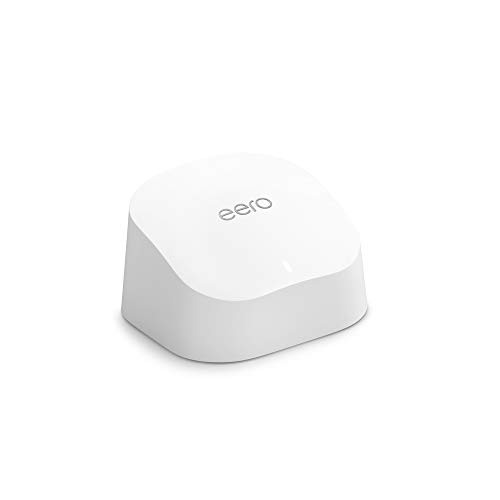
The eero 6 is a WiFi 6 mesh router designed for homeowners tired of dead zones, buffering, and expensive ISP router rentals. This single-unit router covers up to 1,500 sq ft and intelligently manages traffic across 75+ connected devices, making it perfect for families with multiple streamers, gamers, and smart home devices competing for bandwidth.
Performance is where the eero 6 truly shines. Users consistently report strong signal strength throughout their homes, even in previously problematic areas like kitchens and bedrooms. The TrueMesh technology routes traffic intelligently to minimize drops and interference, allowing smooth 4K streaming and gaming with minimal lag. Setup is remarkably simple, with the mobile app walking you through installation in roughly 10 minutes, and the built-in Zigbee smart home hub means you won't need separate hubs for Alexa-compatible devices.
The design is clean and compact, blending unobtrusively into home decor. The router feels solid and reliable, with users praising its stability compared to standard ISP-provided equipment. Automatic updates ensure your network stays secure without requiring manual intervention, and the system is expandable if you later need additional coverage.
The main limitation is that larger homes exceeding 1,500 sq ft may require purchasing additional eero units for complete coverage. A small percentage of users report occasional freezing during video calls in edge cases, though this appears related to specific network configurations rather than the router itself.
The eero 6 represents excellent value for anyone seeking reliable whole-home WiFi coverage without the frustration of dead zones or the ongoing expense of router rentals. It's particularly compelling for households with multiple devices and bandwidth-heavy activities like streaming and gaming.
Coverage and Speed: Up to 1,500 sq ft coverage area with a 22-foot radius. Supports internet speeds up to 900 Mbps.
Device Capacity: Connects 75+ devices simultaneously with WiFi 6 standard.
Technology: WiFi 6 (802.11ax) with TrueMesh intelligent traffic routing technology.
Smart Home Integration: Built-in Zigbee smart home hub for Alexa-compatible devices.
Setup and Management: Mobile app-based setup and management available from anywhere. Automatic security updates included.
Expandability: Cross-compatible with other eero products for system expansion.
Support: Free customer support available 7 days a week via email ([email protected]) or phone (1-877-659-2347) in the US.
Who Should Buy: The eero 6 is ideal for anyone frustrated with dead zones, buffering, or paying ISP rental fees for subpar equipment. It's particularly suitable for families with multiple streaming devices, online gamers, remote workers on video calls, and those with extensive smart home setups.
Coverage Considerations: One unit covers up to 1,500 sq ft effectively. For larger homes, measure your space and consider that the router performs best when centrally located. If your home exceeds this coverage area, plan to purchase additional eero units.
Comparison to Alternatives: Unlike traditional routers, the eero 6 uses mesh technology to create a unified network rather than separate signals. This approach eliminates the need to switch between networks as you move through your home. Compared to renting ISP equipment, the eero 6 pays for itself within months of avoided rental fees.
Setup Expectations: Download the eero app before unboxing. The setup process is genuinely simple and takes about 10 minutes. Place the router centrally near your modem for optimal performance.


Pros
- Exceptional WiFi 7 performance with Multi-Link Operation delivers noticeably faster speeds and lower latency than older routers
- Excellent coverage range with strong signal penetration, easily reaching 1,500+ sq ft homes with minimal dead zones
- Intuitive Tether app makes setup and network management simple, even for non-technical users, with setup completed in 10-15 minutes
- Outstanding value for the price, offering features typically found on routers costing significantly more
- Reliable stability with no connection drops, ideal for security cameras, work-from-home setups, and gaming consoles
Cons
- Some advanced security features are paywalled behind premium HomeShield subscription tiers
- Firmware optimization could be improved, with occasional issues like hidden networks still appearing and MLO links needing separate configuration
- Future security support may be limited after 2029 due to regulatory considerations in certain regions
The TP-Link Archer BE400 is a next-generation WiFi 7 router designed for households and small offices seeking modern performance without premium pricing. This dual-band router is ideal for gamers, remote workers, content creators, and anyone with multiple connected devices who demands reliable, high-speed internet throughout their home.
Performance is where this router truly shines. With WiFi 7 technology featuring Multi-Link Operation (MLO), it simultaneously transmits data across frequency bands, delivering speeds up to 5,764 Mbps on 5GHz and 688 Mbps on 2.4GHz. Real-world testing shows users consistently achieving 850+ Mbps downloads over WiFi with gigabit fiber connections, and the 2.5 Gbps WAN/LAN port accommodates multi-gig modems for future-proofing. The six high-performance antennas with beamforming technology provide impressive coverage up to 2,400 sq ft, supporting 90+ devices without degradation.
Build quality and usability are equally impressive. The compact black design fits discreetly in most spaces, and the setup process takes just 10-15 minutes via the user-friendly Tether app. The app provides intuitive network management, device monitoring, and access to HomeShield security features including parental controls, real-time threat scanning, and QoS prioritization. Voice control compatibility with Alexa and Google Assistant adds convenience for smart home integration.
The main limitations are that some advanced security features require premium subscriptions, and firmware optimization could be refined for better hidden network handling and MLO configuration. Additionally, regulatory changes may affect long-term security support in certain regions, though manual firmware updates will remain available.
The TP-Link Archer BE400 delivers exceptional value for upgrading to WiFi 7. It combines cutting-edge technology, reliable performance, comprehensive security, and easy management in a package that undercuts more expensive competitors. Whether you are replacing an aging router or building your first mesh network, this router provides the speed, coverage, and features needed for modern connected homes.
WiFi Standard: WiFi 7 (802.11be) with backward compatibility for WiFi 6, WiFi 5, and older standards
Speed: BE6500 (5,764 Mbps on 5GHz + 688 Mbps on 2.4GHz) with 6 data streams
Coverage: Up to 2,400 square feet with 6 fixed antennas and beamforming technology
Ports: 1x 2.5 Gbps WAN/LAN port, 1x 2.5 Gbps LAN port, 3x 1 Gbps LAN ports (5 ports total)
Device Capacity: Supports up to 90 simultaneous connected devices
Security: WPA3 encryption, WPA2-PSK, WPA2-Enterprise, SPI Firewall, IP/MAC Binding, HomeShield protection
Management: Tether app (iOS/Android), web interface, voice control (Alexa/Google Assistant)
Power: 12V 2.5A adapter, 110V AC input
Dimensions: 10.6 x 6 x 1.9 inches
Weight: 1.4 pounds
Warranty: 2-year manufacturer warranty
Who Should Buy This Router? This router is perfect for anyone upgrading from older WiFi 5 or WiFi 4 models, gamers seeking lower latency and higher speeds, remote workers needing reliable connections, households with 50+ connected devices, and anyone wanting WiFi 7 technology at mid-range pricing.
Best Use Cases: 4K/8K streaming, AR/VR gaming, large file transfers, security camera systems, work-from-home setups, multi-user households, and whole-home mesh networks with compatible extenders.
Coverage Considerations: The 2,400 sq ft coverage works well for single-story homes and apartments but may require mesh extension for larger multi-story homes or properties with significant obstacles. TP-Link EasyMesh extenders pair seamlessly for expanded coverage.
Internet Speed Requirements: To fully leverage this router's capabilities, gigabit fiber (1 Gbps+) or cable internet is recommended. Slower connections will still benefit from improved range and reliability compared to older routers.
Comparison Tip: This router offers superior value to premium models costing $300+, delivering 90% of their performance at half the price. It competes favorably with Netgear, ASUS, and other mainstream brands while maintaining easier setup and management.
Setup Tip: Use the Tether app for initial setup rather than the web interface for fastest configuration. Consider creating separate networks for IoT devices using the HomeShield feature to enhance security and network organization.

Buying Guide
Subscription-Free Security and Privacy
Many routers now bundle security suites that require a paid subscription after a trial period. When searching for the best wifi router without subscription, prioritize models that include robust, built-in security at no extra cost. Products like the NETGEAR R6700AX come with WPA3 encryption and automatic firmware updates out of the box, with no subscription needed. Similarly, TP-Link routers integrate HomeShield or AiProtection (on ASUS models) that offer parental controls and IoT protection without any recurring fees.
Wi-Fi Standard and Future Proofing
Wi-Fi technology evolves rapidly. For a router that will serve you well for years, consider Wi-Fi 6 or even Wi-Fi 7 models. Wi-Fi 6 (802.11ax) brings faster speeds, better capacity, and reduced congestion, while Wi-Fi 7 offers even higher throughput and lower latency. The TP-Link vs NETGEAR debate often comes down to which standard meets your current needs. If you have many smart home devices or stream 4K/8K content, a Wi-Fi 6 or 7 router is a wise investment.
Coverage and Number of Devices
Your home size and device count directly influence your router choice. For apartments or small homes up to 1,500 square feet, a single unit like the eero 6 or NETGEAR R6700AX is sufficient. Larger homes may benefit from mesh systems such as eero or TP-Link’s EasyMesh, which allow you to expand coverage without a subscription. Always check the maximum number of supported devices; some routers handle 20 devices, while others can manage 75 or more.
For whole-home coverage, consider a best mesh WiFi extender to complement your router. Mesh systems eliminate dead zones and provide seamless roaming, all without monthly fees.
Port Configuration and Wired Performance
If you have a multi-gig internet plan or need to connect wired devices like gaming consoles, PCs, or NAS drives, look for routers with multiple Gigabit or 2.5 Gbps ports. The TP-Link Archer BE230 offers dual 2.5 Gbps ports, while the ASUS RT-AX1800S provides five Gigabit ports. These ports ensure your wired connections are as fast as your wireless ones, and they come with no subscription strings attached.
Final Thoughts
After evaluating the top subscription-free routers, we recommend the TP-Link Dual-Band BE3600 Wi-Fi 7 Router for those who want future-proof speeds and robust parental controls, and the Amazon eero 6 mesh wifi router for families needing easy whole-home coverage that scales without any monthly fees. Both deliver excellent performance, strong security, and the freedom to manage your network your way, making them the clear standouts in our search for the best wifi router without subscription.
Related Guides
- Best WiFi Router For Gigabit Internet
- Top WiFi Routers for Many Devices in 2026
- Top Routers with Parental Controls for 2026
Frequently Asked Questions
Do any of these routers require a subscription for basic use?
No. All routers in this guide work fully out of the box with no subscription required. Some advanced features like VPN or parental controls are built in and free. Always check the product details to confirm, but each model listed is verified to offer a subscription-free experience.
Can I use these routers with any internet provider?
Yes. These routers are compatible with most cable, fiber, DSL, and satellite providers. You will need a separate modem or an ISP gateway. For example, the NETGEAR R6700AX works with Comcast, Spectrum, AT&T, and others. If you compare NETGEAR vs ASUS router models, both are widely compatible.
What is the difference between Wi-Fi 6 and Wi-Fi 7?
Wi-Fi 7 (802.11be) offers higher speeds, lower latency, and better efficiency through technologies like Multi-Link Operation and 4K-QAM. Wi-Fi 6 is still excellent for most homes in 2026, but Wi-Fi 7 is ideal for future-proofing. The TP-Link BE230 and BE400 are Wi-Fi 7 routers, while the eero 6 and TP-Link AX21 are Wi-Fi 6.
Do travel routers require a subscription?
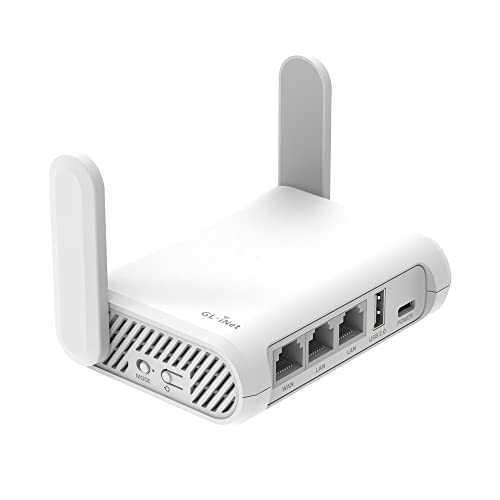
No. Travel routers like the TP-Link Roam 6 and GL.iNet Opal are designed for secure, on-the-go use with no subscription. They create a private network from public WiFi and support VPN encryption, all without monthly fees. They are perfect for hotels, Airbnbs, and business trips.