How to read check engine light codes starts with plugging an OBD2 scanner into the diagnostic port under your dashboard, usually near the steering column. The scanner pulls a five-character code that your car’s computer stores whenever a sensor reading falls outside its normal range. You then look up that code in a reference guide or online database to see which system triggered it. The whole process takes about five minutes and gives you a clear starting point, even if you end up handing the work to a mechanic.

Pros
- Extremely affordable entry-level diagnostic tool that eliminates guesswork before mechanic visits
- Comprehensive OBD2 functionality including live data, freeze frame, I/M readiness, and O2 sensor tests
- Requires no setup, charging, or smartphone connection, making it immediately usable right out of the box
- Wide vehicle compatibility across U.S., European, and Asian OBD2 standards and protocols
- Clear on-screen code definitions and ANCEL customer support help build user confidence in diagnostics
Cons
- Limited to engine and emission-related codes only, does not support ABS, SRS, transmission, or service reset functions
- Compatibility with some 2000+ EU and Asian vehicles should be verified before purchase to ensure coverage
- Basic feature set may feel limited for professional mechanics who need advanced bidirectional control capabilities
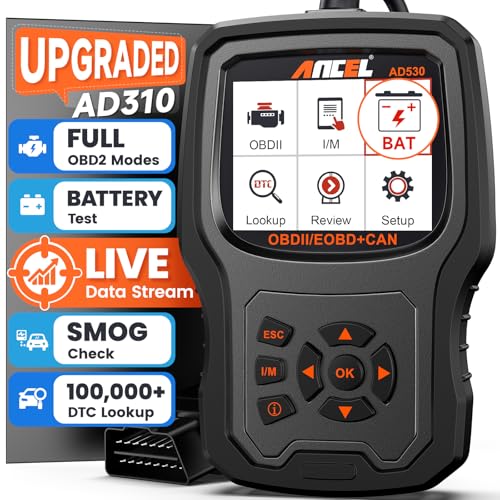
The ANCEL AD410 is a straightforward OBD2 code reader designed for everyday drivers, DIY mechanics, and anyone who wants to understand what their check engine light means before heading to a repair shop. It's not a professional-grade diagnostic tool, but rather an accessible entry point into vehicle diagnostics that removes the mystery surrounding engine fault codes and helps you make informed repair decisions.
What sets the AD410 apart is its combination of essential diagnostic functions wrapped in a user-friendly package. The 42,000+ built-in DTC database means you get detailed code definitions on the spot. Real-time live data monitoring lets you watch engine parameters like RPM, coolant temperature, and fuel trim as your vehicle runs, helping you spot abnormal patterns. The smog check readiness feature is particularly valuable for those facing emissions inspections, as it confirms whether your vehicle's monitors are prepared before you schedule an appointment, potentially saving time and inspection fees.
The design prioritizes simplicity and accessibility. The 2.4 inch color display is clear and easy to read, the menu structure is intuitive, and there's no need for batteries, chargers, or smartphone apps. Simply plug the 16-pin connector into your vehicle's OBD2 port, turn the ignition on, and you're ready to scan. Multilingual support and straightforward on-screen guidance make it suitable for users of all experience levels, from first-time DIYers to experienced home mechanics.
The main limitation is scope. The AD410 reads only engine and emission-related codes, so it won't help with ABS, SRS, transmission issues, or service resets. Additionally, while it supports major OBD2 protocols and works with most 1996+ U.S. vehicles, some 2000+ European and Asian models may not be fully compatible, so verification before purchase is wise. For professional mechanics needing bidirectional control or advanced functions, this tool falls short.
Overall, the ANCEL AD410 delivers solid value for drivers who want basic diagnostic capability at an affordable price. It's backed by ANCEL's experience in automotive diagnostics and includes free software updates to keep the code database current. If you're looking for a reliable way to understand your check engine light and perform basic vehicle maintenance diagnostics, this scanner is a practical and accessible choice.
Display: 2.4 inch color screen with multilingual support
Power Source: Vehicle OBD2 port, no battery or charger required
Database: 42,000+ built-in diagnostic trouble codes with definitions
Supported Functions: Read and clear codes, live data, freeze frame, I/M readiness, O2 sensor test, EVAP test, vehicle information, MIL status
OBD2 Protocol Support: CAN, ISO9141, KWP2000, J1850 VPW, J1850 PWM
Vehicle Compatibility: Most 1996 and newer U.S.-based OBD2 cars, SUVs, and light trucks; many 2000 and newer EU and Asian OBD2 vehicles
Connector: 16-pin OBD2 standard connector
Warranty and Support: ANCEL 10+ years diagnostic expertise, free software updates, customer support available
Ideal For: DIY car owners, everyday drivers concerned about check engine lights, home mechanics performing basic maintenance, anyone preparing for emissions or smog check inspections
Best Use Cases: Diagnosing check engine light causes before visiting a mechanic, monitoring engine health with real-time data, verifying that repairs have resolved issues, understanding vehicle diagnostics without professional tools
Not Recommended For: Professional mechanics needing advanced diagnostics, users requiring ABS or transmission code reading, anyone needing bidirectional control or service reset capabilities

Pros
- Instant code reading and clearing saves hundreds on dealership diagnostic fees
- Live data graphing provides professional-grade insight comparable to shop-grade scanners
- Comprehensive protocol support covers most North American and many European/Asian vehicles
- Smog check helper feature eliminates guesswork before annual emissions testing
- Lifetime free updates ensure long-term compatibility and feature improvements
Cons
- Compatibility varies by vehicle year, make, model, and VIN, requiring pre-purchase verification
- Limited to OBDII protocol vehicles, excluding older pre-1996 models and some specialty vehicles
- Live data graphing feature may require learning curve for users unfamiliar with engine sensor diagnostics
The FOXWELL NT301 is a professional OBD2 diagnostic scanner designed for car owners and DIY mechanics who want to diagnose engine problems without paying dealership fees. Simply plug it into your vehicle's 16-pin DLC port, turn on the ignition, and get accurate fault codes within seconds. This tool empowers you to understand exactly what's wrong with your vehicle before visiting a repair shop.
The standout feature is the live data graphing capability, which displays real-time sensor readings in easy-to-read graphs. You can monitor oxygen sensors, fuel trims, coolant temperature, RPM, and other critical parameters to spot engine issues instantly. The advanced EVAP leak testing and O2 sensor diagnostics go beyond basic code reading, helping optimize fuel economy and reduce emissions. The smog check helper with I/M readiness verification and color-coded LED indicator takes the guesswork out of annual emissions inspections.
The 2.8-inch color screen is bright and readable even in daylight conditions, and the built-in speaker provides clear audio feedback during diagnostics. The scanner operates on a plug-and-play basis with no charging, complicated setup, or subscription fees required. Lifetime free software updates ensure the tool remains compatible with new vehicle models and continues receiving feature improvements over time.
The main limitation is compatibility verification, as the scanner works with most 1996+ gasoline vehicles and select 2000+ European and Asian models, but functionality varies by specific year, make, model, and VIN. Older pre-OBDII vehicles are not supported. Users new to engine diagnostics may need time to interpret live data graphs effectively, though the interface is designed for simplicity.
The FOXWELL NT301 delivers professional-grade diagnostic capabilities at a price point accessible to DIY car owners. It's an excellent investment for anyone tired of expensive dealership diagnostic fees and ready to take control of their vehicle's maintenance. The combination of code reading, live data graphing, emissions testing, and smog readiness verification makes it one of the most capable scanners in its price range.
Instant Code Reading and Clearing: The NT301 reads engine fault codes (DTCs) with a single click and clears the check engine light after repairs are completed. Unlike budget code readers that temporarily erase codes, this scanner ensures codes only clear when the underlying problem is truly fixed, preventing false passes.
Live Data Graphing: View and log real-time sensor data in graphical format to monitor oxygen sensors, fuel trims, coolant temperature, RPM, and more. This professional feature helps identify suspicious sensor values and engine performance issues that basic code readers cannot detect.
Advanced Emissions Testing: Run EVAP system leak checks to assess fuel tank condition and use O2 sensor testing to optimize the air-fuel ratio. These capabilities help improve fuel economy, reduce emissions, and save money at the pump while ensuring compliance with emissions standards.
Smog Check Helper: Dedicated one-click I/M readiness hotkeys combined with a Red-Yellow-Green LED indicator instantly show whether your vehicle is ready for annual emissions testing. This feature eliminates uncertainty before inspection day and helps you address readiness issues proactively.
Universal Compatibility: Supports all five OBDII protocols (KWP2000, J1850 VPW, ISO9141, J1850 PWM, and CAN) and works with 10,000+ vehicles including 1996+ gasoline cars, light trucks, SUVs, and 12V diesel models with OBD2 systems.
DIY Car Owners: If you want to diagnose your own vehicle problems and avoid expensive dealership diagnostic fees, the NT301 is an excellent investment. The plug-and-play operation and intuitive interface make it accessible even without prior automotive knowledge.
Home Mechanics: Hobbyists and semi-professional mechanics benefit from the live data graphing and advanced diagnostics capabilities. The professional-grade features rival shop-grade scanners at a fraction of the cost, making it ideal for home garage work.
Fleet Managers: Small business owners managing multiple vehicles can use the NT301 to quickly diagnose problems across their fleet, reducing downtime and maintenance costs through proactive monitoring.
Drivers in High-Emission States: If your state requires annual emissions testing and smog checks, the I/M readiness verification feature helps ensure your vehicle passes inspection the first time, saving time and frustration.
Pre-Purchase Vehicle Inspectors: Anyone buying a used car can use the NT301 to scan the vehicle's diagnostic history and identify potential problems before making a purchase decision.

Pros
- Easy to set up and use with both iOS and Android devices
- Very low power draw in sleep mode (3mA) prevents battery drain
- Works with a wide range of popular diagnostic apps
- Firmware upgradable for future vehicle compatibility
- Compact size makes it easy to leave plugged in
Cons
- Does not support advanced systems like ABS, SRS, or TPMS
- Auto-wake may not function on electric or hybrid vehicles, requiring manual reinsertion
- Some users report occasional Bluetooth connection issues with certain Android phones
The Vgate iCar Pro Bluetooth 4.0 OBD2 code reader is a versatile and affordable diagnostic tool designed for both iOS and Android users. It targets car owners and DIY mechanics who want to read and clear engine fault codes without visiting a shop. The device supports 12V gasoline vehicles from 1996 onward, as well as light-duty diesel models, making it broadly compatible with most cars on the road today.
Standout features include its simple Bluetooth pairing process: iOS users can connect directly through an OBD2 app without manual pairing, while Android users pair with a standard PIN. The adapter consumes very little power, with an auto-sleep mode that draws only 3mA to preserve battery life. Real-world performance from thousands of reviews confirms reliable code reading and live data streaming with popular apps like Torque, Car Scanner, and Dr. Prius.
The design is compact and lightweight, measuring just 1.85 by 0.94 by 1.06 inches, so it fits easily into the OBD2 port without obstructing the driver's legs. LED indicators clearly show power, Bluetooth status, and data activity. The unit also supports firmware updates via the VgateFwUpdater app, ensuring future compatibility with newer vehicles or app updates.
Potential drawbacks include limited support for advanced systems like ABS, SRS, or TPMS, so professional mechanics needing full system diagnostics should look elsewhere. Additionally, the auto-wake feature may not work on electric or hybrid cars, and some users have reported occasional Bluetooth pairing hiccups with certain Android devices. These are minor issues given the low price point.
Overall, the Vgate iCar Pro offers excellent value for anyone needing a basic OBD2 scanner. Its ease of use, low power consumption, and broad app compatibility make it a top choice for DIY diagnostics. For most car owners, it will quickly pay for itself by helping identify and clear check engine lights without expensive shop visits.

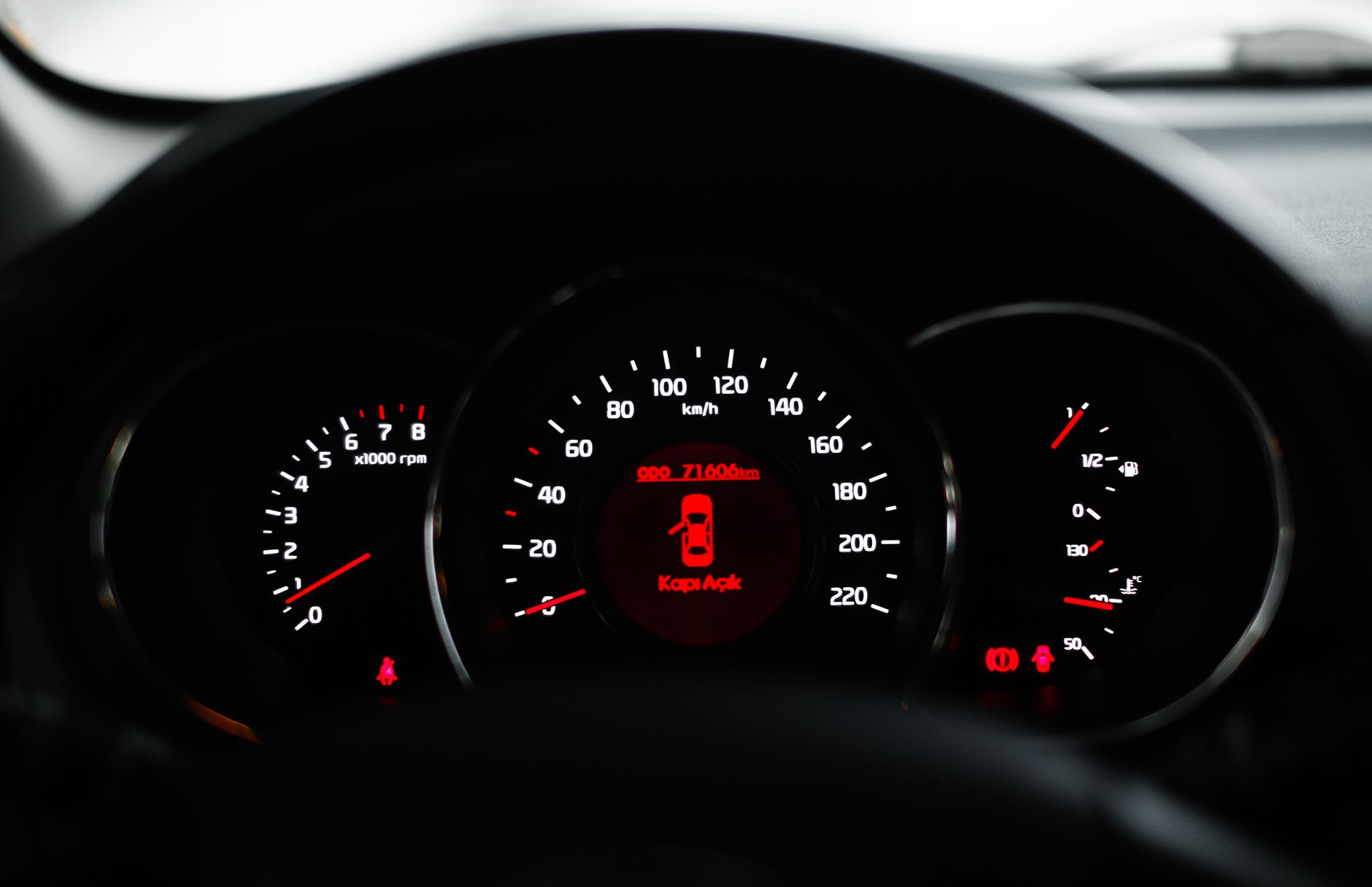
What the Check Engine Light Is Actually Telling You
The check engine light is not a single warning. A steady light means the engine computer has logged a fault that needs attention but is not causing immediate damage. A flashing light means the engine is misfiring badly enough that unburned fuel is entering the exhaust, which can destroy the catalytic converter.
That distinction matters before you read any codes. If the light is flashing, pull over and shut the engine off rather than driving to find a scanner. If it is steady, you can usually finish your trip and read the codes when it is convenient.
Find the OBD2 Port in Your Car
Every car sold in the United States since 1996 has a standardized OBD2 port, so the connector is identical across every make and model. The port is a trapezoid-shaped socket, usually under the dashboard on the driver’s side, near the hood release or fuse panel. Some vehicles hide it behind a small cover or tuck it up above the pedals.
If you cannot find it by feel, check your owner’s manual for the exact location. The port is listed in the maintenance or diagnostics section. Once you find it, the scanner plugs in with no tools and no special skill required.
How to Read Check Engine Light Codes With a Scanner
Turn the ignition to the on position without starting the engine, then plug the scanner into the OBD2 port. The scanner powers on and communicates with the engine computer. Select Read Codes from the menu, and the scanner displays any stored codes within a few seconds.
A basic code reader shows the code and a short description. A more advanced scan tool also displays freeze frame data, which records engine conditions like speed and coolant temperature at the moment the fault occurred. That extra data helps you understand whether the code appeared under load, at idle, or during a cold start.
How to Decode the Check Engine Light Code Format
Every code follows the same five-character format. The first letter identifies the system: P for powertrain, B for body, C for chassis, and U for network communication. The second character is a zero for standardized codes or a one for manufacturer-specific codes.
The remaining three digits narrow the fault down further. A P0300 code breaks down as powertrain, standardized, and cylinder misfire. The last two digits often point to a specific cylinder, so P0301 means cylinder one is misfiring while P0300 means the misfire is random across multiple cylinders.
The Most Common Check Engine Light Codes and What They Mean
Some codes appear far more often than others because they relate to parts that wear out or get contaminated. P0420 indicates the catalytic converter is working below efficiency, often caused by an exhaust leak or a failing oxygen sensor rather than the converter itself. P0171 means the engine is running too lean, usually from a vacuum leak, a dirty mass airflow sensor, or a weak fuel pump.
P0300 through P0304 cover misfires, which can come from worn spark plugs, failing ignition coils, or a vacuum leak. P0440 and P0455 point to the evaporative emissions system, frequently a loose or cracked gas cap.
Charging system codes like P0562 indicate low system voltage, which points to the battery or alternator rather than the engine.
What to Do After You Read the Code
- If the light is flashing, stop driving and have the car towed to a shop to avoid catalytic converter damage.
- If the code points to the gas cap, tighten it, clear the code, and drive for a day to see if it returns.
- If you have a misfire code, inspect the spark plugs and ignition coils before replacing anything else.
- If the code indicates a lean or rich condition, check for vacuum leaks and clean the mass airflow sensor.
- After a repair, clear the codes and drive through a full warm-up cycle to confirm the fix worked.
To pull the codes yourself, you need a scanner that fits your phone and your budget. Our guide to the best bluetooth OBD2 scanners for android explains which features matter for a DIY mechanic, from live data to code clearing.
Related Guides
- Best OBD2 Scanner That Can Reset ABS Light
- Top 10 OBD2 Scanners with Lifetime Updates
- Best OBD2 Scanner for Beginners
Frequently Asked Questions
Can I read check engine light codes without a scanner?
Some older cars let you cycle the ignition key from off to on three times and read a code from the odometer display, but this only works on certain models. A scanner is faster, more reliable, and works on every car built after 1996. If you do not own one, many auto parts stores will read the codes for free.
Will disconnecting the battery clear check engine light codes?
Disconnecting the battery for about 15 minutes will clear stored codes, but it also resets the engine computer’s adaptive learning. The code will come back if the underlying fault is still present. A scanner clears codes more cleanly without resetting your radio presets and other settings.
Why did my check engine light turn off by itself?
The engine computer turns the light off when the fault stops occurring across several drive cycles. The code stays stored in memory, so a scanner can still retrieve it. If the fault was a one-time event, like a loose gas cap, the light may stay off for good.
How much does it cost to have a shop read check engine light codes?
Many auto parts stores read codes for free as a way to bring customers in. Repair shops typically charge a diagnostic fee, which is often applied to the repair if you have them do the work. Reading the codes yourself costs nothing beyond the scanner you already own.
Reading check engine light codes is a five-minute job that starts with plugging a scanner into the OBD2 port and ends with a code you can look up and act on. If you are still choosing a scanner, check the guide linked above to find one that matches how you plan to use it.