🔥 TV Black Friday Deals 2026: picks worth watching →
When you need a laptop that can handle intensive tasks like 3D modeling, video editing, or complex data analysis, the choice often comes down to two heavyweights: HP and Lenovo. Both brands offer powerful mobile workstations designed for professionals who demand reliability and performance. This guide breaks down the key differences between HP and Lenovo models, helping you find the right machine for your workflow in 2026.
We have evaluated several top-tier workstations from both brands, focusing on processor power, memory capacity, display quality, and build durability. Whether you are an engineer, architect, or content creator, understanding the nuances between HP and Lenovo can save you time and ensure you invest in a tool that meets your demands.




Buying Guide
Processor Performance and Core Count
The processor is the heart of any mobile workstation. HP ZBook models often feature Intel Xeon or Core i9 processors with high core counts, ideal for multi-threaded tasks like rendering or simulation. Lenovo ThinkPad P-series also offers Intel Core i7 and i9 options, with vPro technology for enhanced security and remote management.
For example, the HP ZBook Fury 17 G8 includes an Intel Xeon W-11955M with 8 cores, while the Lenovo ThinkPad P15 features an i7-11850H with similar core counts. Newer models like the HP ZBook Fury G11 come with 14th Gen Core i9 processors, offering up to 24 cores for extreme workloads.
Memory and Storage Capacity
Workstations need ample RAM and fast storage to handle large files and multitasking. Most models in our comparison offer 64 GB of DDR4 or DDR5 RAM, which is sufficient for complex projects. Storage options range from 512 GB to 2 TB SSDs, with some Lenovo models offering dual-drive configurations.
If you work with huge datasets or 4K video, consider a model with at least 1 TB SSD. The Lenovo Legion Pro 7i, for instance, provides 2 TB storage split across two drives, giving you both speed and capacity.
Display Quality and Resolution
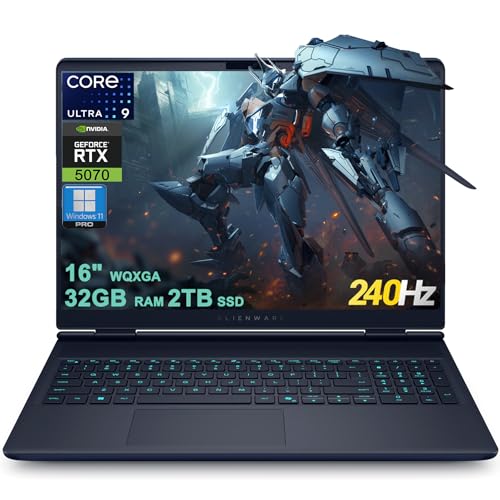
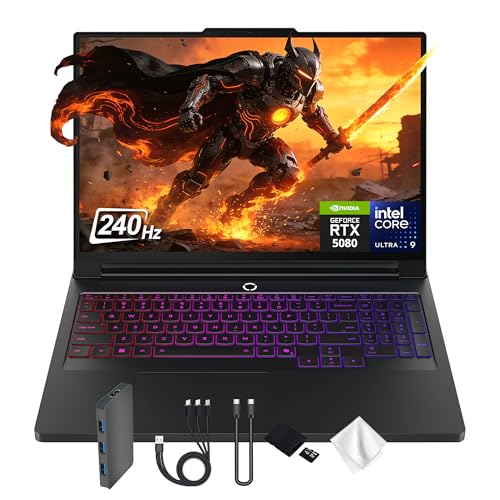
A high-resolution display with accurate colors is crucial for design and editing work. HP ZBook models offer options like 1920×1200 (WUXGA) or 3840×2400 (WQUXGA) resolutions, providing crisp text and vibrant visuals. Lenovo ThinkPad P15 features a 15.6-inch FHD IPS display with anti-glare coating, while the Legion Pro 7i boasts a 16-inch WQXGA OLED panel with 240Hz refresh rate.
For color-critical work, look for displays with 100% DCI-P3 coverage. The Lenovo Legion Pro 7i Gen 9 meets this standard, making it suitable for photo and video editing.
Graphics and GPU Options
Dedicated graphics are essential for rendering, CAD, and gaming. Lenovo workstations often include NVIDIA RTX A-series or GeForce RTX GPUs, while HP models may offer Intel UHD Graphics or discrete options. The Lenovo ThinkPad P15 comes with an NVIDIA RTX A2000 4GB, suitable for professional applications like AutoCAD and SolidWorks.
For high-end gaming or 3D rendering, the Lenovo Legion Pro 7i with RTX 4090 16GB delivers exceptional performance. HP ZBook Fury models typically focus on ISV certifications for reliability with professional software.
For more on printer comparisons, check out our brother vs HP printers guide.
Final Thoughts
In the HP vs Lenovo debate, your choice should align with your specific workload and budget. For professionals needing extreme processing power and ISV certifications, the HP ZBook Fury 17 G8 17.3″ Mobile Workstation stands out with its Xeon processor and large display. On the other hand, if you prioritize a balance of performance and portability with excellent graphics, the Lenovo ThinkPad P15 Mobile Workstation offers a compelling package at a more accessible price point. Both brands deliver reliable machines, but understanding your primary tasks will guide you to the right investment.
Frequently Asked Questions
Which brand is better for CAD work, HP or Lenovo? Both HP and Lenovo offer workstations certified for CAD software like AutoCAD and SolidWorks. HP ZBook models often have ISV certifications built-in, while Lenovo ThinkPad P-series also supports these applications. Check specific model certifications for your software.
Are HP ZBook workstations more durable than Lenovo ThinkPads? Both brands are known for durability. HP ZBook models meet military-grade standards for shock and vibration, while Lenovo ThinkPads undergo similar MIL-STD-810G testing. Your choice may come down to preference for keyboard feel or port selection.
Can I upgrade RAM and storage on these workstations? Yes, most mobile workstations allow user upgrades. Models like the Lenovo ThinkPad P15 and HP ZBook Fury G11 have accessible SODIMM slots and M.2 SSD slots. Check the specific model’s service manual for upgrade options.
What is the typical lifespan of a mobile workstation from HP or Lenovo? With proper care, a high-end workstation can last 4 to 6 years. Models with Intel Core i9 or Xeon processors and ample RAM remain capable for demanding tasks through 2026 and beyond. Regular cleaning and thermal paste replacement can extend longevity.