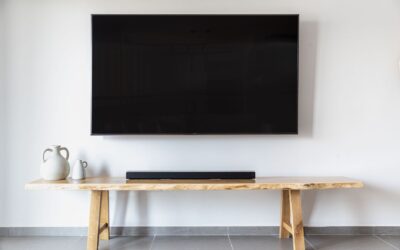
If your TV screen is black but has sound, the problem is almost always a display or backlight failure, a loose cable, or a setting that has disabled the screen while the audio continues to play. This means your TV’s internal electronics are still working to process sound, but something between the signal input and the screen panel is blocking the picture. Understanding which cause applies to your situation can save you a costly repair bill or unnecessary replacement.
Backlight Failure
The most common cause of a black screen with sound is a failed backlight. LED and LCD TVs use a layer of LEDs behind the screen to illuminate the image. If these LEDs stop working, the display goes dark, but the TV’s processor and audio system continue to function normally.
You can test for this by shining a flashlight at an angle close to the screen. If you see a faint, dim image or moving shadows, the backlight is the culprit. This repair often requires replacing the LED strips, which is a job for a professional unless you have experience with electronics.
Loose or Faulty HDMI Cable
A partially connected or damaged HDMI cable can carry audio but not video. The HDMI standard includes separate channels for sound and picture, and a loose connection may disrupt the video channel while leaving audio intact.
Try unplugging the HDMI cable from both the source device and the TV, then reconnecting it firmly. If the problem persists, test a different cable or a different HDMI port on your TV. This is the easiest fix to check and costs nothing to try.
Incorrect Input or Source Setting
Sometimes the TV is set to the wrong input source. If you have multiple devices connected (cable box, streaming stick, game console), the TV may be playing audio from one source while the screen is blank because it is waiting for a video signal from a different input.
Use your remote to cycle through the input options (HDMI 1, HDMI 2, AV, etc.) until you see a picture. If you cannot see the on-screen menu, look for a physical “Input” or “Source” button on the TV itself. This is a simple oversight that happens more often than you might think.
Power Supply Board Issue
The power supply board in your TV provides electricity to both the backlight and the main board. If a capacitor or other component on this board fails, it may still deliver enough power for audio processing but not enough to light the screen.
Signs of a power supply problem include the TV turning on briefly before the screen goes black, or a clicking sound from the TV when you try to turn it on. This repair usually involves replacing the power supply board, which can be done by a technician or by ordering a compatible replacement part online.
Frozen or Unresponsive Smart TV Software
Smart TVs run operating systems that can freeze or crash. A software glitch might cause the screen to go black while the audio continues from a previously playing app or broadcast. This is more common on older smart TVs that have not received recent updates.
Try a hard reset by unplugging the TV from the wall outlet for 60 seconds, then plugging it back in. This forces the software to restart fresh. If the problem returns, you may need to perform a factory reset through the TV’s settings menu, which you can sometimes navigate blindly using the remote.
T-Con Board Failure
The T-con (timing control) board sends the video signal from the main board to the LCD panel. If this board fails, the screen stays black even though the backlight and audio are working. This is less common than backlight failure but still a known issue.
Unlike a backlight problem, shining a flashlight on the screen will not reveal any image at all. Replacing a T-con board is a moderate DIY repair if you can find the correct part number for your TV model, but it requires careful handling of ribbon cables.
How to Fix a Black TV Screen With Sound
- Check and reseat all HDMI cables and try a different HDMI port.
- Cycle through input sources using the remote or TV buttons.
- Perform a hard reset by unplugging the TV for 60 seconds.
- Shine a flashlight on the screen to test for backlight failure.
- If the flashlight test shows a dim image, the backlight needs professional repair.
- If no image appears with the flashlight, the T-con board or power supply may be faulty.
These steps cover the vast majority of black screen with sound cases. If your TV is older and the repair costs approach the price of a new model, it may be time to consider a replacement.
Frequently Asked Questions
Can a black TV screen be fixed without replacing the whole TV?
Yes, many causes of a black screen with sound are repairable. Loose cables, incorrect input settings, and software glitches are easy to fix yourself. Backlight or board failures can be repaired by a technician, often for less than half the cost of a new TV.
Why does my TV turn on but the screen stays black?
This usually means the TV is receiving power and processing audio, but the display or backlight is not functioning. The most common reasons are a failed backlight, a loose internal cable, or a faulty power supply board that cannot deliver enough voltage to the screen.
How do I know if my TV backlight is broken?
Shine a bright flashlight at an angle close to the screen. If you see a dim, faint image or moving shadows, the backlight is likely broken. If the screen remains completely black even with a flashlight, the problem is more likely with the T-con board or main board.
Is it worth repairing a TV with a black screen?
It depends on the TV’s age and the repair cost. For a TV under 5 years old, replacing a backlight or board is often worth it. For older or budget models, the repair cost may exceed the value of the TV. A technician can give you an estimate before you decide.
Can a power surge cause a black screen with sound?
Yes, a power surge can damage the power supply board or T-con board while leaving the audio circuitry intact. Using a surge protector can help prevent this. If your TV was plugged in during a storm or power outage, a surge may be the root cause.
Related Guides
- TV Has Picture But No Sound
- Smart TV Connected to WiFi But No Internet
- TV Remote Not Working But Batteries Are New
- Top TV Picks Under $1000 for
- Best Budget 4K TV
Final Thoughts
When your TV screen is black but has sound, the issue is almost always fixable without replacing the entire television. Start with the simplest checks like cables and input settings before moving to hardware diagnostics.