

You have a high-end gaming rig, a 4K monitor, and a mechanical keyboard. But when you fire up your favorite game, the audio feels flat. Explosions lack punch, footsteps are muffled, and dialogue gets lost in the noise. The culprit is often your motherboard’s built-in sound chip. A dedicated surround sound sound card transforms your listening experience, delivering crisp positional audio and deep immersion. In this guide, we review the top six models available in 2026, covering both internal PCIe cards and external USB adapters. Whether you are a competitive gamer, a movie buff, or a music producer, we have a pick for you. For more insights, check out our roundup of the best 7.1 gaming sound cards for immersive audio.



Buying Guide: What to Look for in a Surround Sound Sound Card
Audio Resolution and Bitrate
Higher sample rates and bit depths mean cleaner, more detailed sound. Look for cards that support at least 24-bit / 96 kHz for good quality, and 32-bit / 384 kHz for audiophile-grade playback. The Creative Sound Blaster Audigy Fx Pro and AE-7 both offer 32-bit / 384 kHz, while the Cubilux USB card supports up to 384 kHz on headphones. If you listen to high-resolution music, prioritize these specs.
Connectivity: PCIe vs. USB
Internal PCIe cards like the Creative Sound Blaster AE-7 provide lower latency and direct access to the motherboard’s PCIe lanes, ideal for competitive gaming. USB external sound cards (e.g., StarTech 7.1 USB Audio Adapter, Cubilux) offer plug-and-play convenience and work with laptops or desktops without an available PCIe slot. Consider your setup: if you have a desktop with an open PCIe slot, an internal card often delivers better performance. For portability, USB is the way to go.
Surround Sound Support: 5.1 vs. 7.1
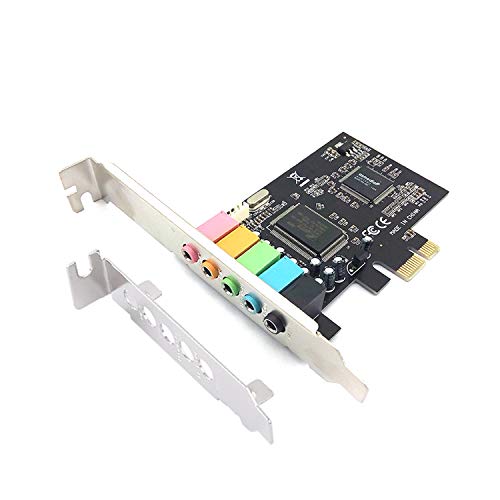
Most surround sound sound cards support either 5.1 or 7.1 channels. 7.1 adds two rear surround speakers for more precise positional audio, especially in games and movies. The Creative Sound Blaster Audigy Fx Pro and StarTech 7.1 USB Audio Adapter both support discrete 7.1 output. If you only have a 5.1 speaker setup, a 5.1 card like the Padarsey PCIe 5.1 Internal Sound Card is sufficient. For a deeper dive, read our guide on 7.1 sound cards.
Build Quality and Extra Features
Look for cards with shielded components, gold-plated connectors, and durable enclosures. The Cubilux USB card uses a full aluminum alloy case to block interference. The Creative AE-7 includes an Audio Control Module (ACM) with a volume knob and headphone jacks. Software support matters too: Creative’s Nexus and Sound Blaster Command apps allow EQ customization and virtual surround. The ULANSeN USB card offers dedicated game sound effects for PUBG. Choose a card that matches your need for convenience and control. Also see our picks for top 5.1 sound cards for immersive PC audio.
Final Thoughts
After reviewing the top options, our recommendation comes down to your priorities. For gamers and audiophiles who want the highest fidelity and lowest latency, the Creative Sound Blaster Audigy Fx Pro Hi-Res PCIe delivers stunning 7.1 surround and a compact design that fits any case. If you need a portable, hassle-free solution for a laptop or a secondary PC, the StarTech 7.1 USB Audio Adapter offers reliable 7.1 sound with easy plug-and-play setup. Both cards have been validated for excellent audio quality and will elevate your listening experience significantly.
Frequently Asked Questions
What is the best surround sound sound card for gaming in 2026?
The Creative Sound Blaster Audigy Fx Pro and AE-7 are top contenders for gaming thanks to their high-resolution audio, discrete 7.1 output, and low-latency processing. The Audigy Fx Pro offers a more affordable entry point while still delivering excellent surround sound. For a broader selection, browse our best 7.1 gaming sound cards list.
Do I need a PCIe or USB sound card?
It depends on your system. PCIe cards (like the Creative AE-7) offer lower latency and direct connection to the motherboard, ideal for desktop gaming rigs. USB sound cards (like the StarTech 7.1 or Cubilux) are plug-and-play and work with laptops, desktops without free PCIe slots, and even consoles like PS4/PS5. Both can provide excellent surround sound.
Can I use a surround sound sound card with headphones?
Absolutely. Most surround sound sound cards support virtual surround sound for headphones, which simulates multi-channel audio through two drivers. Cards like the Creative AE-7 even have a dedicated Xamp headphone amplifier to drive high-impedance studio headphones. You can enjoy 7.1 positional cues without a full speaker setup.
How do I set up a 7.1 sound card?
For internal PCIe cards, install the card in an available PCIe slot, connect the audio cables from your speakers or headphones, and install the driver software. For USB cards, simply plug the adapter into a USB port, connect your audio devices, and select the card as your default playback device in the operating system’s sound settings. Most cards include software to configure speaker layout and test each channel.
