

If you have ever plugged a high-end headset into your PC only to hear background hiss, thin bass, or flat stereo, you know the frustration of relying on onboard audio. Whether you are a competitive gamer chasing precise footsteps, a music producer needing accurate monitoring, or a movie enthusiast craving immersive surround sound, a dedicated sound card transforms your listening experience. We have evaluated six top contenders across internal PCIe and external USB models to help you find the perfect match for your setup. For a deeper look at Creative’s lineup, check our best Sound Blaster sound cards guide.




Buying Guide: Key Factors When Choosing a Sound Card
Audio Resolution and Signal-to-Noise Ratio
The most critical specification is audio resolution, measured in bits and kHz, and the signal-to-noise ratio (SNR). Higher numbers like 32-bit/384 kHz and 130 dB SNR deliver cleaner, more detailed sound with less distortion. For gaming and music, look for at least 24-bit/96 kHz and 100 dB SNR. Cards like the Creative Sound Blaster AE-7 and AE-X excel here with ESS Sabre DACs.
Connectivity and Channel Support
Decide how many speakers or headphones you need to drive. For a 5.1 or 7.1 surround system, ensure the card has enough analog outputs. USB sound cards like the StarTech 7.1 USB Adapter offer plug-and-play convenience for laptops, while PCIe cards provide lower latency. Also check for optical or coaxial outputs if you want to connect to a receiver. For more on Creative’s surround solutions, see our best Creative sound cards for gaming article.
Compatibility and Driver Support
Not all sound cards work with every operating system. Some USB models are plug-and-play on Windows and macOS, while others require drivers and may not support older OS versions. Internal PCIe cards generally need a free slot and driver installation. Always verify compatibility with your motherboard and OS before buying. The Cubilux USB card, for example, does not support Windows 7 or 8.
Form Factor and Build Quality
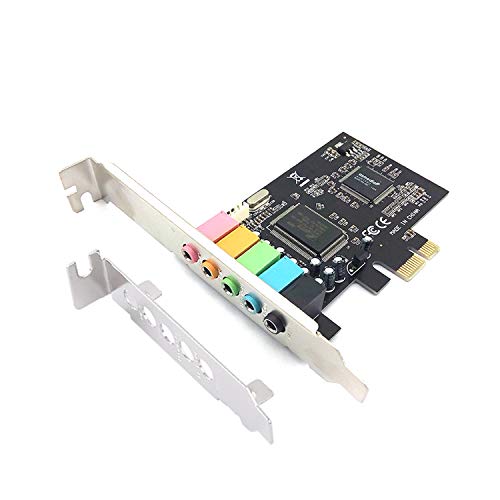
Consider the physical size: full-height PCIe cards may not fit small cases, but low-profile brackets are available. External USB sound cards are ideal for laptops and compact builds. Build materials matter too, the Cubilux card uses an aluminum alloy case to reduce interference. For a broader look at PC audio upgrades, visit our Cards category page.
Final Thoughts
After reviewing these six models, we recommend the Creative Sound Blaster Audigy Fx Pro Hi-Res PCIe for users who want high-resolution audio and versatile connectivity at a reasonable price, and the StarTech 7.1 USB Audio Adapter for those who need a simple, portable upgrade for a laptop or secondary PC. Both deliver excellent value and clear sound that will elevate your everyday listening.
Frequently Asked Questions
Do I really need a dedicated sound card in 2026?
Modern motherboards have improved onboard audio, but dedicated sound cards still offer higher SNR, better DACs, and dedicated headphone amplifiers. If you use high-impedance headphones or want true 7.1 surround, a sound card is a worthwhile investment. For gaming, low-latency processing can also reduce CPU load.
What is the difference between PCIe and USB sound cards?
PCIe sound cards connect directly to the motherboard, offering lower latency and often higher audio quality due to dedicated processing. USB sound cards are external, easy to install, and portable, making them ideal for laptops or desktop users who want to avoid opening the case. Both can support high-resolution audio.
Can I use a sound card with gaming headsets?
Yes, most sound cards have headphone outputs and some include built-in headphone amplifiers. Cards like the Creative Sound Blaster AE-7 can drive high-impedance headsets up to 600Ω. For gaming, virtual surround sound features enhance spatial awareness. Check our best Creative sound cards for more gaming-focused options.
Will a sound card improve audio quality for music production?
Absolutely. A sound card with a high-quality DAC and low-latency ASIO drivers provides accurate monitoring and recording. Look for models with line inputs and outputs, like the Creative Sound Blaster Audigy Fx Pro, which offers mic-in and line-in for connecting instruments or microphones.


