You just unboxed your Raspberry Pi Zero, and now you need a microSD card to bring it to life. But not all cards are equal for this tiny powerhouse. A slow or incompatible card can ruin your experience with laggy boots, corrupted data, or failed projects. This guide covers the best SD cards for Raspberry Pi Zero in 2026 – from preloaded cards that skip the setup hassle to high-capacity options for demanding builds. Whether you are a beginner or a seasoned maker, we have you covered. For a broader look at Pi storage, check our top SD cards for raspberry pi projects.


Buying Guide
Speed Class: UHS-I U1 vs U3
The Raspberry Pi Zero supports UHS-I cards, but the speed class determines how fast your system boots and runs applications. A U1 card (minimum 10 MB/s sustained write) is fine for basic OS tasks, while U3 (minimum 30 MB/s) handles 4K video recording and heavy I/O better. For general Pi Zero use – coding, lightweight servers, or retro gaming – a U1 card works well. If you plan to capture video or run data-intensive apps, step up to U3. Many microSD cards for other devices, like those in our best micro SD cards for steam deck guide, share similar speed ratings.
Capacity: 32GB vs 128GB and Beyond
For a Raspberry Pi Zero, 32GB is the sweet spot for most users. It holds the operating system, a few applications, and plenty of project files. If you plan to store large media libraries, run a home server, or install many games, consider 64GB or 128GB. The Pi Zero can handle cards up to 256GB with proper formatting, but larger capacities may require exFAT or ext4. Stick with 32GB for simplicity unless you have a clear need for more space.
Preloaded OS vs Blank Card
Preloaded cards come with Raspberry Pi OS already installed, so you can plug and play without flashing software. This is ideal for beginners or anyone who wants to skip the setup process. Blank cards give you the freedom to choose your own OS – Raspberry Pi OS, Ubuntu, or even RetroPie. If you value convenience, a preloaded card saves time. If you prefer flexibility, a blank card lets you customize from the start.
Compatibility and Reliability
All microSD cards work with the Raspberry Pi Zero physically, but some brands have better reliability and support. Look for cards from reputable manufacturers like SanDisk, Silicon Power, or specialized Pi-focused brands. Avoid ultra-cheap no-name cards that may fail under load. The Pi Zero’s limited power delivery also means a card with low power draw is preferable – most modern UHS-I cards meet this. For more storage options, browse our Cards category for other device recommendations.
Final Thoughts
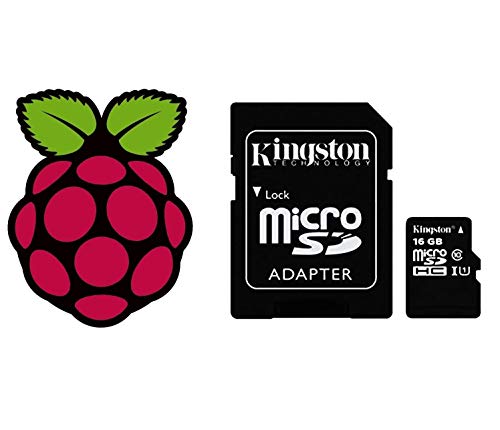
Choosing the right SD card for your Raspberry Pi Zero comes down to your needs. For a hassle-free start, the High Speed Class 10 32GB Micro SD card Pre-loaded gets you running with Raspberry Pi OS out of the box – no flashing required. If you need more storage and higher speeds for demanding projects, the SanDisk 128GB Ultra SDXC UHS-I Memory Card offers reliable performance and plenty of room to grow. Both are excellent choices for 2026.
Related Guides
- Best Graphics Cards for 1080p Gaming in 2026
- Top Graphics Cards for 1440p Gaming in
- Best Graphics Cards for 1080p 144Hz in
Frequently Asked Questions
What SD card is best for Raspberry Pi Zero? The best card depends on your use case. For most users, a 32GB U1 card like the sb components preloaded or a 128GB U3 card like the SanDisk Ultra offers a great balance of speed, capacity, and reliability. Check our top SD cards for raspberry pi projects for more options.
Do I need a preloaded card for Raspberry Pi Zero? Not necessarily. Preloaded cards save you the step of downloading and flashing an OS image, which is handy if you are new to Pi. But if you are comfortable with tools like Raspberry Pi Imager, a blank card gives you more control over the OS version and partitioning.
How much storage do I need for Raspberry Pi Zero projects? 32GB is enough for most projects – the OS takes about 4GB, leaving plenty for code, media, and files. If you plan to run a media server, store many games, or capture video, consider 64GB or 128GB. The Pi Zero can handle larger cards, but formatting may be required.
Can I use a regular microSD card in Raspberry Pi Zero? Yes, any microSD card that meets the UHS-I standard works. However, avoid cards with very slow write speeds (below Class 10) as they can cause poor performance. For best results, stick with cards rated U1 or U3 from trusted brands. For other device-specific cards, see our best SD cards for nintendo 3DS guide.