🔥 TV Black Friday Deals 2026: picks worth watching →
You have just moved into a larger home, or perhaps your current router struggles to reach the upstairs office. Dead zones during video calls and buffering while streaming 4K content are frustrating realities. This guide compares eero vs Netgear Orbi mesh WiFi systems to help you choose the right solution for your home in 2026. Whether you need whole-home coverage or blazing fast speeds for gaming, we break down the key differences between these two popular brands.

Pros
- Exceptional WiFi 7 speeds provide future-proof performance for bandwidth-intensive applications like 4K streaming and online gaming
- Expansive coverage eliminates dead zones across large homes and outdoor areas with tri-band technology and enhanced backhaul
- High device capacity of 100 simultaneous connections handles complex smart home ecosystems without performance degradation
- Integrated security measures and automatic updates protect your network without requiring manual intervention
- 2.5 Gig port future-proofs your setup for next-generation internet speeds
Cons
- Premium pricing reflects cutting-edge technology, making it a significant investment compared to WiFi 6 alternatives
- WiFi 7 benefits require compatible devices to fully realize speed advantages, as older devices default to WiFi 6 or earlier
- Setup and optimization may require technical knowledge to fully leverage advanced features and backhaul configuration
The NETGEAR Orbi 770 represents a significant leap forward in home networking, bringing WiFi 7 technology to mainstream users who demand both performance and reliability. This mesh system consists of a primary router and two satellite extenders, designed for homes up to 8,000 square feet. It's particularly well-suited for large households, remote workers, content creators, and anyone with extensive smart home installations who refuses to compromise on connectivity.
What truly sets the Orbi 770 apart is its combination of raw speed and practical coverage. The 11Gbps aggregate bandwidth is 2.4 times faster than WiFi 6, translating to noticeably smoother 4K streaming, faster file transfers, and virtually lag-free gaming experiences. The tri-band architecture with enhanced backhaul technology ensures that speeds remain consistent across all three nodes, eliminating the typical performance degradation seen in older mesh systems. Supporting 100 simultaneous devices, this system handles complex smart home ecosystems without breaking a sweat.
The design strikes an elegant balance between form and function, with refined aesthetics that fit modern home interiors. High-performance antennas provide the promised 360-degree coverage, and the 2.5 Gig internet port future-proofs your setup for fiber connections and next-generation broadband speeds. Built-in security features with automatic firmware updates provide continuous protection without requiring manual intervention, giving you peace of mind.
The main drawback is the premium price point and the fact that you need WiFi 7 compatible devices to fully leverage the speed advantages. Additionally, optimizing the system's advanced features may require some technical knowledge. For most users, the setup is straightforward, but power users might spend time fine-tuning backhaul and band steering.
The Orbi 770 is an excellent choice for anyone seeking the latest mesh networking technology with proven reliability. If you have a large home, multiple users, extensive smart home devices, or simply want a future-proof system that performs at the highest levels, this investment will deliver years of dependable, fast connectivity.
System Composition: 1 Router (RBE773) + 2 Satellite Extenders
WiFi Standard: WiFi 7 (802.11be) with full backward compatibility
Maximum Speed: Up to 11 Gbps aggregate bandwidth
Coverage Area: Up to 8,000 square feet
Device Capacity: Supports up to 100 connected devices simultaneously
Internet Port: 2.5 Gigabit Ethernet port on router
Antenna Configuration: Tri-band with enhanced backhaul technology and high-performance antennas
Security: Advanced Router Protection with automatic firmware updates
Dimensions: 9.88 x 5.28 x 3.95 inches per unit
Region: Made for use in the U.S. only
Is This Right For You? The Orbi 770 is ideal if you have a large home (2,500+ sq ft), multiple users, extensive smart home devices, or if you work from home and need rock-solid connectivity. It's also perfect for gamers and content creators who demand maximum performance.
WiFi 7 Readiness: To maximize this system's potential, ensure your primary devices (laptops, phones, gaming consoles) support WiFi 7. Older devices will still work but won't achieve the full 11Gbps speeds.
Internet Speed Consideration: The 2.5 Gig port shines if you have fiber or gigabit internet. With standard broadband (under 500 Mbps), you'll still benefit from the improved coverage and device capacity, but raw speed advantages may be less apparent.
Alternatives to Consider: If you need basic coverage for a smaller home, WiFi 6 systems offer better value. However, if you want future-proof performance and have the budget, the Orbi 770 is a premium choice that will serve you well for years to come.
Pros
- Exceptional speed and range with Wi-Fi 6E, perfect for streaming and gaming
- Easy plug-and-play setup even for non-technical users
- Consistent, reliable coverage throughout the home as confirmed by thousands of reviews
- Supports advanced security features like WPA3 and built-in Zigbee/Thread radios for smart home devices
Cons
- Installation can be tricky if you don't follow the modem power-cycle steps exactly
- Full security suite requires a paid eero Plus subscription after the 30-day trial
- Lacks some advanced manual configurations that power users might expect from a prosumer router
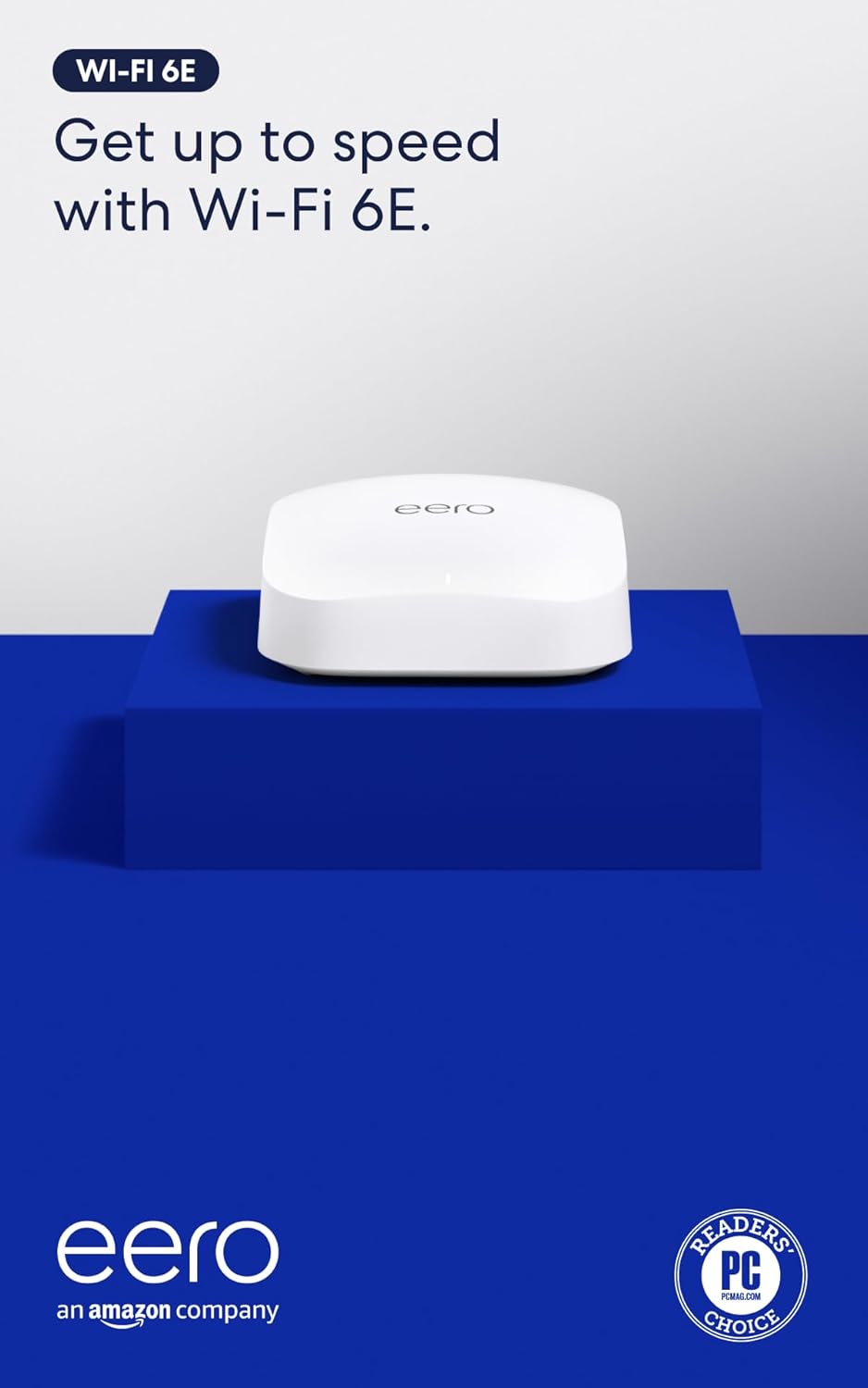
The eero Pro 6E is Amazon's first router to support Wi-Fi 6E, unlocking the new 6 GHz band for faster, lower-latency connections. Designed for homes with many devices or gigabit+ internet plans, it delivers wired-like speeds up to 2.3 Gbps and covers up to 2,000 square feet per unit. Whether you're gaming, streaming 4K, or working from home, this mesh system handles it all with ease.
In real-world use, the eero Pro 6E excels at providing consistent coverage even in larger homes. Thousands of reviewers praise its dead-simple setup and stable performance. The TrueMesh technology automatically adjusts traffic to avoid dead zones, and the 2.5 Gb Ethernet port ensures your wired devices get maximum speed. Even network engineers have given it high marks for reliability and ease of use.
Physical design is minimal and unobtrusive, measuring just 5.6 x 5.4 x 2.0 inches. It blends easily into any room. The unit includes one auto-sensing 2.5 gigabit and one gigabit Ethernet port, plus Bluetooth and Zigbee/Thread radios for smart home integration. Build quality feels solid, and with automatic firmware updates, the device stays secure over time.
One potential drawback: setting up the eero requires careful attention to modem power-down steps, which some users found frustrating. Also, the advanced security features (like parental controls and advanced filtering) require a subscription after the free trial. For those who prefer manual networking tweaks, the eero app offers limited customization compared to traditional routers.
Overall, the eero Pro 6E is an excellent choice for anyone wanting a fast, reliable, and expandable mesh Wi-Fi 6E system without complexity. It's ideal for families, remote workers, and smart home enthusiasts who value ease of use and consistent performance over advanced tinkering. Backed by responsive customer support and a 1-year warranty, it delivers on its promise of wired speeds without the wires.

Pros
- Fast setup process with intuitive mobile app guidance that takes approximately 10 minutes
- Exceptional coverage throughout homes with noticeable signal strength improvement in previously weak areas
- WiFi 6 standard handles multiple simultaneous streams and video calls without freezing or lag
- Integrated Zigbee hub eliminates the need to purchase separate smart home devices
- Affordable alternative to ISP router rental fees that accumulate to hundreds of dollars annually
Cons
- Single 1-pack unit may not provide complete coverage in larger homes over 1,500 sq ft without purchasing additional units
- Occasional video call freezing reported in some setups depending on distance and interference factors
- Requires the eero app for management and monitoring rather than traditional web interface
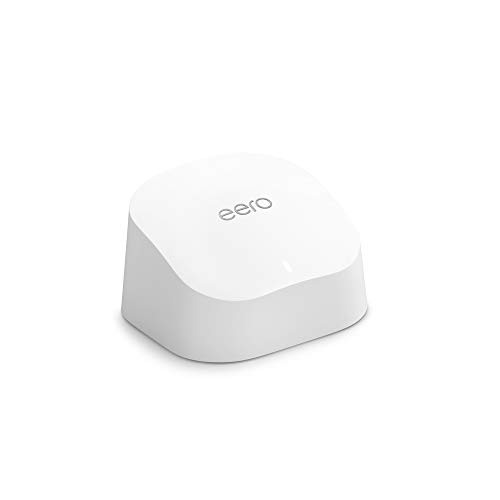
The eero 6 is a WiFi 6 mesh router designed for homeowners tired of dead zones, buffering, and expensive ISP router rentals. This single-unit router covers up to 1,500 sq ft and intelligently manages traffic across 75+ connected devices, making it perfect for families with multiple streamers, gamers, and smart home devices competing for bandwidth.
Performance is where the eero 6 truly shines. Users consistently report strong signal strength throughout their homes, even in previously problematic areas like kitchens and bedrooms. The TrueMesh technology routes traffic intelligently to minimize drops and interference, allowing smooth 4K streaming and gaming with minimal lag. Setup is remarkably simple, with the mobile app walking you through installation in roughly 10 minutes, and the built-in Zigbee smart home hub means you won't need separate hubs for Alexa-compatible devices.
The design is clean and compact, blending unobtrusively into home decor. The router feels solid and reliable, with users praising its stability compared to standard ISP-provided equipment. Automatic updates ensure your network stays secure without requiring manual intervention, and the system is expandable if you later need additional coverage.
The main limitation is that larger homes exceeding 1,500 sq ft may require purchasing additional eero units for complete coverage. A small percentage of users report occasional freezing during video calls in edge cases, though this appears related to specific network configurations rather than the router itself.
The eero 6 represents excellent value for anyone seeking reliable whole-home WiFi coverage without the frustration of dead zones or the ongoing expense of router rentals. It's particularly compelling for households with multiple devices and bandwidth-heavy activities like streaming and gaming.
Coverage and Speed: Up to 1,500 sq ft coverage area with a 22-foot radius. Supports internet speeds up to 900 Mbps.
Device Capacity: Connects 75+ devices simultaneously with WiFi 6 standard.
Technology: WiFi 6 (802.11ax) with TrueMesh intelligent traffic routing technology.
Smart Home Integration: Built-in Zigbee smart home hub for Alexa-compatible devices.
Setup and Management: Mobile app-based setup and management available from anywhere. Automatic security updates included.
Expandability: Cross-compatible with other eero products for system expansion.
Support: Free customer support available 7 days a week via email ([email protected]) or phone (1-877-659-2347) in the US.
Who Should Buy: The eero 6 is ideal for anyone frustrated with dead zones, buffering, or paying ISP rental fees for subpar equipment. It's particularly suitable for families with multiple streaming devices, online gamers, remote workers on video calls, and those with extensive smart home setups.
Coverage Considerations: One unit covers up to 1,500 sq ft effectively. For larger homes, measure your space and consider that the router performs best when centrally located. If your home exceeds this coverage area, plan to purchase additional eero units.
Comparison to Alternatives: Unlike traditional routers, the eero 6 uses mesh technology to create a unified network rather than separate signals. This approach eliminates the need to switch between networks as you move through your home. Compared to renting ISP equipment, the eero 6 pays for itself within months of avoided rental fees.
Setup Expectations: Download the eero app before unboxing. The setup process is genuinely simple and takes about 10 minutes. Place the router centrally near your modem for optimal performance.

Pros
- Affordable gigabit speeds for large homes and many devices
- Extremely easy setup and management through the eero app
- TrueMesh technology provides stable, whole-home coverage
- Built-in Zigbee and Thread hub simplifies smart home integration
- Automatic updates and strong security features (WPA3, VPN passthrough)
Cons
- Initial setup requires a smartphone and reliable cell reception for registration
- Some users report compatibility issues with certain devices like MyQ garage hubs
- Advanced security and network management features require a subscription (eero Plus)
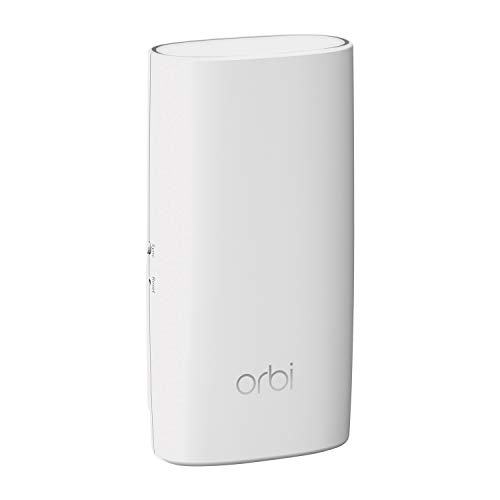
The Amazon eero 6+ mesh WiFi system is a three-pack solution designed to blanket homes up to 4,500 square feet with fast, reliable Wi-Fi. It supports internet plans up to a gigabit, making it ideal for households with heavy streaming, gaming, video conferencing, and dozens of connected smart devices. The system is backward-compatible with older eero devices and works with any internet service provider.
Standout features include Wi-Fi 6 with a 160 MHz channel for extra bandwidth, which translates to smoother performance even when many devices are active. The patented TrueMesh technology automatically routes traffic to avoid dead spots and drop-offs, a claim backed by thousands of positive user reviews. Setup is a breeze using the eero app, and the system receives automatic updates to keep your network secure.
Design-wise, the eero 6+ units are compact and unobtrusive, each with two auto-sensing gigabit Ethernet ports. They also incorporate a built-in smart home hub for Zigbee and Thread devices, eliminating the need for separate hubs for compatible lights, locks, and sensors. The build quality feels solid, and the units run cool and quiet.
Potential drawbacks include the requirement for a smartphone and cell reception during initial setup, as noted by some users. Additionally, advanced features like parental controls and antivirus require a separate eero Plus subscription. A few users have reported compatibility issues with specific devices, such as MyQ garage door openers, though workarounds exist.
Overall, the eero 6+ offers an excellent balance of performance, coverage, and value for large homes. Its ease of use, reliable mesh technology, and smart home integration make it a top choice for families and tech enthusiasts alike who want gigabit speeds without breaking the bank.
Buying Guide
Coverage Area and Number of Nodes
The first factor to evaluate is how much space you need to cover. Mesh systems come in packs with one router and one or more satellites. For a home up to 2,000 square feet, a single unit like the Amazon eero Pro 6E mesh wifi router may suffice. Larger homes benefit from three-pack systems that blanket up to 8,000 square feet, such as the NETGEAR Orbi 770 Series WiFi 7 Mesh System. Consider your home’s layout and construction materials, as walls and floors can affect signal strength.
If you have a multi-story home, a system with dedicated backhaul technology ensures consistent speeds on every floor. Both eero and Orbi offer expandable systems, allowing you to add satellites as needed. For more on extending coverage, check out our guide on the best mesh WiFi extender.
WiFi Technology and Speed
WiFi standards evolve rapidly, and your choice should match your internet plan and devices. WiFi 6 offers improved efficiency for multiple devices, while WiFi 6E adds a dedicated 6 GHz band for lower latency. The NETGEAR Orbi Tri-Band WiFi 6 Mesh Network System delivers up to 6 Gbps with a 10 Gig internet port, ideal for gigabit+ plans. For those wanting the latest, the Orbi 770 series supports WiFi 7 for future-proofing.
eero systems like the Pro 6E also support WiFi 6E and offer speeds up to 2.3 Gbps. If your internet plan is under a gigabit, the Amazon eero 6+ mesh wifi system provides a cost-effective gigabit solution. Remember that real-world speeds depend on your internet service and device capabilities.
Ease of Setup and Management
Both brands prioritize user-friendly setup through mobile apps. eero’s app guides you through installation in minutes, and the system automatically updates firmware. Orbi uses the Orbi app for guided setup and network management. For those who prefer advanced controls, Orbi offers more granular settings, while eero keeps things simple with a streamlined interface.
If you value smart home integration, eero includes a built-in Zigbee and Thread hub, allowing you to connect compatible devices without extra hardware. This can simplify your smart home setup. For more on router comparisons, see our NETGEAR vs ASUS router guide.
Security and Parental Controls
Network security is crucial for protecting your family online. NETGEAR Orbi systems come with built-in Advanced Router Protection and automatic firmware updates. They also offer a 30-day free trial of NETGEAR Armor, which provides advanced threat protection. eero includes automatic updates and offers optional subscriptions for additional security features like ad blocking and content filtering.
Parental controls are available on both platforms, allowing you to set content filters, pause the internet, and manage screen time. eero’s controls are integrated into the app and easy to use, while Orbi’s are part of the Armor subscription. For a deeper dive into routers without ongoing fees, read our best WiFi router without subscription article.
Final Thoughts
Choosing between eero and Netgear Orbi ultimately depends on your specific needs. If you want a simple, user-friendly system with smart home integration and strong performance for most homes, the Amazon eero Pro 6E mesh wifi router is an excellent choice. However, if you need maximum coverage for a large home or crave the fastest speeds with WiFi 7 readiness, the NETGEAR Orbi 770 Series WiFi 7 Mesh System delivers unmatched performance. Both brands offer reliable mesh solutions that will keep your home connected for years to come.
Frequently Asked Questions
Can I mix eero and Orbi devices in the same network?
No, eero and Orbi systems are not cross-compatible. You must choose one brand and stick with it for your mesh network. Mixing devices from different brands can cause connectivity issues and degrade performance.
Which mesh system is better for gaming in 2026?
For gaming, the NETGEAR Orbi 770 Series with WiFi 7 offers the lowest latency and highest speeds, making it ideal for competitive gaming. The eero Pro 6E also provides excellent performance with its dedicated 6 GHz band. Both support QoS features to prioritize gaming traffic.
Do I need a subscription for security features?
Both brands offer basic security features for free, such as automatic firmware updates and guest networks. Advanced security like NETGEAR Armor or eero Secure requires a separate subscription. Orbi includes a 30-day free trial of Armor, while eero offers a 30-day trial of eero Secure.
How many devices can a mesh system support?
Most modern mesh systems can handle 75 to 100+ connected devices. The NETGEAR Orbi Tri-Band WiFi 6 Mesh Network System supports up to 100 devices, while the eero Pro 6E supports 100+ devices. For homes with many smart devices, both systems are well suited. For more on router performance, check our TP-Link AC1200 review.