

🔥 TV Black Friday Deals 2026: picks worth watching →
You are tired of dead spots in your home where video calls drop and streaming buffers. Whether you are working from a home office, gaming in the basement, or streaming 4K in the living room, a reliable mesh WiFi system can transform your connectivity. This guide compares eero vs TP-Link Deco, two leading mesh WiFi brands, to help you decide which system fits your needs in 2026.
We evaluated six top models from both brands, focusing on coverage, speed, ease of setup, and smart features. Whether you need a budget-friendly solution or a high-performance WiFi 6E system, this review will point you in the right direction.

Pros
- Affordable gigabit speeds for large homes and many devices
- Extremely easy setup and management through the eero app
- TrueMesh technology provides stable, whole-home coverage
- Built-in Zigbee and Thread hub simplifies smart home integration
- Automatic updates and strong security features (WPA3, VPN passthrough)
Cons
- Initial setup requires a smartphone and reliable cell reception for registration
- Some users report compatibility issues with certain devices like MyQ garage hubs
- Advanced security and network management features require a subscription (eero Plus)
The Amazon eero 6+ mesh WiFi system is a three-pack solution designed to blanket homes up to 4,500 square feet with fast, reliable Wi-Fi. It supports internet plans up to a gigabit, making it ideal for households with heavy streaming, gaming, video conferencing, and dozens of connected smart devices. The system is backward-compatible with older eero devices and works with any internet service provider.
Standout features include Wi-Fi 6 with a 160 MHz channel for extra bandwidth, which translates to smoother performance even when many devices are active. The patented TrueMesh technology automatically routes traffic to avoid dead spots and drop-offs, a claim backed by thousands of positive user reviews. Setup is a breeze using the eero app, and the system receives automatic updates to keep your network secure.
Design-wise, the eero 6+ units are compact and unobtrusive, each with two auto-sensing gigabit Ethernet ports. They also incorporate a built-in smart home hub for Zigbee and Thread devices, eliminating the need for separate hubs for compatible lights, locks, and sensors. The build quality feels solid, and the units run cool and quiet.
Potential drawbacks include the requirement for a smartphone and cell reception during initial setup, as noted by some users. Additionally, advanced features like parental controls and antivirus require a separate eero Plus subscription. A few users have reported compatibility issues with specific devices, such as MyQ garage door openers, though workarounds exist.
Overall, the eero 6+ offers an excellent balance of performance, coverage, and value for large homes. Its ease of use, reliable mesh technology, and smart home integration make it a top choice for families and tech enthusiasts alike who want gigabit speeds without breaking the bank.
Pros
- Exceptional speed and range with Wi-Fi 6E, perfect for streaming and gaming
- Easy plug-and-play setup even for non-technical users
- Consistent, reliable coverage throughout the home as confirmed by thousands of reviews
- Supports advanced security features like WPA3 and built-in Zigbee/Thread radios for smart home devices
Cons
- Installation can be tricky if you don't follow the modem power-cycle steps exactly
- Full security suite requires a paid eero Plus subscription after the 30-day trial
- Lacks some advanced manual configurations that power users might expect from a prosumer router
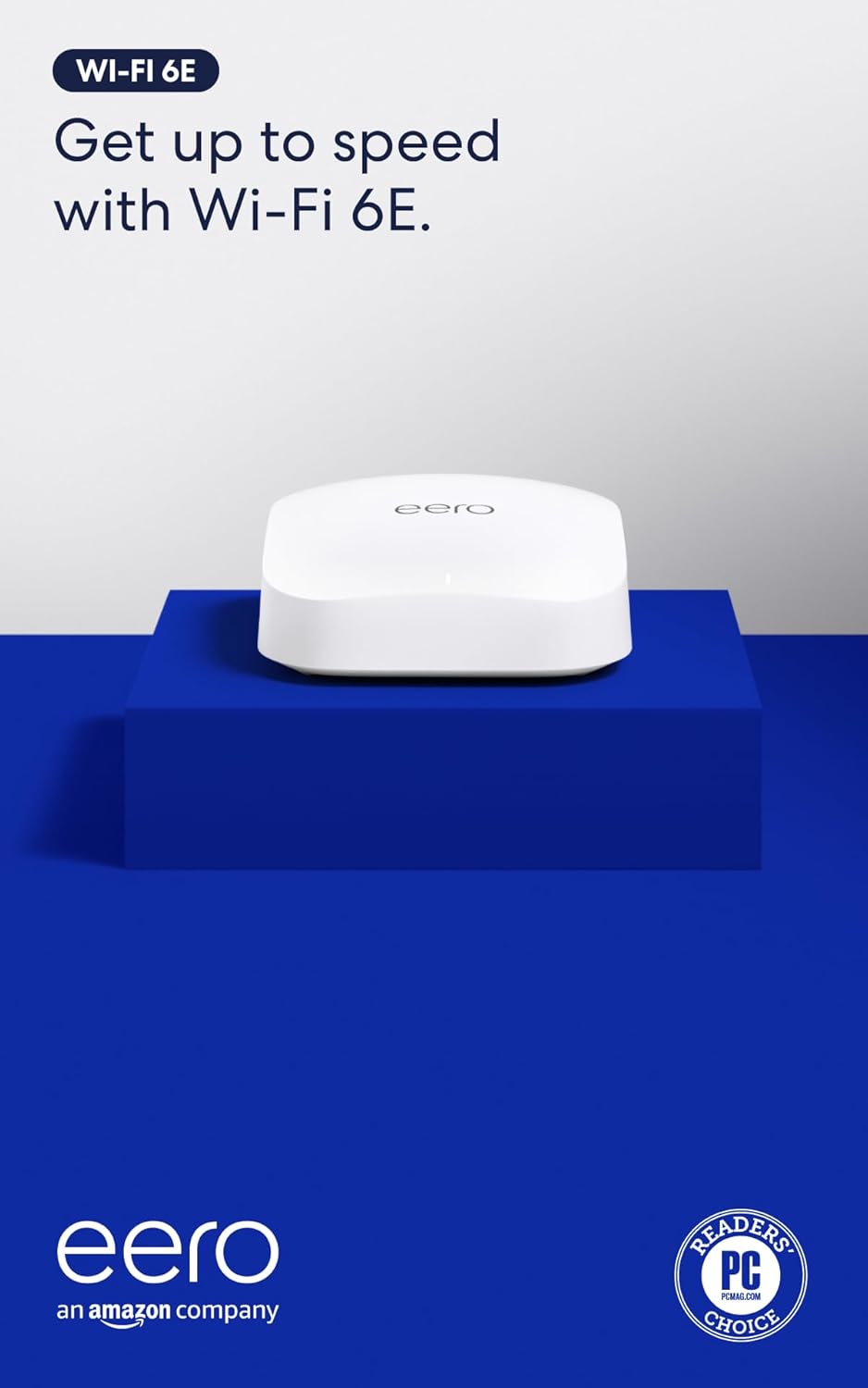
The eero Pro 6E is Amazon's first router to support Wi-Fi 6E, unlocking the new 6 GHz band for faster, lower-latency connections. Designed for homes with many devices or gigabit+ internet plans, it delivers wired-like speeds up to 2.3 Gbps and covers up to 2,000 square feet per unit. Whether you're gaming, streaming 4K, or working from home, this mesh system handles it all with ease.
In real-world use, the eero Pro 6E excels at providing consistent coverage even in larger homes. Thousands of reviewers praise its dead-simple setup and stable performance. The TrueMesh technology automatically adjusts traffic to avoid dead zones, and the 2.5 Gb Ethernet port ensures your wired devices get maximum speed. Even network engineers have given it high marks for reliability and ease of use.
Physical design is minimal and unobtrusive, measuring just 5.6 x 5.4 x 2.0 inches. It blends easily into any room. The unit includes one auto-sensing 2.5 gigabit and one gigabit Ethernet port, plus Bluetooth and Zigbee/Thread radios for smart home integration. Build quality feels solid, and with automatic firmware updates, the device stays secure over time.
One potential drawback: setting up the eero requires careful attention to modem power-down steps, which some users found frustrating. Also, the advanced security features (like parental controls and advanced filtering) require a subscription after the free trial. For those who prefer manual networking tweaks, the eero app offers limited customization compared to traditional routers.
Overall, the eero Pro 6E is an excellent choice for anyone wanting a fast, reliable, and expandable mesh Wi-Fi 6E system without complexity. It's ideal for families, remote workers, and smart home enthusiasts who value ease of use and consistent performance over advanced tinkering. Backed by responsive customer support and a 1-year warranty, it delivers on its promise of wired speeds without the wires.
Pros
- Fast setup process with intuitive mobile app guidance that takes approximately 10 minutes
- Exceptional coverage throughout homes with noticeable signal strength improvement in previously weak areas
- WiFi 6 standard handles multiple simultaneous streams and video calls without freezing or lag
- Integrated Zigbee hub eliminates the need to purchase separate smart home devices
- Affordable alternative to ISP router rental fees that accumulate to hundreds of dollars annually
Cons
- Single 1-pack unit may not provide complete coverage in larger homes over 1,500 sq ft without purchasing additional units
- Occasional video call freezing reported in some setups depending on distance and interference factors
- Requires the eero app for management and monitoring rather than traditional web interface
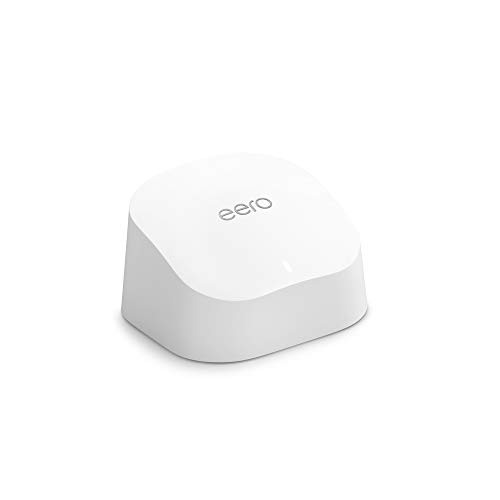
The eero 6 is a WiFi 6 mesh router designed for homeowners tired of dead zones, buffering, and expensive ISP router rentals. This single-unit router covers up to 1,500 sq ft and intelligently manages traffic across 75+ connected devices, making it perfect for families with multiple streamers, gamers, and smart home devices competing for bandwidth.
Performance is where the eero 6 truly shines. Users consistently report strong signal strength throughout their homes, even in previously problematic areas like kitchens and bedrooms. The TrueMesh technology routes traffic intelligently to minimize drops and interference, allowing smooth 4K streaming and gaming with minimal lag. Setup is remarkably simple, with the mobile app walking you through installation in roughly 10 minutes, and the built-in Zigbee smart home hub means you won't need separate hubs for Alexa-compatible devices.
The design is clean and compact, blending unobtrusively into home decor. The router feels solid and reliable, with users praising its stability compared to standard ISP-provided equipment. Automatic updates ensure your network stays secure without requiring manual intervention, and the system is expandable if you later need additional coverage.
The main limitation is that larger homes exceeding 1,500 sq ft may require purchasing additional eero units for complete coverage. A small percentage of users report occasional freezing during video calls in edge cases, though this appears related to specific network configurations rather than the router itself.
The eero 6 represents excellent value for anyone seeking reliable whole-home WiFi coverage without the frustration of dead zones or the ongoing expense of router rentals. It's particularly compelling for households with multiple devices and bandwidth-heavy activities like streaming and gaming.
Coverage and Speed: Up to 1,500 sq ft coverage area with a 22-foot radius. Supports internet speeds up to 900 Mbps.
Device Capacity: Connects 75+ devices simultaneously with WiFi 6 standard.
Technology: WiFi 6 (802.11ax) with TrueMesh intelligent traffic routing technology.
Smart Home Integration: Built-in Zigbee smart home hub for Alexa-compatible devices.
Setup and Management: Mobile app-based setup and management available from anywhere. Automatic security updates included.
Expandability: Cross-compatible with other eero products for system expansion.
Support: Free customer support available 7 days a week via email ([email protected]) or phone (1-877-659-2347) in the US.
Who Should Buy: The eero 6 is ideal for anyone frustrated with dead zones, buffering, or paying ISP rental fees for subpar equipment. It's particularly suitable for families with multiple streaming devices, online gamers, remote workers on video calls, and those with extensive smart home setups.
Coverage Considerations: One unit covers up to 1,500 sq ft effectively. For larger homes, measure your space and consider that the router performs best when centrally located. If your home exceeds this coverage area, plan to purchase additional eero units.
Comparison to Alternatives: Unlike traditional routers, the eero 6 uses mesh technology to create a unified network rather than separate signals. This approach eliminates the need to switch between networks as you move through your home. Compared to renting ISP equipment, the eero 6 pays for itself within months of avoided rental fees.
Setup Expectations: Download the eero app before unboxing. The setup process is genuinely simple and takes about 10 minutes. Place the router centrally near your modem for optimal performance.
Pros
- Excellent coverage and performance for large homes, as confirmed by top customer reviews.
- Easy app-based setup and management, even for non-technical users.
- Seamless roaming eliminates dropped connections when moving around the house.
- Gigabit Ethernet ports and wired backhaul option for maximum speed.
Cons
- Only dual-band (WiFi 5) - lacks a dedicated backhaul band like some newer tri-band systems.
- Some users report that optimal placement requires trial and error to avoid interference.
- No USB ports for sharing printers or external storage.
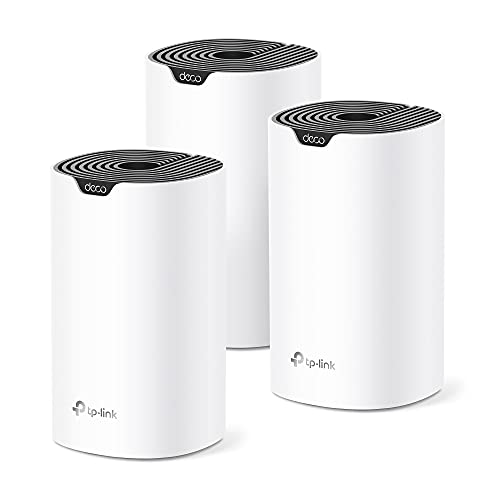
The TP-Link Deco S4 is a whole-home mesh WiFi system designed for large households tired of dead zones and spotty signals. Ideal for homes up to 5500 square feet, this three-pack replaces a traditional router and extender, delivering consistent coverage across multiple floors and through walls. It's perfect for families who need reliable internet for remote work, online learning, gaming, and streaming.
Standout features include seamless roaming with a single network name and support for up to 100 devices simultaneously. Real-world performance is strong: customer reviews praise its ability to cover entire homes without drops, even in challenging layouts. The AC1900 speeds handle 4K streaming and video calls smoothly, and the app makes setup and management a breeze.
Design-wise, each Deco unit is compact and unobtrusive (3.57 x 3.57 x 6.39 inches) and can be placed on shelves or desks. Wired Ethernet backhaul is supported on all three nodes for those who want maximum speed and stability. The six Gigabit ports allow connecting wired devices like game consoles or smart TVs directly.
Potential drawbacks include the dual-band design, which may not match the performance of tri-band systems with a dedicated backhaul channel. Some users mention that finding the optimal placement for each node requires some experimentation. Also, there are no USB ports for sharing storage or printers.
Overall, the TP-Link Deco S4 offers excellent value for anyone needing affordable, reliable whole-home WiFi. Its ease of use, seamless roaming, and strong coverage make it a top choice for large families or anyone frustrated by their current router's limitations. We recommend it for its proven performance and simple setup.

Pros
- Excellent coverage for medium to large homes, as verified by thousands of positive reviews.
- Simple app-based setup that takes minutes, even for non-technical users.
- Seamless roaming with a single network name, eliminating connection drops when moving around.
- Strong performance with support for up to 75 devices simultaneously.
- Affordable price point compared to many competing mesh systems.
Cons
- Dual-band only; lacks a dedicated backhaul band which can slightly reduce speeds in congested areas.
- Limited to two Gigabit Ethernet ports per unit, may require a switch for wired devices.
- Some users may need to optimize placement for best performance, especially with Ethernet backhaul.
The TP-Link Deco S4 is a dual-band mesh WiFi system designed to eliminate dead zones and provide consistent coverage throughout your home. Ideal for families, remote workers, and anyone tired of buffering or dropped connections, this two-pack covers up to 3,800 square feet and supports up to 75 devices simultaneously. With a strong 4.5-star rating from thousands of reviews, it's a trusted solution for improving home WiFi performance.
Standout features include seamless roaming with a single network name, so your devices automatically connect to the strongest signal as you move around. The Deco app makes setup a breeze, and parental controls let you manage screen time and block inappropriate content for each family member. Real-world performance is solid; users report consistent speeds and stable connections, even in homes with multiple floors or concrete walls.
Design-wise, the Deco S4 units are compact and unobtrusive, blending into most home decors. Each unit has two Gigabit Ethernet ports for wired connections, and you can use Ethernet backhaul for even faster speeds. The system supports both router and access point modes, giving you flexibility depending on your existing setup. Build quality is typical for TP-Link, with a durable plastic shell and reliable internals.
Potential drawbacks include the lack of a dedicated backhaul band (common in tri-band systems), which may slightly impact performance in very congested networks. Also, with only two Ethernet ports per unit, you may need an additional switch to connect multiple wired devices. Some users note that optimal placement is key, especially if using Ethernet backhaul, but the app provides helpful guidance.
Overall, the TP-Link Deco S4 offers excellent value for its price, delivering reliable, whole-home WiFi with easy setup and robust features. It's a top choice for anyone looking to improve coverage without breaking the bank. If you need a simple, effective mesh system for a medium to large home, the Deco S4 is a smart investment.

Pros
- Outstanding value for price with performance comparable to much more expensive mesh systems
- Expandable design means you invest only in coverage you need and upgrade gradually as your home grows
- Unified network eliminates frustrating signal handoffs and maintains consistent speeds throughout your property
- User-friendly app setup and management makes mesh networking accessible to non-technical users
- Reliable performance proven by thousands of customers with multi-year ownership and consistent 4.6-star rating
Cons
- Single unit covers 2,000 sq ft, so larger homes or properties may require multiple units for complete coverage
- AC1300 speeds are good but not cutting-edge compared to newer WiFi 6 mesh systems with higher throughput
- Limited to one gigabit ethernet port per unit, which may constrain wired backhaul options in larger deployments
The TP-Link Deco M5 is a single-unit mesh WiFi router designed for homeowners who want reliable whole-home coverage without the complexity or cost of premium systems. It delivers AC1300 dual-band speeds across 2,000 square feet and works seamlessly with most internet service providers. This system is perfect for families dealing with dead zones, remote rooms with weak signals, or anyone upgrading from an aging single router.
Performance is the real standout here. The dual-band architecture delivers 400 Mbps on 2.4 GHz for range and 867 Mbps on 5 GHz for speed-intensive tasks like 4K streaming and online gaming. Real-world reviews confirm consistent, strong signal throughout homes, with particular praise for eliminating buffering in previously problematic areas. The mesh technology means you can add more units without signal degradation, making this a future-proof investment that grows with your needs.
Setup and daily use are refreshingly simple. The TP-Link Deco app guides you through configuration in minutes, and the unified network means one WiFi name and password for all devices. Built-in security with HomeCare protection, parental controls, and QoS management handle network optimization automatically. Voice control through Alexa adds convenience for tech-forward households.
The main limitation is that single-unit coverage maxes out at 2,000 square feet, so larger properties will need additional units. Additionally, while AC1300 is solid, newer WiFi 6 systems offer significantly higher speeds for those prioritizing maximum throughput. The single gigabit port also limits wired backhaul flexibility in complex network setups.
Overall, the Deco M5 delivers exceptional value as an entry point to mesh networking. Its proven reliability, easy management, and expandability make it an excellent choice for homeowners seeking practical whole-home WiFi coverage without premium pricing or unnecessary complexity.
WiFi Performance: AC1300 dual-band, 400 Mbps (2.4 GHz) + 867 Mbps (5 GHz), WiFi 5 (802.11ac), 4 internal antennas
Coverage: 2,000 square feet per unit, expandable by adding additional Deco M5 units
Connectivity: 1 gigabit ethernet port, wireless and wired backhaul support, dedicated wireless backhaul channel
Security: WPA2 protocol, HomeCare with parental controls and QoS management, guest WiFi support
Smart Features: Alexa voice control, beamforming, IPv4 and IPv6 compatibility, access point mode
Power: 100-240V input, 9V output, compact 4.7 x 4.7 x 1.5 inch design
Warranty: 2-year limited warranty, Linux-based operating system
Ideal For: Homeowners with dead zones or weak WiFi signals in distant rooms, families streaming multiple devices simultaneously, anyone upgrading from single-router setups, budget-conscious buyers new to mesh networking, users with properties up to 2,000 square feet or who plan to expand coverage incrementally.
Consider Alternatives If: You need WiFi 6 for maximum speeds, your home exceeds 2,000 square feet and you want full coverage with a single unit, you require multiple wired connections per unit, or you prioritize cutting-edge technology over proven reliability and value.
Buying Guide
Coverage Area
Mesh WiFi systems are designed to eliminate dead zones, but coverage varies significantly between models. The TP-Link Deco S4 Mesh AC1900 WiFi System (3-pack) covers up to 5,500 square feet, making it ideal for large homes or multi-story layouts. In contrast, the Amazon eero Pro 6E mesh wifi router covers up to 2,000 square feet per unit, so you might need multiple units for bigger spaces.
If you live in a smaller apartment or condo, a single eero unit might suffice. For expansive homes, consider the TP-Link Deco S4 2-pack or 3-pack to ensure every corner gets strong signal.
Speed and WiFi Standard
Speed is critical for modern households with multiple devices. The eero Pro 6E supports WiFi 6E and speeds up to 2.3 Gbps, perfect for gigabit+ internet plans and heavy usage like 4K streaming and online gaming. Meanwhile, the Amazon eero 6 mesh wifi router offers WiFi 6 with speeds up to 900 Mbps, which is sufficient for most families.
TP-Link Deco S4 models use AC1900 (WiFi 5) technology, which is slower than WiFi 6 but still capable for browsing and streaming. If you have a fast internet plan or many connected devices, WiFi 6 or 6E is a better investment.
Smart Home Integration
Many mesh systems now double as smart home hubs. The Amazon eero 6+ mesh wifi system includes built-in Zigbee and Thread support, letting you connect compatible smart devices directly without extra hubs. This is a huge plus if you use Alexa or have a growing smart home ecosystem.
TP-Link Deco systems lack built-in smart home hubs, but they work with Alexa for voice control. If you prioritize a unified smart home experience, eero has the edge.
For more on mesh WiFi comparisons, check out our eero vs netgear orbi and best WiFi router without subscription recommendations.
Parental Controls and Security
Keeping your family safe online is a top priority. TP-Link Deco systems come with robust parental controls, allowing you to limit screen time and block inappropriate content per device. The Deco app makes it easy to create profiles for each family member.
eero offers advanced security through a separate subscription (eero Secure), which includes content filtering, ad blocking, and threat detection. For basic parental controls, TP-Link provides more out-of-the-box value. Learn more about router security in our NETGEAR vs ASUS router.
Final Thoughts
Choosing between eero and TP-Link Deco comes down to your priorities. If you want the fastest speeds with WiFi 6E and seamless smart home integration, the Amazon eero Pro 6E mesh wifi router is an excellent choice for tech enthusiasts and heavy users. For larger homes on a budget, the TP-Link Deco S4 Mesh AC1900 WiFi System offers fantastic coverage and reliable performance without breaking the bank. Both brands deliver quality mesh WiFi, so you can confidently upgrade your home network in 2026.
Frequently Asked Questions
What is the main difference between eero and TP-Link Deco?
eero focuses on WiFi 6 and 6E technology with built-in smart home hubs, while TP-Link Deco offers more affordable mesh systems with wider coverage options. eero typically has a higher price point but delivers faster speeds and better smart home integration.
Can I mix eero and TP-Link Deco devices?
No, eero and TP-Link Deco systems are not cross-compatible. You must use devices from the same brand to create a mesh network. Stick with one ecosystem for seamless performance.
Which mesh system is better for gaming in 2026?
For gaming, the eero Pro 6E with WiFi 6E and low latency is the top pick. It supports speeds up to 2.3 Gbps and can handle multiple gaming consoles simultaneously. The TP-Link Deco S4 is adequate for casual gaming but may struggle with high-bandwidth titles.
Do I need a subscription for eero’s security features?
Basic eero features like setup and TrueMesh are free. Advanced security, including content filtering and ad blocking, requires an eero Secure subscription. TP-Link Deco offers robust parental controls without any subscription fees.




