🔥 TV Black Friday Deals 2026: picks worth watching →
You are streaming a movie in your bedroom, and the picture freezes. You move to the living room, and the signal drops entirely. Dead zones are frustrating, and you have likely wondered whether a TP-Link vs Netgear WiFi extender can solve the problem. Both brands are household names, but choosing the right one depends on your home size, device count, and budget. In this guide, we compare three top TP-Link models to help you make an informed decision in 2026.
We have evaluated each product based on coverage, speed, ease of setup, and extra features like mesh compatibility. Whether you need a simple booster for a single room or a whole-home mesh system, this review has you covered. For a deeper look at router options, check out our TP-Link AC1200 gigabit WiFi router review.
Pros
- Excellent coverage and performance for large homes, as confirmed by top customer reviews.
- Easy app-based setup and management, even for non-technical users.
- Seamless roaming eliminates dropped connections when moving around the house.
- Gigabit Ethernet ports and wired backhaul option for maximum speed.
Cons
- Only dual-band (WiFi 5) - lacks a dedicated backhaul band like some newer tri-band systems.
- Some users report that optimal placement requires trial and error to avoid interference.
- No USB ports for sharing printers or external storage.
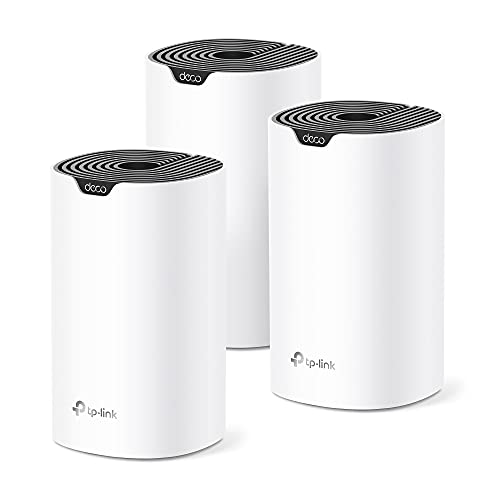
The TP-Link Deco S4 is a whole-home mesh WiFi system designed for large households tired of dead zones and spotty signals. Ideal for homes up to 5500 square feet, this three-pack replaces a traditional router and extender, delivering consistent coverage across multiple floors and through walls. It's perfect for families who need reliable internet for remote work, online learning, gaming, and streaming.
Standout features include seamless roaming with a single network name and support for up to 100 devices simultaneously. Real-world performance is strong: customer reviews praise its ability to cover entire homes without drops, even in challenging layouts. The AC1900 speeds handle 4K streaming and video calls smoothly, and the app makes setup and management a breeze.
Design-wise, each Deco unit is compact and unobtrusive (3.57 x 3.57 x 6.39 inches) and can be placed on shelves or desks. Wired Ethernet backhaul is supported on all three nodes for those who want maximum speed and stability. The six Gigabit ports allow connecting wired devices like game consoles or smart TVs directly.
Potential drawbacks include the dual-band design, which may not match the performance of tri-band systems with a dedicated backhaul channel. Some users mention that finding the optimal placement for each node requires some experimentation. Also, there are no USB ports for sharing storage or printers.
Overall, the TP-Link Deco S4 offers excellent value for anyone needing affordable, reliable whole-home WiFi. Its ease of use, seamless roaming, and strong coverage make it a top choice for large families or anyone frustrated by their current router's limitations. We recommend it for its proven performance and simple setup.


Buying Guide: What to Look for in a WiFi Extender
Coverage Area
Coverage is the most critical factor when choosing a WiFi extender. Consider the square footage you need to cover and the number of floors or walls the signal must penetrate. A single extender may suffice for a small apartment, while larger homes often benefit from a mesh system.
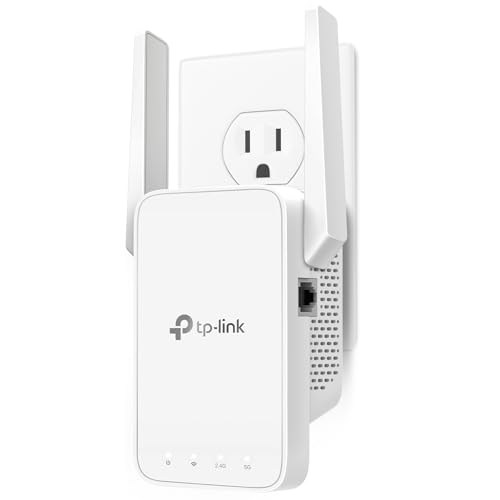
The TP-Link WiFi Extender with Ethernet Port covers up to 1,200 square feet, ideal for medium-sized homes. For larger spaces up to 5,500 square feet, the TP-Link Deco S4 Mesh System is a better fit. If your home has many obstacles, look for extenders with external antennas for stronger signal penetration.
Speed and Bandwidth
Dual-band extenders offer better performance than single-band models by using both 2.4 GHz and 5 GHz frequencies. The 5 GHz band provides faster speeds for streaming and gaming, while 2.4 GHz offers longer range for browsing and smart devices.
The TP-Link AC1200 WiFi Extender delivers up to 1.2 Gbps total bandwidth, making it suitable for high-demand households. The Deco S4 offers AC1900 speeds and can handle up to 100 devices simultaneously. For a comparison of mesh systems, see our eero vs TP-Link deco.
Ease of Setup and Management
Most modern extenders offer app-based setup, which simplifies installation. Look for features like one-touch connection or WPS button for quick pairing. Advanced models provide parental controls and guest network options through a mobile app.
The TP-Link Deco S4 uses the Deco app for straightforward setup and includes robust parental controls. The RE315 extender supports EasyMesh for seamless integration with compatible routers. For more on subscription-free routers, read our Best WiFi Router Without Subscription guide.
Mesh Compatibility and Future-Proofing
If you plan to upgrade your network over time, consider an extender that supports mesh technology. Mesh systems create a unified network with a single SSID, allowing seamless roaming as you move through your home.
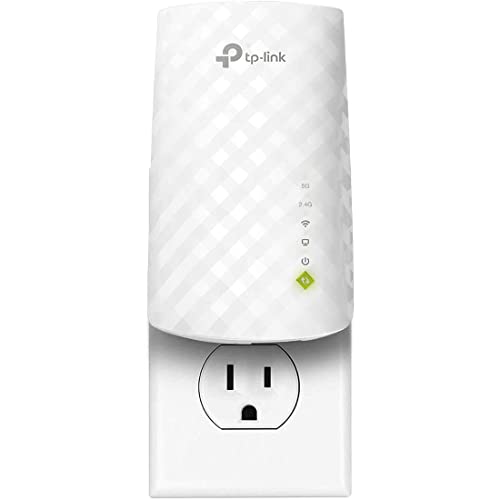
The TP-Link Deco S4 is a full mesh system, while the RE315 supports EasyMesh for integration with compatible routers. The RE220 also supports OneMesh, making it a flexible choice for future expansion. This ensures your investment remains relevant as your needs grow.
Final Thoughts
After comparing these three TP-Link models, our recommendation depends on your specific needs. For a budget-friendly solution that covers up to 1,200 square feet and handles 30 devices, choose the TP-Link WiFi Extender with Ethernet Port. If you need whole-home coverage for up to 100 devices with seamless mesh technology, the TP-Link Deco S4 Mesh AC1900 WiFi System is the superior choice. Both offer reliable performance and easy setup, ensuring you can say goodbye to dead zones for good.
Frequently Asked Questions
Can a WiFi extender improve my internet speed?
WiFi extenders are designed to improve coverage, not speed. They can boost signal strength in weak areas, which may result in more stable connections, but they do not increase the speed from your internet service provider. For faster speeds, consider upgrading your router or plan.
How many devices can a TP-Link extender support?
The number of supported devices varies by model. The TP-Link RE220 can handle up to 30 devices, while the Deco S4 mesh system supports up to 100 devices. The RE315 can connect up to 32 devices, making it suitable for average households in 2026.
Do I need a mesh system or a range extender?
If you have a large home or multiple floors, a mesh system like the Deco S4 provides seamless coverage with a single network name. For smaller spaces or specific dead zones, a range extender like the RE220 or RE315 is more affordable and easier to set up. Consider your home size and device count when deciding.
Can I use a TP-Link extender with any router?
Yes, TP-Link extenders are compatible with most routers from any brand. They work with standard WiFi standards like 802.11ac and 802.11n. For mesh features like OneMesh or EasyMesh, ensure your router also supports the same protocol for optimal performance.