🔥 Camera Black Friday Deals for 2026: picks worth watching →
Are you ready to elevate your portrait photography with Canon’s best cameras? Whether you are a beginner or a seasoned photographer, choosing the right camera system is crucial for capturing lifelike skin tones, beautiful bokeh, and sharp details. In this guide, we review three top-tier options that excel for portraits, from the versatile mirrorless Canon EOS R50 to the classic DSLR Canon EOS Rebel T7, plus a must-have lens for any portrait kit.
Canon has long been a favorite among portrait photographers for its color science and reliable autofocus. For a broader look at Canon’s DSLR lineup, check out our best Canon DSLR cameras guide. Now, let us dive into the top picks for portrait work.




Buying Guide for Portrait Cameras
Sensor Size and Resolution
For portraits, a larger sensor helps achieve shallow depth of field and better low-light performance. The Canon EOS R50 features an APS-C sensor with 24.2 megapixels, while the Rebel T7 also offers 24.1 megapixels on an APS-C sensor. If you prefer full-frame image quality, the RF24-70mm F2.8 lens is designed for Canon’s mirrorless full-frame bodies.
Resolution matters for cropping and printing. Both cameras deliver ample detail for portrait work. For tips on maximizing image quality, see our landscape photography guide, which shares sensor insights.
Autofocus and Eye Detection
Eye AF is a game-changer for portraits. The Canon EOS R50 uses Dual Pixel CMOS AF II with reliable face and eye tracking, even in 4K video. The Rebel T7 uses a 9-point AF system, which is more basic but still effective for stationary subjects. For action portraits, consider the autofocus capabilities discussed in our wildlife photography guide.
Lens Ecosystem and Portrait Lenses
A camera is only as good as its lens. The Canon RF series offers superb optics like the RF24-70mm F2.8 L IS USM, which provides a versatile zoom range with fast aperture, perfect for portraits. The Rebel T7 uses EF-S lenses, giving access to many affordable portrait primes. The R50 also uses RF-mount lenses, with adapters for EF glass. Explore more lens choices in our YouTube camera guide, which covers lens versatility.
Video Capability
Many portrait photographers now shoot behind-the-scenes video or short films. The Canon EOS R50 offers oversampled 4K with Dual Pixel AF, making it a great hybrid tool. The Rebel T7 records Full HD 1080p, sufficient for basic video. For more on video features, browse the astrophotography guide, which discusses low-light video performance.
Final Thoughts
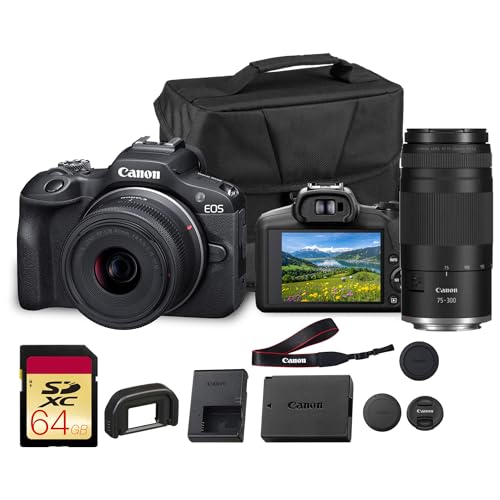
After assessing the best options for portrait photography, we recommend the Canon EOS R50 Mirrorless Camera with 18-45mm Lens for its advanced autofocus and lightweight design, especially for beginners. For those prioritizing lens quality, pair it with the Canon RF24-70mm F2.8 L is USM Lens to achieve professional portraits with creamy bokeh.
Related Guides
Frequently Asked Questions
What is the best Canon camera for beginner portrait photographers?
The Canon EOS R50 is an excellent choice for beginners due to its user-friendly interface, Creative Assist mode, and reliable eye AF. Its 24.2MP sensor and 4K video make it versatile for learning portraits. As a budget-friendly alternative, the Canon EOS Rebel T7 offers solid image quality.
Is a full-frame camera necessary for portraits?
Not necessarily. APS-C cameras like the Canon EOS R50 and Rebel T7 can produce stunning portraits with the right lens. However, full-frame sensors offer shallower depth of field and better low-light performance. If you want full-frame, consider pairing a Canon EOS R body with the RF24-70mm F2.8 lens.
Can I use the Canon RF24-70mm F2.8 lens on the Rebel T7?
The RF24-70mm F2.8 L IS USM lens is designed for Canon’s RF-mount mirrorless cameras, not the EF-mount Rebel T7. You would need an adapter, but it is not recommended as it loses some functionality. Instead, look for EF-mount portrait lenses like the 50mm f/1.8 STM for the Rebel T7.
What camera settings are best for portraits?
Generally, use aperture priority mode with a wide aperture (f/2.8 or lower) to blur the background. Set ISO as low as possible and adjust shutter speed accordingly. For Canon cameras, enabling face detection autofocus helps keep the subject sharp. For more tips, browse our Cameras category for comprehensive guides.