

Imagine your PC humming along at full load without a single whisper of fan noise. Whether you’re a content creator recording audio, a night owl gamer, or simply someone who values a peaceful workspace, a fanless PC case can be a game-changer. In this guide, we’ve evaluated top models that prioritize silent operation and efficient cooling. We’ll help you choose the right case for your build, whether you prefer a sleek glass panel or a sound-dampened tower. For more inspiration on quiet builds, check out our sound dampening PC cases guide.
We’re focusing on cases that either come with no fans or feature exceptional airflow and noise-reduction designs. Our picks include the CORSAIR 3500X RS ARGB and the Antec P7 S, both offering unique approaches to silent computing. Let’s dive in.



Buying Guide: What to Look for in Fanless PC Cases
Choosing the right fanless or quiet PC case is more than just picking a box. You need to consider airflow design, build quality, and how the case handles heat without relying on fans. Here are the key factors we recommend evaluating.
Airflow and Cooling Potential
Even if you plan to run a fully passive system, good airflow is crucial. Look for cases with mesh panels, large intake vents, and support for multiple fans or radiators. This allows heat to escape naturally, even if you later add fans for extra cooling.
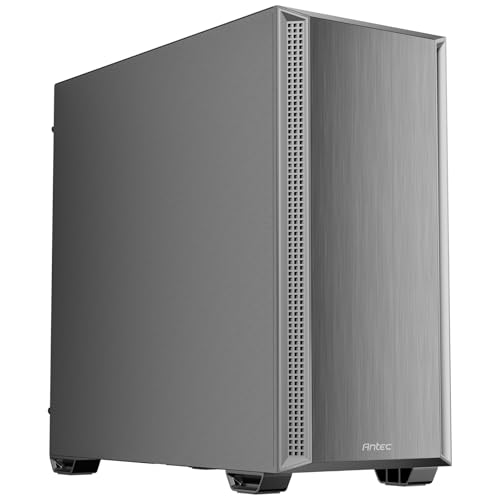
The Antec P7 S features a dual side mesh design that enhances intake airflow, while the CORSAIR 3500X RS ARGB supports up to 10 fans, giving you flexibility for a hybrid setup. For more options, explore our PC cases category.
Noise Dampening Materials
If you’re aiming for a truly silent build, sound-dampening foam on side panels can absorb vibrations and reduce noise. Cases like the Antec P7 S come with foam on both sides, making a significant difference in overall acoustics.
This is especially important if you have a GPU with coil whine or a power supply that hums. A case with good dampening can turn a mediocre build into a serene one.
Build Quality and Expandability
Your case should last through multiple builds. Check for sturdy steel or aluminum construction, tool-less drive bays, and enough space for your components. A well-built case also makes cable management easier, which improves airflow.
Both the CORSAIR 3500X RS ARGB and the Antec P7 S offer solid construction, with the CORSAIR featuring a panoramic glass design for aesthetics. If you’re into a clean aesthetic, you might also like our white PC cases guide.
Fan Configuration and Control
Even in a fanless case, having the option to install fans later is a plus. Look for cases with multiple fan mounts and support for PWM fans, which can run at low speeds for near-silent operation. The Antec P7 S includes four PWM fans, while the CORSAIR 3500X RS ARGB comes with three ARGB fans.
This flexibility lets you start passive and add fans if you need more cooling headroom. For more ideas, check our black PC cases guide.
Final Thoughts
When you’re ready to build a silent PC, both the CORSAIR 3500X RS ARGB Panoramic Mid-Tower PC Case and the Antec P7 S Mid-Tower ATX PC Case are excellent choices, though they cater to different needs. The CORSAIR is perfect for those who want a stunning panoramic view and the option to run many fans, while the Antec is ideal for noise-sensitive users who prefer a minimalist, sound-dampened design. Choose the CORSAIR for a showpiece build, or the Antec for a stealthy, quiet workhorse. Either way, you’re getting a quality case that will keep your system cool and quiet.
Frequently Asked Questions
Can I really run a PC with zero fans?
Yes, but it requires careful component selection, such as low-power CPUs and passive coolers. Many fanless cases rely on natural convection or a large heatsink to dissipate heat. However, for robust performance, consider a case that supports optional fans for when you need extra cooling.
What is the difference between a fanless case and a silent case?
A fanless case has no fans at all, relying entirely on passive cooling. A silent case is designed to minimize noise, often using sound-dampening materials and low-speed fans. Both aim for quiet operation, but silent cases offer more flexibility for high-performance builds.
Are fanless PC cases good for gaming?
They can be, but you’ll need to pair them with low-power components or a liquid cooling loop. For most gamers, a case with a few low-speed fans provides a better balance of performance and acoustics. Cases like the Antec P7 S give you that option.
How do I keep my PC case cool without fans?
Use a large CPU cooler with heat pipes, ensure good case airflow for natural convection, and place your PC in a cool, well-ventilated area. You can also use a fanless power supply. For more tips, check our sound dampening guide.


