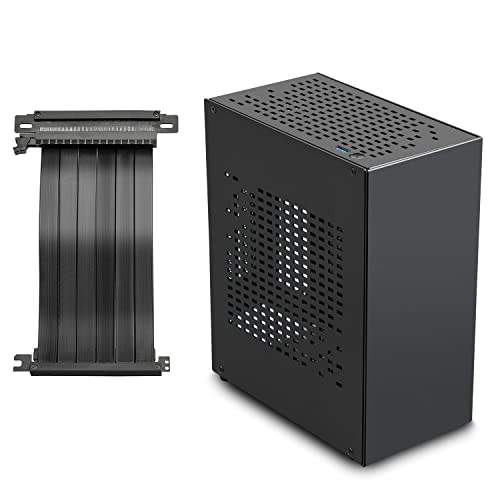
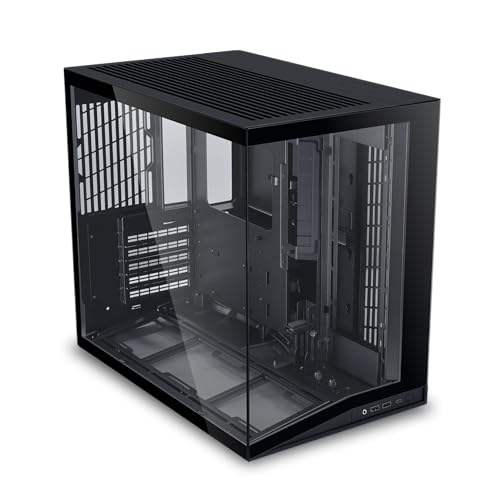
Building a compact PC without sacrificing performance is a balancing act. You want a case that fits neatly on a desk, yet still accommodates powerful components like a high‑end graphics card and liquid cooling. If that sounds like your next project, the best mini tower PC cases offer the perfect middle ground between size and capability. In this guide, we focus on one standout model: the Cooler Master N200, a mini tower that packs impressive expandability into a space‑saving footprint.
Whether you are a first‑time builder or upgrading a home office rig, this review covers everything you need to know about the Cooler Master N200. We also share buying tips to help you choose the right case for your needs. For more insights on PC cases, check out our roundup of best PC cases for 360mm radiator builds.


Buying Guide: What to Look for in a Mini Tower PC Case
Airflow and Cooling Support
Cooling is critical in a compact chassis. A fully meshed front panel, like the one on the Cooler Master N200, allows unrestricted airflow to keep components cool under load. Look for cases that support at least a 240mm radiator if you plan to use liquid cooling. The N200 accommodates a 240mm kit in the front, giving you flexibility for quiet or performance‑oriented builds.
For builders who prioritize airflow, our guide to top high airflow PC cases offers additional options.
GPU and CPU Cooler Clearance
Mini towers often limit component sizes, but the N200 breaks that mold. It supports graphics cards up to 355mm (14 inches) and CPU air coolers up to 160mm (6.3 inches). That means you can install a full‑size GPU and a tower cooler without worry. Always check these limits before buying; a case that fits your existing or planned hardware will save you headaches.
Storage Expandability
Even in a mini tower, storage matters. The N200 holds up to three 3.5″ HDDs and four 2.5″ SSDs, giving you plenty of room for games, media, or work files. If you need more drives, look for cases with tool‑less trays or additional mounting points. The removable dust filter under the PSU area also simplifies cleaning, a nice touch for long‑term maintenance.
Build Quality and Aesthetics
A case should look good and last. The N200 features an edgy, asymmetrical design with a full mesh front that stands out from typical boxes. Steel construction and a clean interior layout make cable management straightforward. Front‑panel USB 3.0 ports add convenience for modern peripherals. If aesthetics matter, this case offers a balance of style and function without extra frills.
For more case recommendations, visit our PC Cases category page.
Final Thoughts
When you are after the best mini tower PC cases, the Cooler Master N200 delivers a rare combination of compact size and real expandability. Its mesh front panel keeps airflow strong, while the ability to fit a 355mm GPU and 240mm radiator makes it a versatile choice for gamers and productivity builders alike. For an alternative with a different design language, consider the Cooler Master N200 (the very model we reviewed) or explore other options in our best PC cases for 360mm AIO article. Whichever you choose, a well‑ventilated, thoughtfully laid out mini tower will make your build process smoother and your system run cooler.
Related Guides
Frequently Asked Questions
Can a mini tower case fit a full‑size ATX power supply?
Yes, many mini tower cases like the Cooler Master N200 support standard ATX power supplies. Always check the PSU length clearance; the N200 accommodates units up to standard depth without issue.
Is the Cooler Master N200 good for liquid cooling in 2026?
Absolutely. The N200 supports a 240mm radiator in the front, making it suitable for most all‑in‑one liquid coolers. For maximum cooling, pair it with a high‑static‑pressure fan setup.
How many fans can I install in the Cooler Master N200?
The case can hold up to four fans: two 120mm in the front, one 120mm in the rear, and one 120mm on the side panel. This provides ample airflow for a mid‑range build.
Does the N200 come with a dust filter?
Yes, it includes a removable dust filter under the power supply mount area. This makes cleaning easy and helps maintain airflow over time.