🔥 TV Black Friday Deals 2026: picks worth watching →
You are deep into a complex After Effects composition, dozens of layers, effects, and keyframes. The preview stutters, each frame takes forever to render, and your deadline is approaching. A capable graphics card can transform this experience, smoothing out timeline scrubbing and drastically reducing render times. This guide reviews five graphics cards that can handle the GPU-accelerated effects in After Effects, from budget-friendly options to high-end powerhouses.
Whether you work with 4K footage, heavy particle systems, or multiple adjustment layers, the right GPU will help you stay in the creative flow. We focused on cards that deliver strong performance in Adobe’s Mercury Playback Engine and offer good value for different budgets. If you want to build a balanced workstation, check out our recommendations for 4K video editing as well.



Buying Guide: Choosing a Graphics Card for After Effects
VRAM Capacity and Memory Bandwidth
After Effects uses VRAM to hold frame buffers, previews, and cached frames. For most projects, 6GB or more is recommended. Higher memory bandwidth (GDDR6X vs. GDDR6) helps when working with high-resolution footage or multiple effects layers. Cards like the EVGA GeForce RTX 3080 FTW3 Ultra with 12GB GDDR6X are ideal for heavy compositions. For lighter projects, 6GB cards like the ZER-LON GeForce GTX 1660 Super can still perform well.
CUDA Cores and Ray Tracing
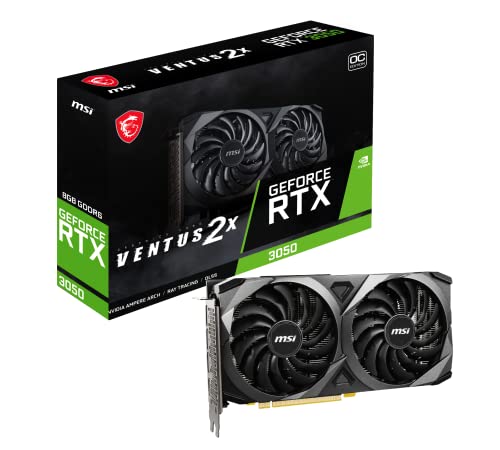
CUDA cores accelerate many After Effects effects and plugins, including blurs, color correction, and third-party tools like Element 3D. More cores generally mean faster preview and rendering. Ray tracing cores are less critical in After Effects but can help with GPU-accelerated effects in future updates. The MSI Gaming GeForce RTX 3050 offers a good balance with 128-bit memory and ample CUDA cores for its price range. For more on GPU acceleration in video apps, see our Premiere Pro GPU guide.
Cooling and Build Quality
Long rendering sessions can stress a GPU. Effective cooling keeps thermal throttling at bay and extends component life. Cards with triple-fan designs, like the EVGA FTW3 lineup, deliver excellent heat dissipation. For smaller cases, the MSI Ventus 2X is compact and quiet. Also consider a GPU support bracket to prevent sag, especially with heavier cards, the upHere 5V Addressable RGB White Graphics Card GPU brace can keep your card level and add a touch of style.
Driver Support and Reliability
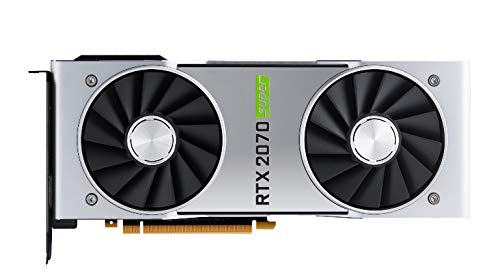
Adobe After Effects benefits from stable drivers. NVIDIA’s Studio drivers are optimized for creative software, offering better compatibility and performance than Game Ready drivers. Cards from well-known brands like EVGA, MSI, and NVIDIA themselves often have longer support windows and better warranty service. For a reliable mid-range option, the NVIDIA GeForce RTX 2070 Super Founders Edition provides excellent driver maturity. If you need a card for both video production and rendering, we have a dedicated guide for rendering.
Final Thoughts
Selecting the best graphics card for After Effects depends on your project complexity and budget. For those who push After Effects to its limits with 4K+ compositions and intensive effects, the EVGA GeForce RTX 3080 FTW3 Ultra delivers the raw performance and VRAM needed for smooth previews and fast renders. If you are on a tighter budget but still want good GPU acceleration for the Mercury Playback Engine, the MSI Gaming GeForce RTX 3050 8GB provides a solid entry point for most users without breaking your budget.
Related Guides
Frequently Asked Questions
Is a dedicated GPU necessary for After Effects?
Yes, while After Effects can run on integrated graphics, a dedicated GPU greatly accelerates previews, rendering, and effect processing. Most GPU-accelerated effects require a capable discrete card for smooth performance.
How much VRAM do I need for After Effects in 2026?
For typical projects with 1080p or 4K footage and moderate effects, 6GB is sufficient. For complex compositions, high resolution, or heavy use of 3D plugins, aim for 8GB or more. The EVGA RTX 3080 with 12GB is excellent for demanding work.
Can I use an NVIDIA GeForce card instead of a Quadro for After Effects?
Absolutely. GeForce cards, especially RTX series, offer excellent performance in After Effects. Many professionals use them successfully with Studio drivers. Quadro cards are not needed unless you require certified drivers for specific high-end workflows. For more on video production setups, see our video production GPU guide.
Does After Effects use multiple GPUs?
After Effects can utilize multiple GPUs for certain effects and ray-traced 3D rendering, but the benefit is limited to specific workflows. For most users, a single powerful GPU is more cost-effective than multi-GPU setups.