You are on your third Zoom call of the morning. The audio is muffled, your coworker keeps asking you to repeat yourself, and the background noise from your home office is distracting everyone. A quality headset designed for unified communications can turn that frustrating experience into a seamless conversation. Whether you are a remote employee, a freelancer, or a manager leading daily stand-ups, the right headset makes every meeting more productive. In this guide, we highlight the best headsets for Zoom that deliver clear audio, reliable noise cancellation, and long-term comfort. For more options tailored to professional environments, check out our roundup of best headsets for work calls.





Buying Guide: What to Look for in a Zoom Headset
Audio Quality and Noise Cancellation
Crystal-clear audio is non-negotiable for Zoom calls. Look for headsets with noise-canceling microphones that filter out keyboard clicks, air conditioning hum, and street noise. Some models use Environmental Noise Cancellation (ENC) or Active Noise Cancellation (ANC) to improve focus. The best headsets for business calls often include these features to ensure every word is heard.
Comfort for Long Sessions
You might wear a headset for hours at a time. Lightweight designs, padded ear cushions, and adjustable headbands prevent fatigue. Memory foam earpads and breathable materials reduce heat buildup. A comfortable fit keeps you focused on the conversation, not the pressure on your ears.
Connectivity and Compatibility
Most Zoom headsets connect via USB-A or USB-C for plug-and-play ease. Wireless models use Bluetooth or a dedicated USB dongle for low-latency audio. Make sure the headset works with your computer, tablet, or phone. Many are certified for Zoom, Microsoft Teams, and other platforms. For a deeper look at wireless options, see our guide on best wireless call center headsets.
Control and Ease of Use
In-line controls for volume, mute, and call answer save time. Some headsets offer flip-to-mute microphones or one-key mute buttons for quick privacy. Physical controls are more reliable than software-based ones, especially during busy meetings. A good headset lets you manage calls without fumbling with your computer.
Final Thoughts
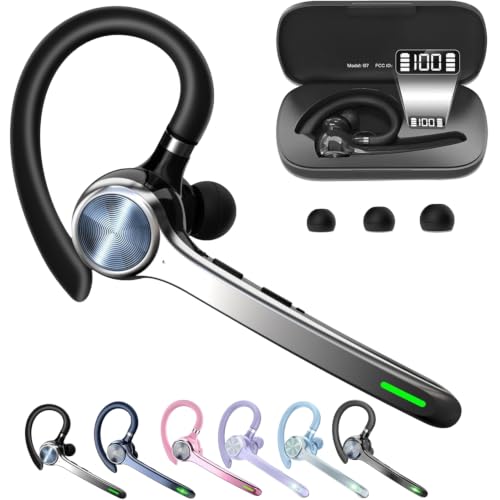
After evaluating the top contenders, we recommend the Lenovo USB-A Wired Stereo Headset for PC/Laptop for budget-conscious users who need lightweight, reliable performance with AI-enhanced noise cancellation. For those who prefer wireless freedom and long battery life, the Wireless Headset with Mic for Work from Angteela offers ENC noise cancellation and dual charging options that keep you productive throughout the day. Both are excellent choices for Zoom calls in 2026.
Related Guides
- Best Wireless Headsets for Office Phones in
- Top-Rated Telephone Headsets for Crystal-Clear Office Calls in 2026
- Best Headsets for Office Phones in
Frequently Asked Questions
Can I use any headset for Zoom?
Most headsets with a microphone work with Zoom, but for the best experience choose one that is optimized for unified communications. Models with noise-canceling mics and dedicated USB connections provide the most reliable audio quality. Many headsets are specifically certified for Zoom and Teams.
Wired vs. wireless: which is better for Zoom?
Wired headsets offer consistent, low-latency audio without battery concerns. Wireless headsets give you freedom to move around but require charging. For all-day meetings, a wired model like the Poly Blackwire 3210 is a solid choice. If you value mobility, look for a wireless headset with at least 35 hours of talk time.
How do I mute my microphone quickly on Zoom?
Many headsets have a dedicated mute button on the cable or ear cup. Some feature flip-to-mute microphones that automatically mute when you rotate the boom up. This physical control is faster than clicking the mute button in the Zoom app. For more tips, read our article on best call center headsets.
Are Zoom headsets compatible with other platforms?
Yes, most headsets work with Microsoft Teams, Google Meet, Cisco Webex, and other softphones. Check the product description for platform certifications. Universal USB headsets often support multiple platforms without extra software. For sales professionals, we also recommend our guide on best headsets for sales calls.