

Imagine this: you’re in a video call, and your child decides to stream a movie in 4K while another one is gaming online. The connection crawls, and frustration mounts. Or perhaps you’re worried about what your kids might stumble upon online when you’re not in the room. These are common challenges for modern families, and the solution often starts with choosing the right router.
This guide is designed for parents and guardians who want more control over their home network. We’ll explore the key features to look for in routers with parental controls, helping you make an informed decision. We’ve also evaluated a range of top-performing models to give you a head start. For a broader look at keeping your whole family safe online, you might also find our guide to the best family routers helpful.

Pros
- Excellent coverage for medium to large homes, as verified by thousands of positive reviews.
- Simple app-based setup that takes minutes, even for non-technical users.
- Seamless roaming with a single network name, eliminating connection drops when moving around.
- Strong performance with support for up to 75 devices simultaneously.
- Affordable price point compared to many competing mesh systems.
Cons
- Dual-band only; lacks a dedicated backhaul band which can slightly reduce speeds in congested areas.
- Limited to two Gigabit Ethernet ports per unit, may require a switch for wired devices.
- Some users may need to optimize placement for best performance, especially with Ethernet backhaul.
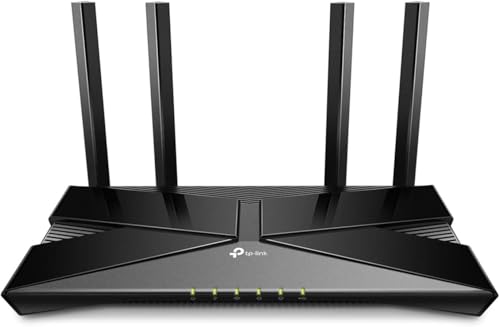
The TP-Link Deco S4 is a dual-band mesh WiFi system designed to eliminate dead zones and provide consistent coverage throughout your home. Ideal for families, remote workers, and anyone tired of buffering or dropped connections, this two-pack covers up to 3,800 square feet and supports up to 75 devices simultaneously. With a strong 4.5-star rating from thousands of reviews, it's a trusted solution for improving home WiFi performance.
Standout features include seamless roaming with a single network name, so your devices automatically connect to the strongest signal as you move around. The Deco app makes setup a breeze, and parental controls let you manage screen time and block inappropriate content for each family member. Real-world performance is solid; users report consistent speeds and stable connections, even in homes with multiple floors or concrete walls.
Design-wise, the Deco S4 units are compact and unobtrusive, blending into most home decors. Each unit has two Gigabit Ethernet ports for wired connections, and you can use Ethernet backhaul for even faster speeds. The system supports both router and access point modes, giving you flexibility depending on your existing setup. Build quality is typical for TP-Link, with a durable plastic shell and reliable internals.
Potential drawbacks include the lack of a dedicated backhaul band (common in tri-band systems), which may slightly impact performance in very congested networks. Also, with only two Ethernet ports per unit, you may need an additional switch to connect multiple wired devices. Some users note that optimal placement is key, especially if using Ethernet backhaul, but the app provides helpful guidance.
Overall, the TP-Link Deco S4 offers excellent value for its price, delivering reliable, whole-home WiFi with easy setup and robust features. It's a top choice for anyone looking to improve coverage without breaking the bank. If you need a simple, effective mesh system for a medium to large home, the Deco S4 is a smart investment.
Pros
- Ultrafast WiFi 7 with 4096-QAM boosts single-band speed by 1.2 times.
- Five 2.5GbE LAN ports provide high-speed wired connectivity for demanding devices.
- AiMesh support allows easy expansion to a mesh system for whole-home coverage.
- Commercial-grade security with AiProtection, VPN, and safe browsing features.
- Easy setup and user-friendly ASUS router app for remote management.
Cons
- Some users report performance drop for newer devices (e.g., iPhone 17 Pro) at distance.
- A small number of reviews mention Ethernet port issues within the first month.
- Warranty concerns raised by a few customers, though ASUS offers a 3-year warranty.
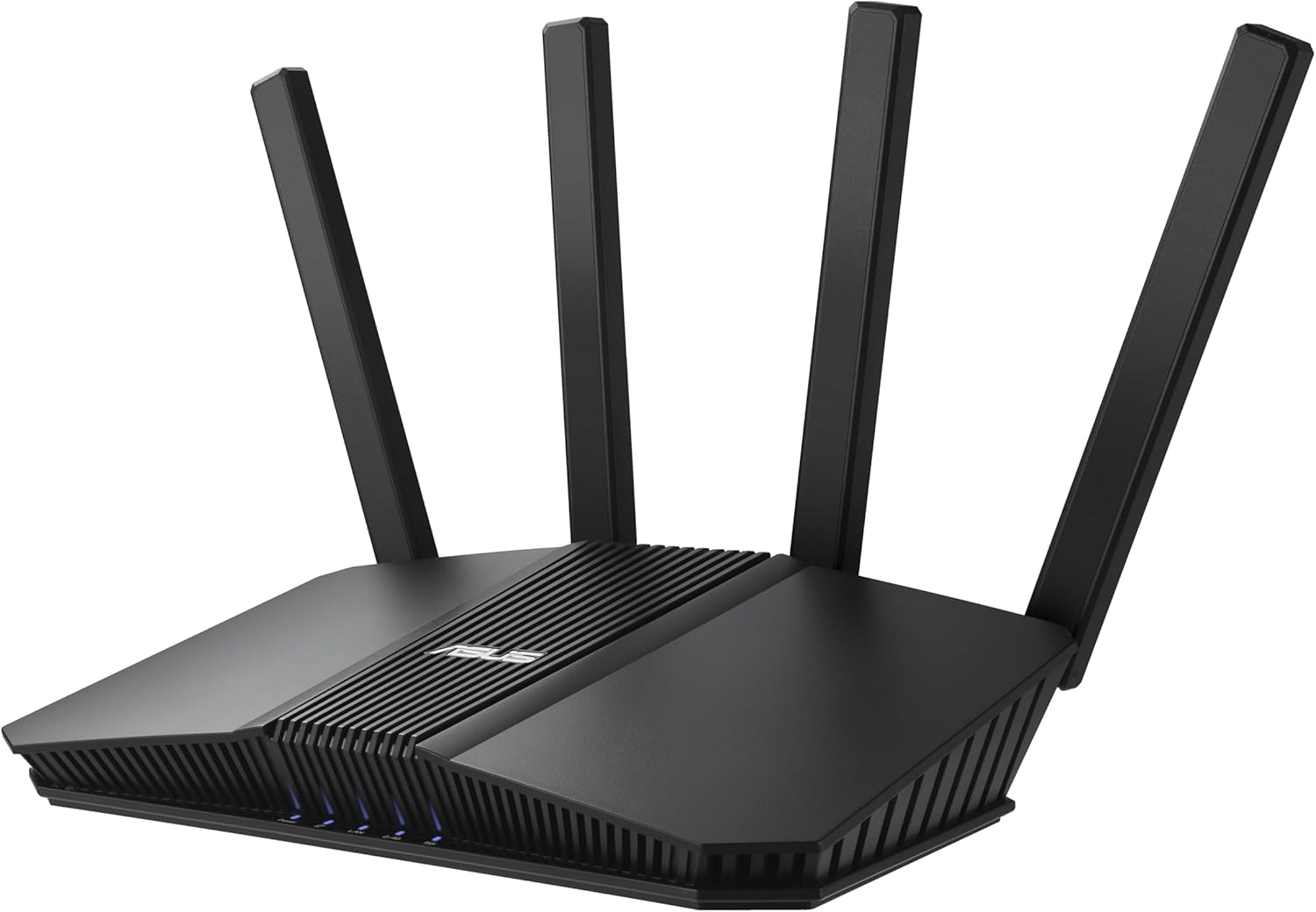
The ASUS RT-BE82U is a dual-band WiFi 7 router designed for users who need blazing-fast speeds and robust security. With speeds up to 6500 Mbps and five 2.5GbE ports, it targets gamers, streamers, and smart home owners who want a future-proof, mesh-capable network backbone.
Standout features include true WiFi 7 performance with 4096-QAM, which boosts single-band throughput by 1.2 times. The five 2.5GbE ports ensure wired devices like PCs and consoles get maximum bandwidth. AiMesh technology lets you add additional ASUS routers to create a seamless whole-home mesh network, ideal for larger homes or dead zones.
Setup is incredibly easy via the ASUS Router app, with intuitive controls for QoS, guest networks, and IoT segregation. The commercial-grade AiProtection Pro, powered by Trend Micro, provides continuous security scans, VPN support, and safe browsing. Real-world performance is excellent, with users reporting strong coverage across 1600 sq. ft. homes.
A few drawbacks include a reported performance drop for newer iPhones at long range, and rare Ethernet port failures noted in early reviews. The warranty is 3 years, though some customers have expressed concerns. Overall, the RT-BE82U offers outstanding value for its price, especially for a WiFi 7 router with multi-gig ports.
Verdict: The ASUS RT-BE82U is a top-tier choice for anyone looking to upgrade to WiFi 7 without breaking the bank. Its combination of speed, ports, security, and mesh expandability makes it ideal for demanding home networks. Despite minor issues, it delivers reliable performance and future-proofing.

Pros
- Affordable WiFi 6 router that delivers next-generation performance at budget-friendly pricing
- Excellent processor power handles multiple data streams simultaneously for lag-free gaming and 4K streaming
- OneMesh compatibility allows easy network expansion without complex setup or configuration
- Beamforming and MU-MIMO technology maximizes coverage and reduces interference throughout your home
- Universal ISP compatibility and Alexa integration make setup and control effortless
Cons
- 4 Gigabit LAN ports may be limiting for users with many wired devices requiring connectivity
- Entry-level WiFi 6 model lacks some advanced features found in premium routers
- Coverage area may be limited for larger homes or multi-story buildings without mesh extenders
The TP-Link Archer AX10 is an entry-level WiFi 6 dual-band router designed for home users and gamers who want next-generation wireless performance without premium pricing. It combines modern WiFi 6 technology with practical features like OneMesh compatibility, making it an excellent choice for anyone looking to upgrade from older WiFi 5 routers or build an expandable mesh network.
What sets this router apart is its intelligent use of WiFi 6 features like OFDMA and MU-MIMO, which allow it to communicate with multiple devices simultaneously while dramatically reducing network lag. The dual-band setup delivers 300 Mbps on the 2.4 GHz band for basic tasks and extended range, plus a substantial 1201 Mbps on the 5 GHz band for bandwidth-intensive activities like 4K streaming and competitive gaming. The 900 MHz dual-core processor handles these data streams reliably, ensuring smooth performance even during peak usage.
Build quality is solid and functional, with a compact black design that fits unobtrusively into most home setups. The beamforming technology intelligently focuses your WiFi signal toward connected devices rather than broadcasting in all directions, resulting in stronger coverage and fewer dead zones. Setup is straightforward, and the router works seamlessly with all major internet service providers including Verizon, AT&T, Xfinity, and others.
The main limitation is the modest four Gigabit LAN port count, which may constrain users with many wired devices. Additionally, while this router covers typical home sizes effectively, larger homes or buildings may require OneMesh extenders to achieve complete coverage. The feature set, while solid, remains simpler than premium models.
The Archer AX10 delivers impressive value for budget-conscious buyers seeking reliable WiFi 6 connectivity. Its combination of modern technology, mesh compatibility, and dependable performance makes it a smart investment for upgrading your home network without overspending.
Model: TP-Link Archer AX10
Frequency Bands: Dual-Band (2.4 GHz and 5 GHz)
Wireless Standards: 802.11ax, 802.11ac, 802.11n, 802.11g, 802.11b
Speed: 300 Mbps (2.4 GHz) + 1201 Mbps (5 GHz) = 1501 Mbps Total
Processor: Dual-Core 900 MHz
LAN Ports: 4 Gigabit Ethernet ports
Key Features: OFDMA, MU-MIMO, Beamforming, OneMesh Compatible, Parental Control, Guest Mode, WPS, QoS, Access Point Mode, Alexa Compatible
Compatible Devices: Gaming consoles, PCs, smartphones, smart TVs, printers, tablets, security cameras, smart thermostats
Included Components: Router, Power Supply, Quick Installation Guide
Who Should Buy This Router? The Archer AX10 is ideal for households seeking affordable WiFi 6 performance, gamers wanting reduced lag, and users planning to expand their network with OneMesh extenders. It works well for small to medium-sized homes and those with multiple smart devices.
When to Consider Alternatives: If you have a very large home, need extensive wired connections, or require advanced security features, you may benefit from a premium WiFi 6 or WiFi 6E router with more LAN ports and comprehensive management tools.
Setup and Installation: The router is compatible with all major ISPs. Most users complete setup in minutes using the mobile app or web interface. OneMesh extenders integrate seamlessly for expanding coverage to additional rooms or floors.
Performance Expectations: Expect reliable speeds for streaming 4K video, online gaming, and video conferencing. The 5 GHz band delivers maximum speed for devices close to the router, while the 2.4 GHz band provides extended range for devices farther away or in different rooms.
Buying Guide: What to Look for in a Parental Control Router
Ease of Use and App Management
The best parental controls are the ones you actually use. A user-friendly mobile app is non-negotiable. Look for a router that pairs with a clean, intuitive app for both iOS and Android, allowing you to manage settings from anywhere.
You want to be able to pause the internet, set time limits, and view activity reports with just a few taps. If the app is clunky or confusing, you’re less likely to stay on top of things, which defeats the purpose of having these controls in the first place.
Content Filtering and Blocking Capabilities
Effective content filtering is the core of any parental control system. This feature allows you to block inappropriate websites by category, such as adult content, gambling, or social media. The most robust systems offer real-time filtering and the ability to create custom block lists.
Some advanced routers use AI or regularly updated databases to automatically block harmful sites. This is especially important if you have younger children who may not understand the dangers of the open internet. For more on securing your network, check out our recommendations for the best security routers.
Coverage and Performance
Parental controls shouldn’t come at the cost of a fast, reliable connection. If your home is larger or has multiple floors, a single, powerful router might not be enough. Mesh WiFi systems are an excellent choice for whole-home coverage, as they use multiple units to eliminate dead zones.
Consider the number of devices on your network. With smart TVs, phones, laptops, and gaming consoles, you need a router that can handle the load without slowing down. Look for features like WiFi 6 for better efficiency and capacity. If you’re in the market for a mesh system, our guide to WPA3 routers can provide additional insight.
Advanced Security Features
Beyond content filtering, a good parental control router should also protect your family from network-level threats. Features like built-in antivirus, malware protection, and intrusion prevention are valuable. Some routers offer a security suite powered by a reputable security vendor.
These features work in the background to block malicious websites and prevent hackers from accessing your network. This is particularly important with the rise of Internet of Things (IoT) devices, which can be vulnerable. For a deeper dive into protecting your privacy, you can review our top picks for privacy-focused routers.
Final Thoughts
Choosing the right router with parental controls is a personal decision that hinges on your home’s size, your technical comfort level, and the specific online activities you want to manage. For a straightforward, high-performance solution with excellent app-based controls, the TP-Link Wifi 6 AX1500 Smart WiFi Router is a fantastic and accessible starting point. If you have a larger home and need seamless whole-home coverage, the TP-Link Deco S4 Whole Home Mesh WiFi System is our top recommendation for its ease of setup and reliable parental features that keep every family member safe online.
Frequently Asked Questions
What are the benefits of having parental controls on a router?
Having parental controls on your router allows you to manage internet access for every device on your network from a single point. This means you can filter inappropriate content, set time limits for internet use, and pause the network during family time or bedtime, all without needing to install software on each individual device.
Can I manage screen time for different family members separately?
Yes, most modern routers with parental controls allow you to create individual profiles for each family member. You can then assign specific devices to each profile and set unique schedules, such as limiting a child’s gaming console on school nights or pausing social media apps during study hours. This level of granularity helps you tailor the internet experience to each person’s needs.
Will parental controls slow down my internet speed?
In most cases, the impact on your internet speed is negligible. Parental control features like content filtering and traffic prioritization operate in the background and are designed to be efficient. However, some advanced security features that perform deep packet inspection might introduce a slight overhead, but this is often not noticeable in everyday use, especially on a modern router.
Do I need a separate device or subscription for parental controls?
No, with the routers we’ve reviewed, parental controls are built-in and do not require any additional hardware or subscription fees. You get access to a suite of features directly from the companion app, which is a significant advantage over some older or more basic routers that might require a separate service. This makes them a cost-effective solution for long-term family safety.


