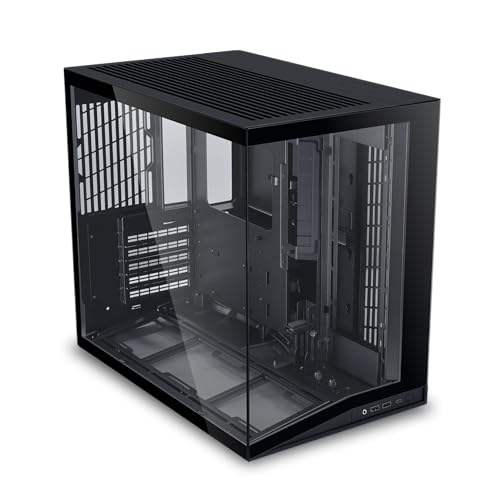
You have a powerful motherboard, a high-end graphics card, and a stack of RGB components, but your desk space is tight. Finding a case that fits everything without turning your workspace into a cramped mess can feel impossible. That’s where small PC cases come in. They offer the footprint you need while still accommodating standard ATX or Micro-ATX hardware. In this guide, we’ve evaluated five of the best small PC cases on the market, focusing on airflow, build quality, and ease of installation. Whether you’re a first-time builder or a seasoned enthusiast, these picks will help you create a compact, cool, and visually stunning system. If you’re also exploring compact PC cases for ultra-minimalist setups, our dedicated guide covers even smaller form factors.



Buying Guide: What to Look for in a Small PC Case
Airflow and Cooling Potential
Compact cases often have limited space for fans and radiators, so airflow design is critical. Look for mesh front panels, multiple fan mounting points, and support for liquid cooling. The open air PC cases we’ve reviewed offer maximum ventilation, but for traditional enclosures, perforated panels and strategic fan placement make a big difference. Evaluate whether the case comes with pre-installed fans and if those fans are PWM or fixed-speed.
Motherboard and Component Compatibility
Not all small cases support full ATX motherboards. Some are designed exclusively for Micro-ATX or Mini-ITX. Check the maximum GPU length, CPU cooler height, and PSU size. A case that claims to be compact but forces you to buy a new power supply or a low-profile cooler may not be the best value. For space-saving builds, horizontal PC cases offer a unique layout that can fit under a monitor or in an entertainment center.
Build Quality and Aesthetics
Tempered glass side panels, brushed metal finishes, and clean cable management routes elevate a case from functional to beautiful. Look for removable panels, dust filters, and tool-less drive bays. A well-built case will last through multiple upgrades. If you prefer a unique shape, cube PC cases provide excellent airflow in a compact footprint while standing out from traditional towers.
Ease of Installation and Cable Management
Small interiors can become a rat’s nest of cables if the case lacks thoughtful routing channels. Look for ample cutouts behind the motherboard tray, Velcro straps, and a separate PSU compartment. Cases with modular I/O panels or removable fan brackets make assembly much smoother. For those who want to showcase their build, open frame PC cases eliminate cable clutter entirely but require careful planning.
Final Thoughts
After evaluating each model’s design, cooling performance, and user experience, we believe the MOROVOL PC Case Pre-Install 4 RGB Fans stands out as the best budget-friendly option with pre-installed fans and excellent airflow, while the CORSAIR 4000D RS ARGB Frame Modular Mid-Tower ATX offers unmatched modularity and premium build quality for those willing to invest a bit more. Both cases deliver the compact footprint you need without sacrificing performance or aesthetics.
Related Guides
Frequently Asked Questions
Can I fit a full-size ATX motherboard in a small PC case?
Yes, many small mid-tower cases like the CORSAIR 4000D RS support ATX motherboards while keeping a compact footprint. Always check the motherboard form factor support in the specifications before purchasing.
Do small PC cases have good airflow for gaming?
Absolutely. Modern small cases feature mesh front panels, multiple fan mounts, and support for liquid cooling. The MOROVOL case, for instance, comes with four pre-installed fans and a diamond-shaped mesh front to keep temperatures low even during intense gaming sessions in 2026.
What is the difference between Micro-ATX and Mini-ITX cases?
Micro-ATX cases are slightly larger and can accommodate Micro-ATX or Mini-ITX motherboards, often with more expansion slots. Mini-ITX cases are the smallest and require a compact motherboard. The Cooler Master Q300L V1 is a great Micro-ATX option that also fits Mini-ITX boards, giving you flexibility.
Are small PC cases harder to build in?
They can be, but modern designs include tool-less panels, removable fan brackets, and ample cable management cutouts. Cases like the MUSETEX Y6 use a dual-chamber layout that simplifies routing. For beginners, we recommend a case with pre-installed fans and clear instructions. Check our PC cases category for more tips and comparisons.