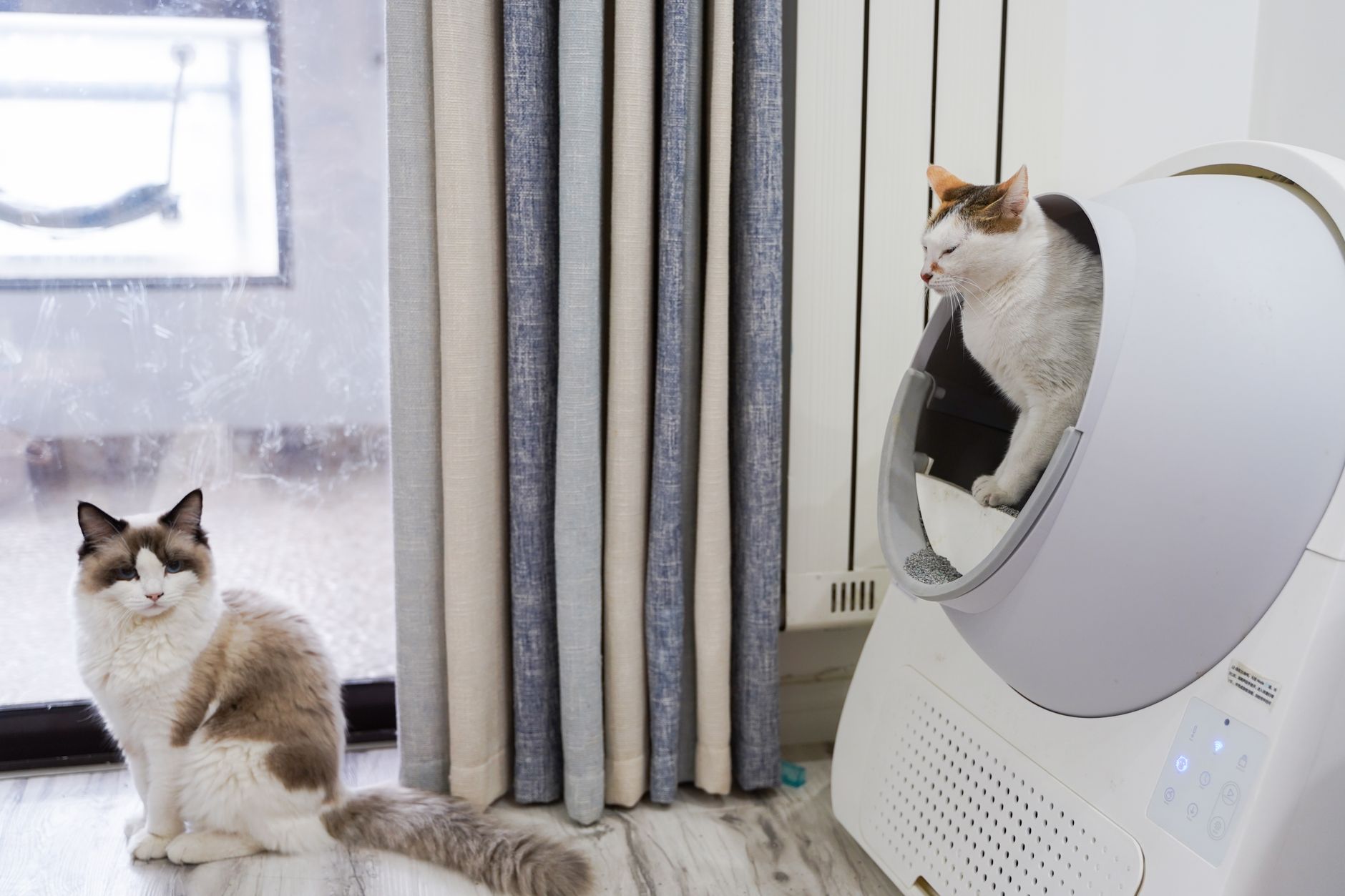
Your automatic litter box keeps stopping because its safety sensors are detecting an obstruction, the motor is overloaded, or the power supply is intermittent. These machines rely on sensors to prevent harm to your cat, so any interruption in the cleaning cycle is a deliberate safety stop. Understanding which sensor or component is triggering the halt is the first step to a lasting fix.
Clogged or Blocked Rake Mechanism
The most common reason an automatic litter box stops mid-cycle is a physical blockage in the rake or scooping arm. Clumps of urine-soaked litter, large stool, or even a stray toy can jam the moving parts. When the motor encounters resistance beyond a set threshold, it stops to protect itself from burning out.
Check the path of the rake for any debris that might be caught. You may need to scoop out the litter entirely to see the full track. Clearing the obstruction often resolves the problem immediately.
Dirty or Misaligned Safety Sensors
Most automatic litter boxes have infrared or mechanical sensors that detect when your cat enters the unit. If these sensors are dirty, misaligned, or blocked by litter dust, the machine may think a cat is inside and stop the cycle prematurely. This is a common issue in households with multiple cats or fine-grain litter that creates a lot of dust.
Wipe the sensor lenses with a dry microfiber cloth. For mechanical sensors, ensure nothing is pressing against them. If the sensors are adjustable, realign them according to your model’s manual.
Low Battery or Faulty Power Connection
An intermittent power supply can cause the unit to start and stop erratically. If your automatic litter box runs on batteries, weak batteries may provide enough power to begin a cycle but not enough to complete it. For plug-in models, a loose connection at the wall or a damaged adapter can cause similar behavior.
Replace batteries with fresh ones, even if the low-battery indicator is not lit. Check the power cord for cuts or kinks, and ensure the adapter is fully inserted into both the wall and the unit. A simple power reset by unplugging the device for 30 seconds can also clear temporary glitches.
Overfilled Litter Tray
Adding too much litter can cause the rake to drag through an excessive amount of material, creating resistance that triggers the safety stop. Each model has a recommended fill line, usually marked inside the basin. Exceeding that line forces the motor to work harder than intended.
Scoop out enough litter to bring the level below the fill line. In many cases, removing just a cup or two of litter is enough to allow the cycle to complete normally. Always use the litter type recommended by the manufacturer, as some litters clump harder or create more drag.
Waste Drawer Full or Misaligned
Many automatic litter boxes have a sensor in the waste drawer that stops operation when the drawer is full. If the drawer is not fully inserted or is slightly crooked, the sensor may read it as full even when it is empty. This is a common issue after emptying and replacing the drawer.
Remove the waste drawer, check for any obstructions in the track, and reinsert it firmly until you hear a click. If your model has a full-indicator light, verify that it is off before starting a new cycle. Overfilling the drawer with waste bags can also cause misalignment.
Software or Firmware Glitch
Like any electronic device, automatic litter boxes can experience software glitches that cause them to stop unexpectedly. This is more common in Wi-Fi-connected models that receive firmware updates. A glitch may cause the unit to misinterpret sensor data or lose its calibration.
Try a full power cycle by unplugging the unit or removing the batteries for at least one minute. For smart models, check the manufacturer’s app for available firmware updates. Resetting to factory settings is a last resort but often resolves persistent software issues.
How to Fix an Automatic Litter Box That Keeps Stopping
- Clear any visible obstructions from the rake path and waste chute.
- Wipe all sensor lenses with a dry cloth and ensure sensors are unobstructed.
- Replace batteries or check the power cord and adapter for damage.
- Reduce litter level to below the fill line.
- Reseat the waste drawer and ensure it is fully inserted.
- Perform a power cycle by unplugging for 60 seconds.
If these steps do not resolve the issue, the problem may be a worn motor or a failed circuit board, which typically requires professional service or a replacement unit.
Frequently Asked Questions
Why does my automatic litter box stop after a few seconds?
This usually means the safety sensor is triggered. Check for a cat near the unit, a dirty sensor lens, or an obstruction in the rake path. A quick power reset can also help if the sensor circuit is stuck.
Can too much litter cause the motor to stop?
Yes, excess litter creates drag that the motor cannot overcome, triggering the overload protection. Always keep litter at or below the manufacturer’s fill line to prevent this issue.
How do I reset my automatic litter box?
Unplug the unit or remove the batteries for 30 to 60 seconds, then plug it back in. Some models have a dedicated reset button on the control panel. Consult your manual for the exact location.
Is it safe to lubricate the moving parts?
Only use a silicone-based lubricant if your manual specifically recommends it. Petroleum-based lubricants can damage plastic gears and attract litter dust, making the problem worse over time.
Why does my automatic litter box stop when the waste drawer is not full?
The drawer may be misaligned or the sensor may be blocked. Remove the drawer, check for debris in the sensor slot, and reinsert it firmly. If the problem persists, the sensor itself may be faulty.
Related Guides
- Top Litter Robot Alternatives for Multi-Cat Homes
- Automatic Litter Box Not Cycling
- How to Clean an Automatic Litter Box
Closing
An automatic litter box that keeps stopping is almost always fixable with a simple cleaning or adjustment. Start with the most common causes like blockages and sensor dirt, then move to power and software checks.