

If you rely on your PC for gaming, music production, or enjoying high-resolution audio, the built-in sound chip often falls short. Motherboard audio is convenient, but it rarely delivers the clarity, dynamic range, or noise isolation that a dedicated internal sound card can provide. That is why we have evaluated the top internal PC sound cards from Creative, GLOTRENDS, and Padarsey to help you choose the right upgrade for your setup. For a broader look at audio upgrades, check out our guide on top internal sound cards.


Buying Guide: What to Look for in an Internal PC Sound Card
DAC Quality and Audio Resolution
The digital-to-analog converter (DAC) is the heart of any sound card. Higher resolution support, such as 32-bit / 384 kHz or even 768 kHz, ensures that lossless audio files like FLAC or DSD are reproduced with exceptional detail. Look for a high signal-to-noise ratio (SNR) above 120 dB to minimize background hiss. Models like the Creative Sound Blaster AE-X Hi-Res PCIe Sound Card use premium ESS DACs to achieve reference-grade performance, ideal for studio monitoring and critical listening. For more on studio-grade audio, see our best sound cards for studio recording guide.
Connectivity and Outputs
Consider what devices you need to connect. A sound card with multiple output options, such as 7.1 analog channels, optical S/PDIF, coaxial digital, and a dedicated headphone amplifier, offers flexibility for both speakers and headphones. Front-panel audio headers are convenient for easy access, while optical outputs can eliminate ground loops. If you pair your PC with a home theater receiver or active monitors, look for cards that include TOSLINK and coaxial outputs. Video editors often benefit from clean multi-channel output; check our best sound cards for video editing for tailored recommendations.
Driver Support and Compatibility
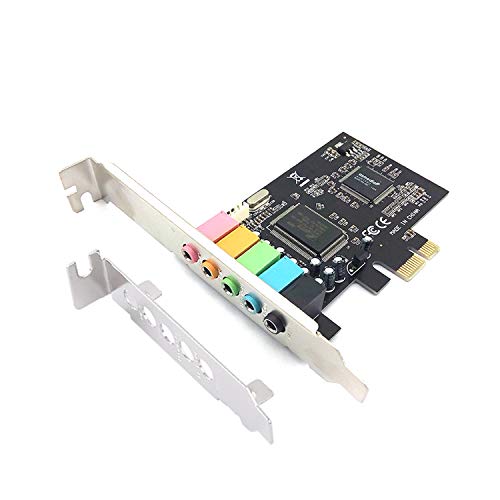
Not all sound cards are plug-and-play. Some require proprietary drivers and software for full functionality, while others are driver-free and recognized immediately by Windows, macOS, and Linux. If you prefer a hassle-free setup, consider cards based on USB Audio Class 2 or 1.0, such as the GLOTRENDS models, which need no downloads. For advanced features like parametric EQ and AutoEq, Creative’s Nexus app offers deep customization but requires driver installation. Also ensure the card fits your case: low-profile brackets are available for smaller builds, and PCIe x1 cards work in any slot.
Final Thoughts
Choosing the right internal PC sound card depends on your priorities. For a balanced upgrade that brings high-resolution audio, surround sound, and a compact design, the Creative Sound Blaster Audigy Fx Pro Hi-Res PCIe delivers excellent value with its 32-bit / 384 kHz support and Creative Nexus app. If you demand absolute fidelity and a driver-free experience, the GLOTRENDS ST115 PCIe Hi-Fi Sound Card with its ESS ES9038Q2M DAC and dedicated headphone amplifier is a powerhouse for high-resolution playback. Both options will transform your PC audio, whether you are gaming, producing music, or simply enjoying your favorite tracks.
Frequently Asked Questions
Do I need an internal sound card if I have a good motherboard?
Modern motherboards include decent audio, but they often suffer from electrical interference and limited output power. A dedicated internal sound card provides cleaner signal paths, higher SNR, and better amplification for high-impedance headphones. If you notice background noise or want to drive studio monitors, an upgrade is worthwhile.
What is the difference between PCIe and USB sound cards?
PCIe sound cards connect directly to the motherboard, offering lower latency and no USB bandwidth sharing. USB sound cards are portable and easy to install, but may introduce slight latency. For desktop PCs, PCIe cards are generally preferred for stability and performance, especially in gaming and professional audio work.
Can an internal sound card improve gaming audio?
Yes. Many internal sound cards support discrete 7.1 surround sound, which enhances positional audio in games. Features like headphone virtualization and EQ profiles can also give you a competitive edge. For an immersive gaming experience in 2026, a dedicated card is a solid investment.
How do I install a PCIe sound card?
Installation is straightforward: power down your PC, open the case, insert the card into an available PCIe x1 slot (or longer), and secure it with a screw. Then connect the audio cable to your speakers or headphones. Most modern cards are recognized automatically, but some may require driver installation from the manufacturer’s website.
