

If you are still relying on your motherboard’s onboard audio, you are missing out on a world of clarity and immersion. Whether you are a gamer tracking footsteps, a music producer mixing tracks, or a movie enthusiast craving cinematic surround sound, a dedicated PCIe sound card can transform your listening experience. In this guide, we evaluate six of the best PCIe sound cards for 2026, covering everything from budget-friendly options to audiophile-grade solutions. If you are new to dedicated audio hardware, our overview of top internal sound cards provides a helpful starting point.
We focus on key factors like audio resolution, connectivity, headphone amplification, and build quality to help you choose the right card for your setup. Whether you need a compact low-profile card for a small case or a high-end DAC for studio monitoring, there is a PCIe sound card here that fits your needs.


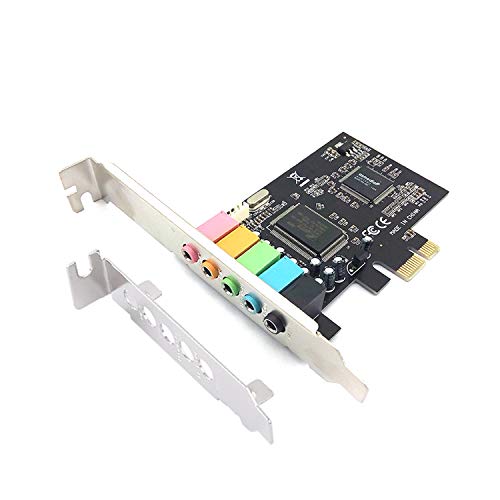
Buying Guide: What to Look for in a PCIe Sound Card
Audio Resolution and DAC Quality
The digital-to-analog converter (DAC) is the heart of any sound card. Look for cards that support at least 24-bit/96 kHz playback; higher resolutions like 32-bit/384 kHz or 32-bit/768 kHz deliver even more detail and headroom. Premium DAC chips from ESS Sabre (such as the ES9038Q2M or ES9018K2M) are known for clean, low-distortion output. For video editors who need accurate audio monitoring, our guide on best sound cards for video editing covers additional considerations.
Connectivity and Output Options
Consider what speakers or headphones you plan to use. A good PCIe sound card offers multiple output types: analog 3.5 mm jacks for headphones and speakers, optical TOSLINK, and coaxial S/PDIF for external DACs or home theater receivers. Some cards include front-panel audio headers for easy case access. If you need discrete 5.1 or 7.1 surround sound, make sure the card supports the appropriate number of analog outputs.
Headphone Amplification
If you use high-impedance headphones (250 ohms or more), a built-in headphone amplifier is essential. Dedicated amps like the Xamp on Creative’s AE-7 or the MAX97220A on GLOTRENDS ST115 can drive demanding studio headphones to their full potential. For casual listening with low-impedance IEMs, even a basic headphone output will suffice, but a quality amp reduces distortion and improves dynamic range.
Compatibility and Form Factor
Most modern PCIe sound cards use a standard x1 slot, but check your motherboard for available slots. Low-profile brackets are included with some cards for smaller cases. Driver support also matters: some cards are truly plug-and-play (USB Audio Class compliant) while others require proprietary software. For Windows 10/11, macOS, and Linux, driver-free cards like the GLOTRENDS ST115 offer the easiest setup.
Final Thoughts
After evaluating these six PCIe sound cards, our top recommendations cater to different priorities. For gamers and audiophiles who want pristine audio with powerful headphone amplification, the Creative Sound Blaster AE-7 Hi-Res PCIe stands out with its ESS Sabre DAC and custom Xamp amplifier. If you prefer a driver-free, high-resolution solution with optical and coaxial outputs for a clean desktop setup, the GLOTRENDS ST115 PCIe Hi-Fi Sound Card offers exceptional value. Both cards deliver a noticeable upgrade over onboard audio, bringing new life to your music, games, and movies.
Related Guides
Frequently Asked Questions
What is the best PCIe sound card for gaming?
For gaming, the Creative Sound Blaster AE-7 offers discrete 5.1 and virtual 7.1 surround sound with hardware acceleration, reducing CPU load. It also includes an Audio Control Module for easy volume and mic adjustments. For more options, check our roundup of top internal sound cards.
Do I need a PCIe sound card if I have a good motherboard?
Even premium motherboards often use basic audio codecs with limited headphone amplification. A dedicated PCIe sound card provides a cleaner signal path, higher signal-to-noise ratio, and support for high-impedance headphones. If you notice static, hiss, or lack of detail in your current audio, a sound card is a worthwhile upgrade.
Are PCIe sound cards compatible with all operating systems?
Many modern PCIe sound cards use USB Audio Class drivers, making them driver-free on Windows 10/11, macOS, and Linux. Others require proprietary software for full functionality. Always check the manufacturer’s specifications for your OS. The GLOTRENDS ST115 and ST113 are excellent choices for plug-and-play compatibility.
What is the difference between 5.1 and 7.1 surround sound on a sound card?
5.1 surround uses five speakers and one subwoofer, while 7.1 adds two rear speakers for a more immersive sound field. For headphones, virtual surround sound can simulate 7.1 channels. Cards like the Creative Sound Blaster Audigy Fx Pro and AE-7 support both discrete and virtual surround, giving you flexibility depending on your speaker setup.


