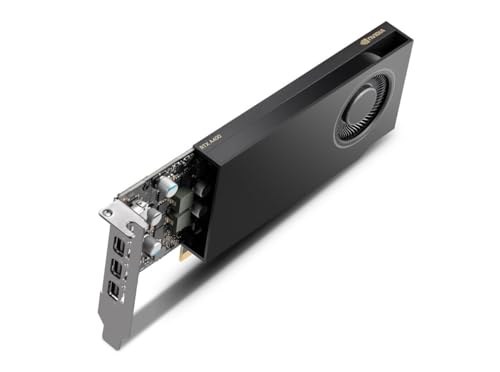
Assembling a Mini ITX PC is an exhilarating challenge: you want maximum gaming or workstation power in a tiny footprint, but the tight confines demand a GPU that fits without compromising airflow or performance. Whether you are upgrading an office workhorse or building a compact gaming rig, the right graphics card transforms your build. We have assessed several options that balance size, cooling, and capability for small form factor cases.
In this guide, we explore four standout choices from brands like 51RISC, QTHREE, and ASUS, covering low-profile and dual-slot designs. Need more advice on compact cards? Check our guide to low profile graphics cards for additional insights.


Buying Guide for Mini ITX Graphics Cards
Size and Form Factor Compatibility
Mini ITX cases vary wildly in internal volume. Measure your chassis clearance for GPU length, height, and width. Low-profile cards like the 51RISC Radeon RX 550 LP easily slide into slim cases, while dual-slot designs such as the ASUS Dual GeForce RTX 3050 need more vertical space. Always confirm your case specifications before buying.
Power Consumption and Thermal Management
Small cases have limited airflow, so a cool-running GPU is essential. Cards drawing under 75W from the PCIe slot avoid extra power cables and reduce heat output. The 51RISC RX 550 and SOYO GT 740 excel here, needing no external power connector. For more demanding tasks, the ASUS RTX 3050 provides a robust cooling solution but requires a quality PSU. Learn about multi-monitor setups to gauge if you need extra ports.
Core Performance Needs
Define your primary uses: basic office work, media streaming, or light gaming. For 1080p productivity and older titles, the SOYO GT 740 or QTHREE GT 730 suffice. For modern games and ray tracing, the ASUS RTX 3050 offers a major leap. Choose based on your workload to avoid overspending.
Port Selection and Multi-Display Support
Mini ITX builds often serve as HTPCs or productivity stations needing multiple monitors. Look for HDMI, DVI, and VGA outputs for flexibility. The QTHREE GT 730 provides four outputs including dual HDMI, ideal for a multi-screen setup without adapters. The SOYO GT 740 also offers triple display support for workflow efficiency.
Final Thoughts
Choosing the right GPU for your Mini ITX build comes down to balancing space, power, and performance. For a no-fuss upgrade in slim cases, the 51RISC Radeon RX 550 LP Graphics Card delivers silent operation and 4K display support without external power. Gamers who want modern features can turn to the ASUS Dual GeForce RTX 3050 6GB GDDR6 OC Edition, which packs ray tracing and efficient cooling into a compact dual-slot design. Both cards bring specific strengths to compact builds, so weigh your priorities and enjoy your small form factor creation.
Frequently Asked Questions
Will a low-profile graphics card fit in all Mini ITX cases? Most low-profile cards are designed for slim chassis, but always check your case’s expansion slot clearance and length limits. The included low-profile bracket helps with narrow cases.
Can I power a Mini ITX GPU without a dedicated PSU connector? Yes, many cards like the 51RISC RX 550 and SOYO GT 740 draw power solely from the PCIe slot, requiring no extra cables. This simplifies installation in power-supply constrained builds.
What is the best graphics card for light gaming in a small form factor PC in 2026? For light gaming at 1080p, the ASUS RTX 3050 offers solid performance with ray tracing support, while the 51RISC RX 550 is a budget-friendly option for older titles and esports. Select based on your game library and resolution.
Do Mini ITX graphics cards support multiple monitors? Yes, most models feature at least two video outputs. The QTHREE GT 730 supports up to four monitors via dual HDMI, VGA, and DisplayPort, making it ideal for productivity setups. See our low profile guide for more options.