

Are you tired of the tinny, lifeless audio from your PC’s built-in sound chip? Whether you are a gamer craving immersive surround sound, a music lover who values clarity, or someone simply looking to eliminate audio glitches, upgrading to a dedicated sound card can transform your experience without demanding a fortune. This guide reviews seven of the best affordable sound cards we have evaluated for 2026, covering internal PCIe cards and compact USB adapters suitable for desktops and laptops. For those exploring other platforms, check out our recommendations for Linux users as well.


Buying Guide
Audio Quality and Resolution
The primary reason to invest in a separate sound card is audio fidelity. Look for models that support high sampling rates (192 kHz or higher) and a high signal-to-noise ratio (SNR). The Creative Sound Blaster Audigy Fx Pro, for instance, delivers 32-bit/384 kHz playback with 120 dB SNR, making it ideal for critical listening. Even budget USB models like the Cubilux 7.1 card support resolutions up to 384 kHz for headphones, ensuring your music and games sound detailed and clear.
Connectivity and Channel Support
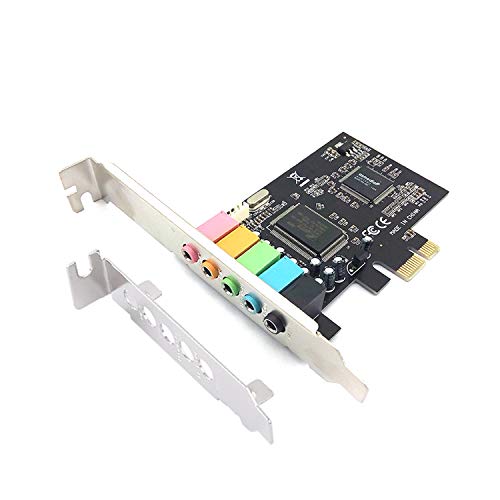
Think about how you connect your speakers or headset. Internal cards often provide multiple 3.5 mm jacks for surround sound setups. The StarTech 7.1 USB Audio Adapter and Padarsey PCIe 5.1 card offer 5.1 or 7.1 channel output for a cinematic experience. If you only need stereo for headphones, a simple adapter like the SABRENT USB External Stereo Sound Card works perfectly. For Mac users, our guide to sound cards for Mac covers similar connectivity options.
Form Factor and Installation
Decide between an internal PCIe card or an external USB sound card. Internal cards like the Creative and Padarsey models require a free PCIe slot inside your desktop tower, but they often provide lower latency and higher bandwidth. External USB sound cards are plug-and-play and work with both desktops and laptops, making them a flexible choice. The Cubilux card features a compact aluminum alloy case that eliminates interference. For more on different card types, browse the Cards category.
Compatibility and Ease of Use
Ensure the sound card works with your operating system right out of the box. Most USB sound cards are class-compliant on Windows, macOS, and Linux. The SABRENT adapter is driverless on all major platforms, while the Cubilux explicitly supports Windows 10/11 and macOS but not older versions. The Padarsey card requires a PCIe slot and supports Windows 7. Always check system requirements before purchasing to avoid compatibility headaches.
Final Thoughts
Choosing the right affordable sound card comes down to your specific setup and priorities. For users who want the highest audio resolution and are comfortable installing a PCIe card, the Creative Sound Blaster Audigy Fx Pro Hi-Res PCIe is our top recommendation thanks to its outstanding 32-bit/384 kHz performance and versatile connectivity. If you prefer a simpler, portable solution that works with any laptop or desktop, the StarTech 7.1 USB Audio Adapter offers reliable 7.1 surround sound without needing to open your case. Both selections deliver exceptional value for 2026.
Frequently Asked Questions
What is the best affordable sound card for gaming?
For immersive gaming, look for a card with 7.1 surround sound and low latency. The Creative Sound Blaster Audigy Fx Pro and the Cubilux 7.1 USB Surround Sound Card both deliver excellent positional audio for competitive and single-player games at a budget-friendly price.
Do I need an internal or external sound card?
Internal PCIe sound cards are ideal for desktop users who want the best audio quality and don’t mind installing hardware. External USB sound cards are better for laptops, small form factor PCs, or anyone who wants a quick plug-and-play upgrade. Both options are affordable in 2026.
Can a USB sound card improve audio quality?
Absolutely. Many USB sound cards have better digital-to-analog converters (DACs) than built-in motherboard audio, resulting in clearer sound, less noise, and support for higher sample rates. Models like the SABRENT adapter are a low-cost way to bypass poor onboard audio.
Are sound cards still worth it in 2026?
Yes, especially if you value high-fidelity audio or need specific features like multi-channel surround sound. While motherboard audio has improved, dedicated sound cards still offer superior components, dedicated drivers, and customization options. For the price of a few streaming subscriptions, you can noticeably upgrade your listening experience.

