

You’re three rounds into a ranked match, your heart is pounding, and just as you line up the perfect shot, your screen stutters. The frame rate tanks, and you’re left staring at a slideshow while your opponent takes you out. This is the all-too-common reality of gaming laptops that overheat. The heat causes the CPU and GPU to throttle their performance to cool down, turning what should be a victory into a frustrating defeat. But it doesn’t have to be this way.
This guide is for gamers and creators who refuse to let heat ruin their experience. We’ve reviewed a range of laptops and cooling solutions designed to maintain peak performance even during the most demanding sessions. If you’re looking to upgrade your setup, you might also want to check out our guide on the best quiet gaming laptops to keep things whisper-silent. We’ll break down what makes a laptop run cool, which models excel in thermal management, and how a simple cooling pad can make a world of difference.



Buying Guide
Cooling System Design
Not all cooling systems are created equal. High-end gaming laptops use multiple fans, heat pipes, and vapor chambers to dissipate heat away from the processor and graphics card. Look for laptops that feature dedicated cooling technologies, such as Alienware’s Cryo-Tech or MSI’s Cooler Boost, which are specifically engineered for sustained performance. A laptop with a robust cooling design will not only run quieter but also maintain higher frame rates over longer periods.
For an even more effective solution, consider a laptop cooling pad. These external devices provide an extra layer of airflow, which is especially useful for laptops with bottom-mounted intakes. A good cooling pad can help reduce temperatures by 10-20 degrees Celsius, which can be the difference between a smooth game and a laggy mess.
Processor and Graphics Card (CPU/GPU)
The processor and graphics card are the heart of any gaming laptop, and they’re also the primary sources of heat. Newer generations of CPUs and GPUs are more power-efficient, meaning they generate less heat for the same level of performance. For example, an Intel Core i7 or an NVIDIA GeForce RTX 40-series card will be more efficient than older models. When choosing a laptop, look for one with a powerful yet efficient CPU and GPU combo, as this will naturally run cooler.
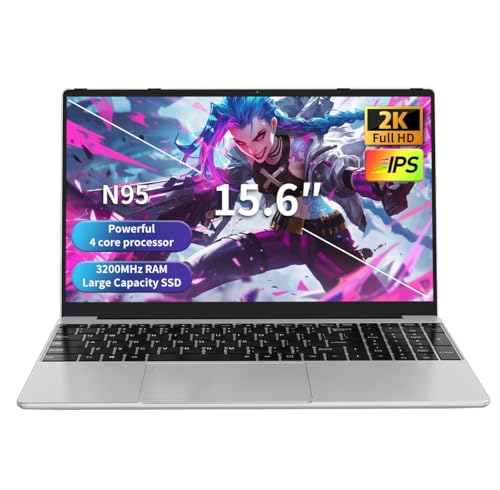
If you’re on a budget, you can still get excellent performance from a laptop with an entry-level processor like the Intel Celeron N95, which is perfect for light gaming and everyday tasks. However, for demanding AAA titles, you’ll want something with more muscle. For those who need a machine for work as well as play, our guide on laptops for business professionals offers some great alternatives that balance performance with portability.
Display and Refresh Rate
A high refresh rate display, such as 144Hz, not only makes your games look smoother but also reduces the strain on your system. When your GPU is pushing more frames per second, it’s working harder and generating more heat. A 144Hz display is a sweet spot for most gamers, providing a fluid experience without overworking the hardware. For competitive esports, a higher refresh rate can be a game-changer, but it will also increase the temperature.
If you’re looking for a laptop that can handle both work and play, you might want to check out our recommendations for laptops for working from home, which often feature a balance of performance and efficiency. Ultimately, the right display depends on your priorities. If you want the smoothest experience, go for a 144Hz panel, but if you prioritize battery life and cooler temperatures, a standard 60Hz display will suffice.
Final Thoughts
Finding a gaming laptop that stays cool is about more than just specs; it’s about enjoying a consistent, lag-free experience. For those who want a powerful all-in-one solution, the Alienware 16 Aurora Gaming Laptop, RTX 5050 is a top-tier choice with its innovative Cryo-Chamber cooling. On the other hand, if you already have a laptop you love but it runs a little hot, a quality cooling pad like the ChillCore Laptop Cooling Pad can be a cost-effective way to boost its performance and longevity. We hope this guide helps you keep your cool and your frame rates high. Happy gaming!
Frequently Asked Questions
How can I keep my gaming laptop cool while playing?
Regularly cleaning the vents and fans of your laptop is crucial for maintaining good airflow. Using a laptop cooling pad with a few extra fans can also make a significant difference. Additionally, ensure your laptop is on a hard, flat surface to allow for proper ventilation, and consider lowering the graphics settings in games to reduce the load on your hardware.
What is a good temperature for a gaming laptop?
Under heavy load, a gaming laptop’s CPU and GPU can safely reach temperatures between 80°C and 90°C (176°F to 194°F). While these temperatures are within the manufacturer’s specifications, sustained temperatures above 90°C can lead to thermal throttling. Keeping your laptop in an environment with good airflow and using a cooling pad can help maintain lower, safer temperatures.
Are laptop cooling pads worth it?
Yes, laptop cooling pads are generally worth the investment, especially for gaming laptops that tend to run hot. They provide additional airflow to the bottom and underside of the laptop, which helps dissipate heat more effectively. This can lead to better performance, reduced fan noise, and a longer lifespan for your device. For a budget-friendly option, consider the Kootek Laptop Cooling Pad Cooler Stand with 5.
Do gaming laptops overheat easily?
Gaming laptops are more prone to overheating than standard laptops because they pack powerful components into a compact space. However, modern laptops are designed with sophisticated cooling systems to manage heat. Whether a laptop overheats easily depends on its design, the quality of its thermal paste, and how demanding the games are. Using a cooling pad and keeping the vents clean can prevent most overheating issues.




