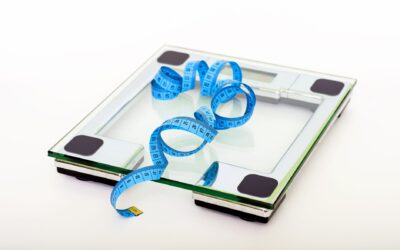
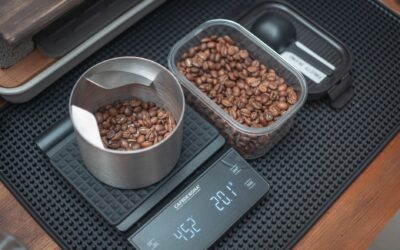
If your digital scale keeps changing weight, the most likely cause is an uneven or unstable surface, followed by low battery, calibration errors, or environmental factors like temperature and humidity. Digital scales rely on precise sensors that are sensitive to their surroundings, so even small changes in placement or power can produce inconsistent readings. Understanding these common triggers helps you quickly identify and fix the problem without replacing the scale.

Uneven or Unstable Surface
The most frequent reason a digital scale keeps changing weight is that it is sitting on an uneven floor. Tile grout lines, carpet fibers, or a slightly warped bathroom floor can cause the scale to rock or tilt, which shifts the load distribution across its sensors. Each time you step on, the balance changes slightly, producing a different number.
To test this, place the scale on a hard, flat surface like a ceramic tile or hardwood floor and check if the readings stabilize. Avoid placing it on rugs, mats, or any soft flooring. Even a thin mat can absorb some of the weight and cause the sensor to misread.
Low or Dying Battery
A weak battery is another common culprit when your digital scale keeps changing weight. Many digital scales use lithium or alkaline batteries, and as the voltage drops, the sensor’s ability to measure weight accurately becomes erratic. You might notice the display flickering, turning off mid-use, or showing numbers that jump by several pounds between steps.
Replacing the battery with a fresh one of the correct type often resolves the issue immediately. Some scales also have a low-battery indicator icon, but not all do, so if you see inconsistent readings and the scale is a few years old, start with a new battery.
Calibration Errors
Digital scales need to be calibrated periodically to maintain accuracy. Over time, normal use can cause the internal sensors to drift, especially if the scale has been bumped, dropped, or exposed to temperature changes. When calibration is off, the scale may show a different weight each time you step on, even if nothing else has changed.
Many digital scales have a calibration mode that involves placing a known weight on the scale and pressing a button. Check your user manual for the specific procedure. If you do not have the manual, a common method is to turn the scale on, let it warm up, then press and hold the “Cal” or “Mode” button until the display flashes, then follow the on-screen prompts.
Environmental Factors: Temperature and Humidity
Temperature and humidity changes can affect the electronic components inside a digital scale. If you keep your scale in a bathroom that gets steamy after a shower, or in a garage that fluctuates between hot and cold, the internal sensors may expand or contract slightly, leading to fluctuating readings. This is especially true for less expensive scales that lack temperature compensation circuitry.
To minimize this, store the scale in a climate-controlled room and allow it to acclimate for at least 30 minutes before use if it has been moved from a different environment. Avoid placing it near heating vents, air conditioners, or windows where direct sunlight hits.
Improper Placement or Movement During Weighing
How you stand on the scale matters. If you shift your weight, lean, or place your feet unevenly, the sensors detect different forces and produce different numbers. Some scales are more sensitive to this than others, but all digital scales are designed for a static, centered load.
Stand still with your feet evenly spaced and centered on the platform. Do not hold onto a wall or counter for balance, as that transfers some of your weight away from the scale. Wait until the display locks on a number before stepping off. If you move before the reading stabilizes, you will get an inconsistent result.
Sensor or Internal Component Failure
If you have checked the surface, battery, calibration, and environment, and the digital scale keeps changing weight, the problem may be a failing sensor or damaged internal component. Water damage from spills or humidity can corrode the electronics, and physical impacts can crack the load cell or its connections. This is more common in older scales or those that have been dropped.
Unfortunately, sensor failure is usually not repairable at home. If the scale is still under warranty, contact the manufacturer. Otherwise, it is often more cost-effective to replace the scale than to attempt a repair.
How to Fix a Digital Scale That Keeps Changing Weight
- Place the scale on a hard, flat, level surface away from rugs or mats.
- Replace the battery with a fresh one of the correct type.
- Calibrate the scale using a known weight or the manufacturer’s procedure.
- Allow the scale to reach room temperature before use, especially if moved from a different environment.
- Stand still and centered on the scale, without leaning or shifting weight.
- If none of these work, the scale likely has internal damage and may need replacement.
While that article focuses on automotive diagnostics, the same principle of accurate measurement applies to any tool you rely on for consistent readings.
Related Guides
- How to Calibrate a Digital Bathroom Scale
- Digital Scale Not Accurate
- Where to Place a Bathroom Scale for Accurate Reading
Frequently Asked Questions
Why does my digital scale show different weights every time I step on it?
The most common reasons are an uneven surface, low battery, or calibration drift. Start by moving the scale to a hard, flat floor, replacing the battery, and recalibrating if possible. If the problem persists, environmental factors or internal damage may be at fault.
Can temperature cause a digital scale to give inaccurate readings?
Yes, extreme temperatures or rapid temperature changes can affect the electronic sensors inside the scale. Most scales operate best between 50 and 95 degrees Fahrenheit. If the scale is stored in a hot garage or cold bathroom, allow it to adjust to room temperature for at least 30 minutes before weighing.
How often should I calibrate my digital scale?
Most manufacturers recommend calibrating once a month or whenever you notice inconsistent readings. If you move the scale frequently or use it in varying conditions, calibrate more often. Always use a known weight (like a dumbbell or calibration weight) for accurate results.
Is it normal for a digital scale to fluctuate by a few ounces?
Small fluctuations of 0.2 to 0.5 pounds (about 3 to 8 ounces) can be normal if you weigh yourself at different times of day, after eating, or after drinking. However, if the scale jumps by a pound or more between consecutive weigh-ins within minutes, something is likely wrong with the scale or its placement.
Can a digital scale be repaired if the sensor is damaged?
In most cases, no. The load cell and internal electronics are sealed units that are difficult to replace without specialized tools. If the scale is under warranty, contact the manufacturer. Otherwise, it is usually cheaper and more reliable to buy a new scale.
A digital scale that keeps changing weight is almost always fixable by checking the surface, battery, and calibration. If those steps do not work, the scale likely has internal damage and it is time to consider a replacement.